If your gift card product does not display fields for adding the recipient’s details, or if you are seeing the standard “Add to Cart” button instead of “Send a gift card,” it likely means the GV-gift card app extension is not enabled in your theme.
Follow the steps below to ensure the extension is active:
Step 1: Go to Your Theme Settings
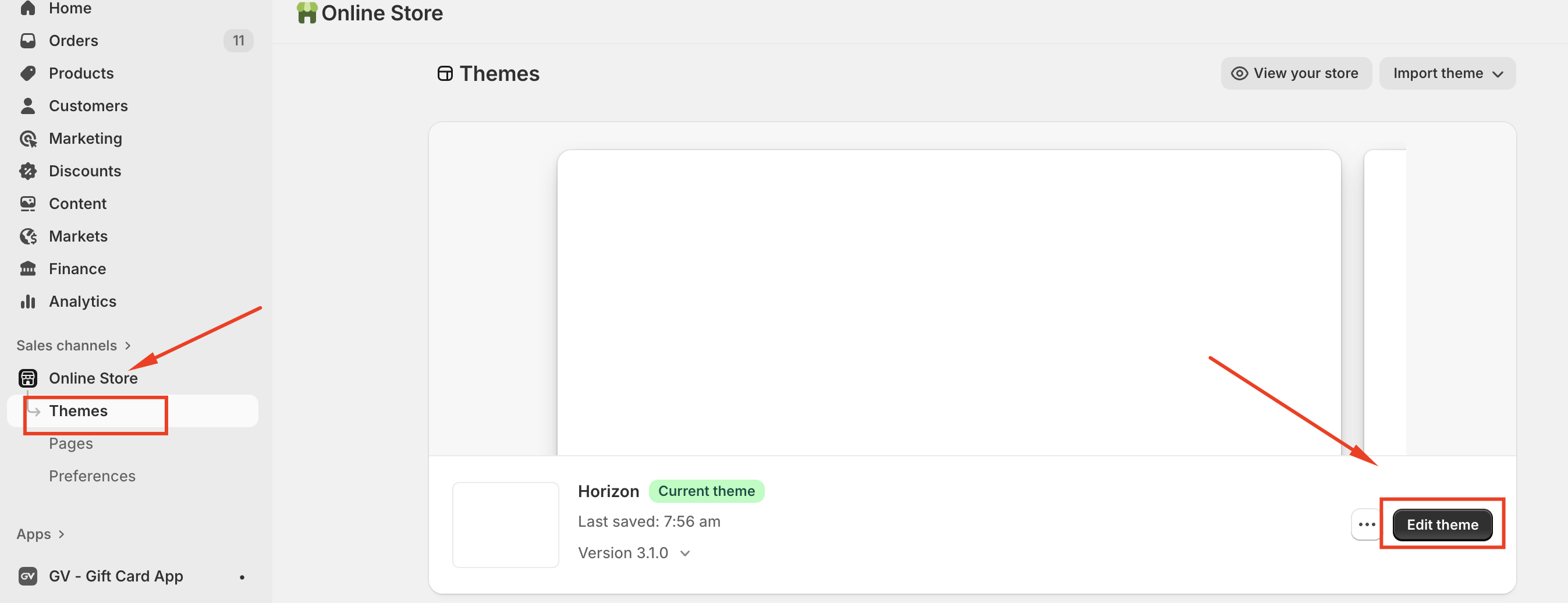
In your Shopify admin, navigate to Online Store > Themes > Edit theme
Step 2: Access App Embeds
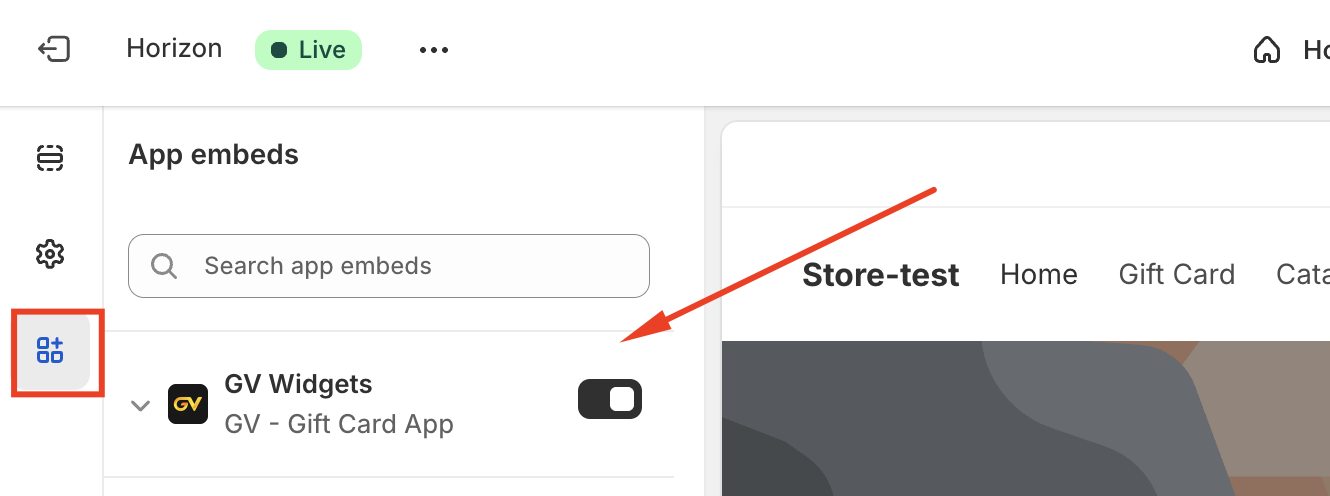
Within the theme editor, go to Theme settings > App embeds.
Step 3: Enable GV-gift card
Locate GV- gift card in the App embeds list, enable it, and Save your changes.
Note: when switching to a new theme, you may need to re-enable the app extension in the new theme.
Should you have any further questions, please feel free to drop us an email at support@govalos.com
Was this article helpful?
That’s Great!
Thank you for your feedback
Sorry! We couldn't be helpful
Thank you for your feedback
Feedback sent
We appreciate your effort and will try to fix the article