We’re excited to announce that the GV Gift Card app is now fully integrated with Klaviyo, enabling you to seamlessly connect your gift card data with powerful email and SMS marketing automation.
This integration allows you to sync real-time events and customer data from GV directly into Klaviyo, helping you create more personalized, timely, and effective campaigns.
Overview
With this integration, you can:
Automatically send gift card events and customer data to Klaviyo
Build targeted email and SMS flows based on customer actions
Customize communication strategies using real-time triggers
Enhance customer engagement and retention
⚙️ How to Set Up the Integration
To connect GV with Klaviyo, follow these steps:
Go to:
GV gift card app → Partner → Integrations → Klaviyo → Configure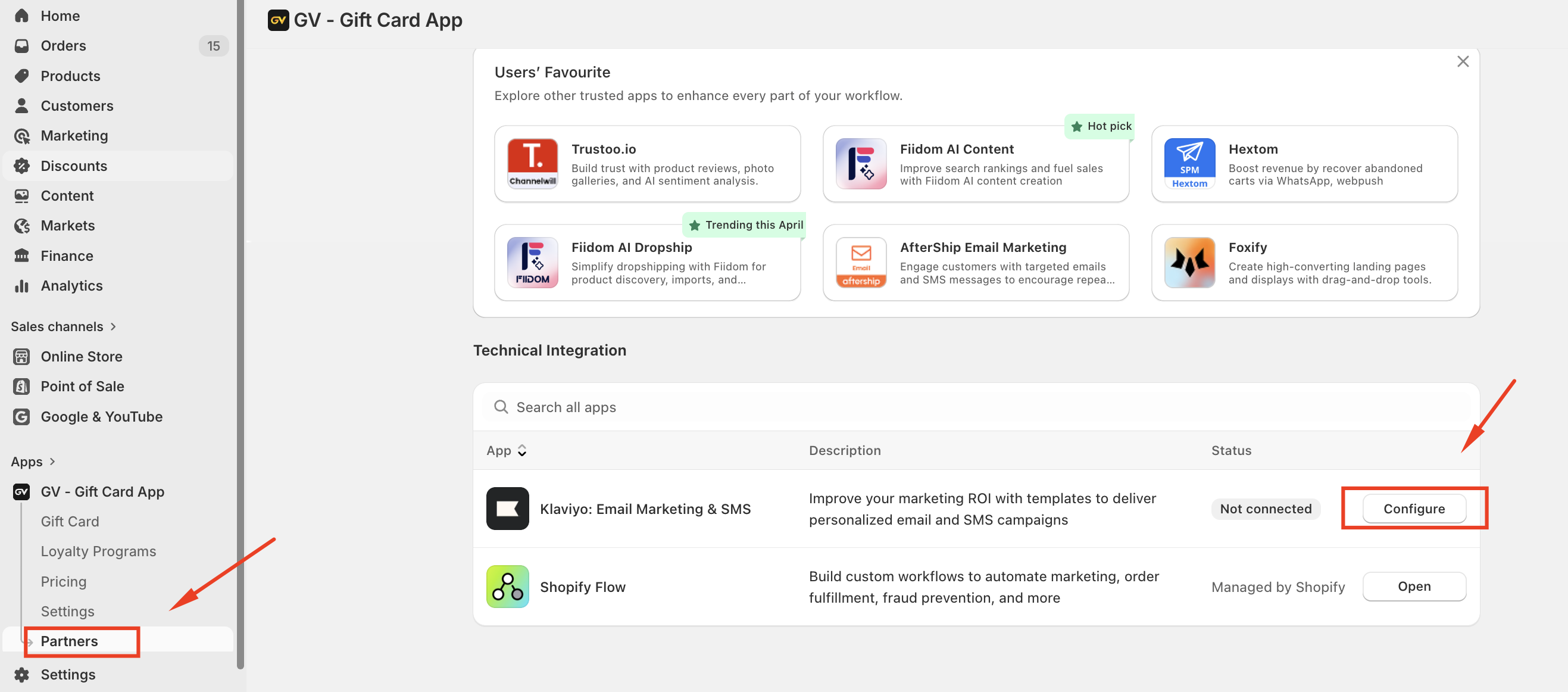
Enter your Klaviyo Private API Key
Ensure the key has full access to Events API
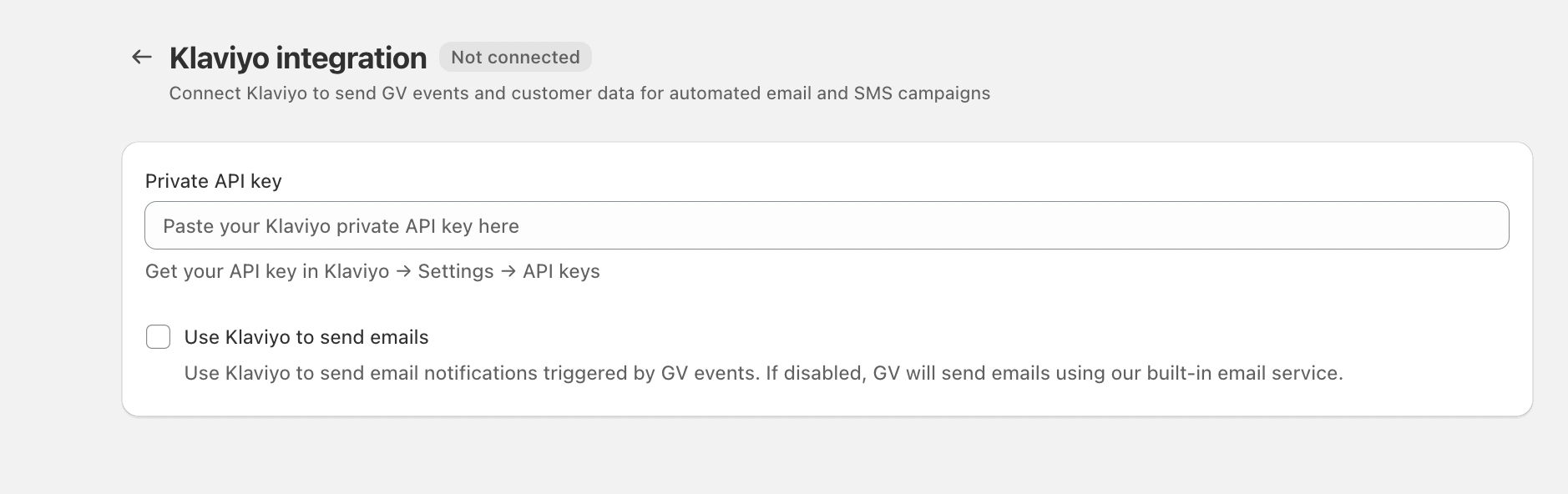
Click Verify to validate the connection
Once verified, the status will change to Active
Save your configuration
Note: If you remove or update your API key in Klaviyo, you will need to reconfigure it again in the GV app.
⚙️ How the Integration Works
Once connected:
GV will generate events and customer properties
These are automatically sent to Klaviyo under:
Your Metrics → APIYou can then:
Create email templates
Build flows based on GV triggers
Customize messaging using Klaviyo tools
Available Events & Triggers
| Module | Event Name | Trigger | Properties (Available in Klaviyo Filters) |
|---|---|---|---|
| Gift Cards | GV Gift Card Purchase | When a gift card is purchased | Value (gift card amount) – value |
| GV Gift Card – 7 Days Before Expiry | 7 days before the gift card expires | Recipient email – text | |
| GV Gift Card Disabled | When a gift card is disabled | Remaining balance – Value | |
| Loyalty Program | GV Store Credit Sent | When store credit is issued to a customer | Value (store credit amount) – value Customer email – text Remaining balance – value Amount spent – value Reason (e.g., Signup / Subscribe to newsletter) – text |
| GV Credit Used | When a customer uses store credit | ||
| GV Store Credit – 7 Days Before Expiry | 7 days before store credit expires | ||
| GV VIP Tier Unlocked | When a customer unlocks a new VIP tier | Previous tier name – text Current tier name – text | |
| GV VIP Tier Reset | When VIP tiers are reset | ||
| Referrals Successful | When a referred customer completes a purchase | Referrer email – text Referee email – text Reward amount – number |
✉️ Creating Flows in Klaviyo
To build automated campaigns:
Go to Flows in Klaviyo
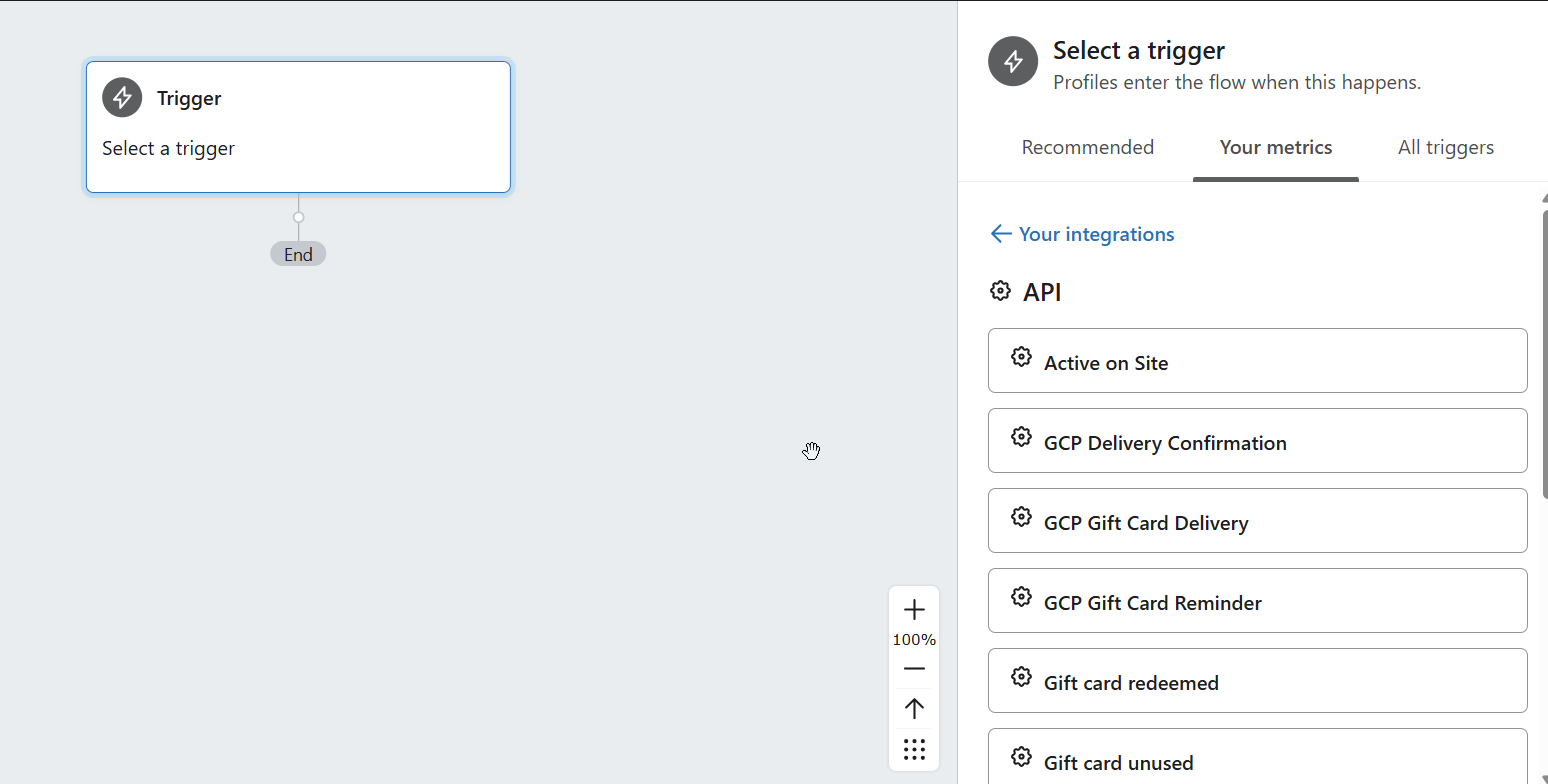
Select Create Flow → Trigger → API
Choose a GV event
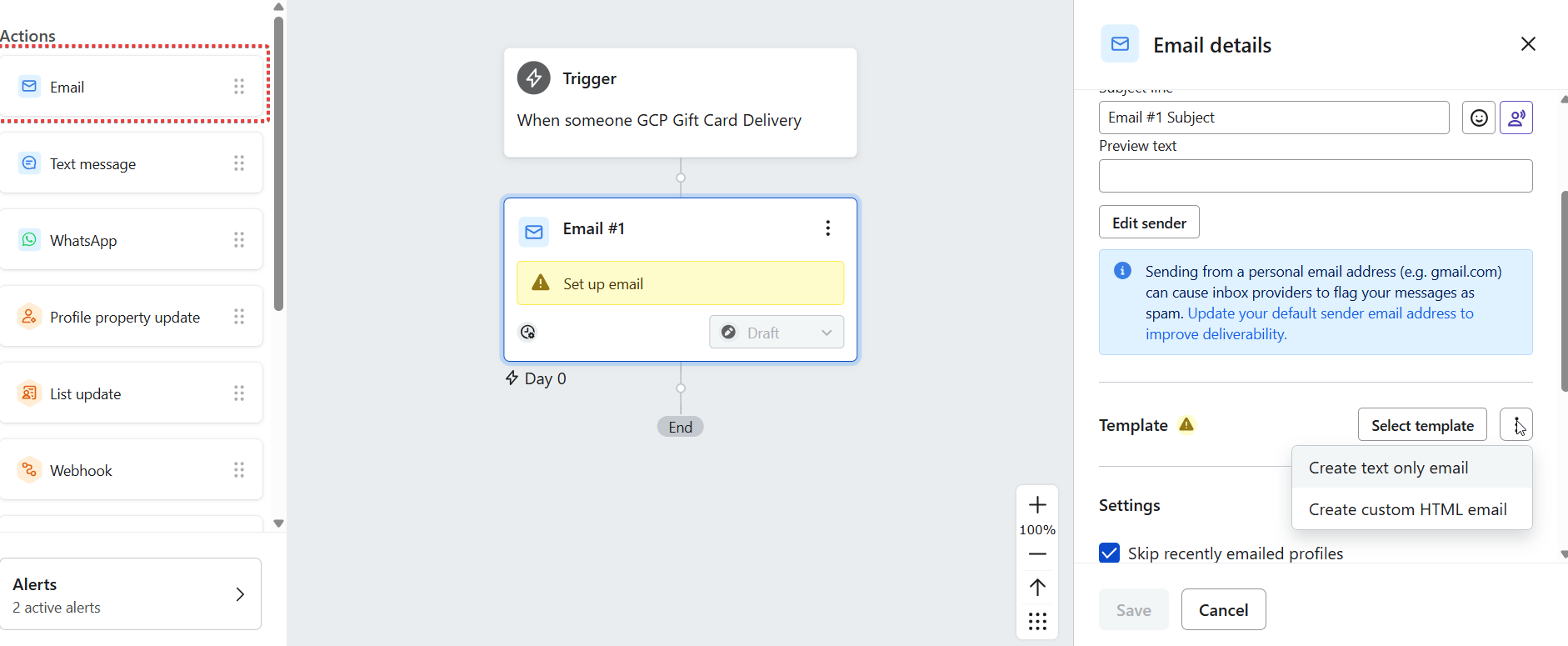
Add email/SMS steps
Customize content using templates or custom HTML
If you need some more help, please feel free to contact us via email at support@govalos.com
Was this article helpful?
That’s Great!
Thank you for your feedback
Sorry! We couldn't be helpful
Thank you for your feedback
Feedback sent
We appreciate your effort and will try to fix the article