You can use our latest feature, Send Reminder Balance, to resend gift codes to your customers
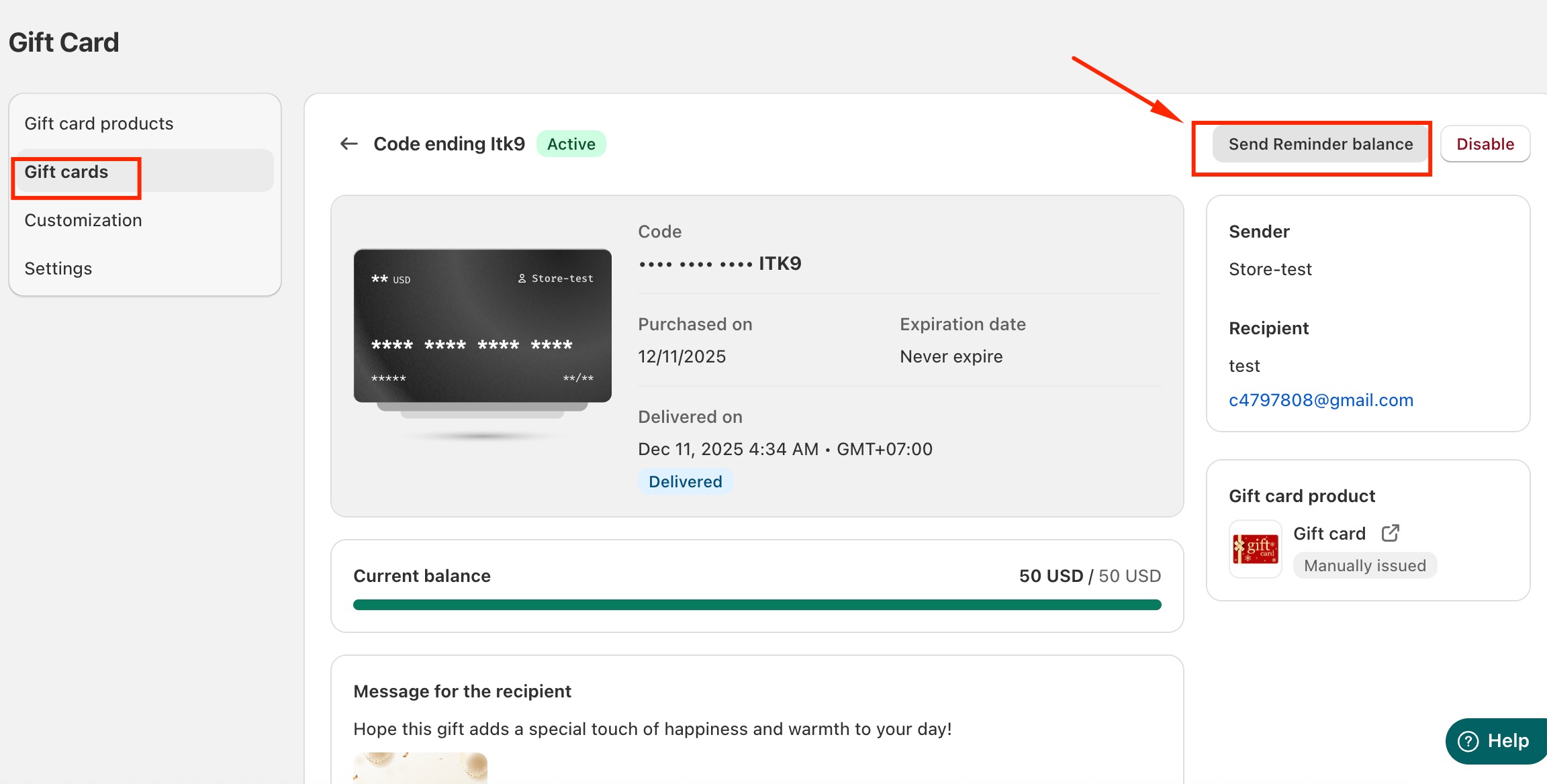
Option 1: From the Gift Card Details Page
Open the Gift Cards section.
Locate the specific gift card or recipient you want to resend the reminder to.
Click on gift card to open the card information.
Select Send Reminder Balance.
This will immediately resend the balance reminder to the recipient.
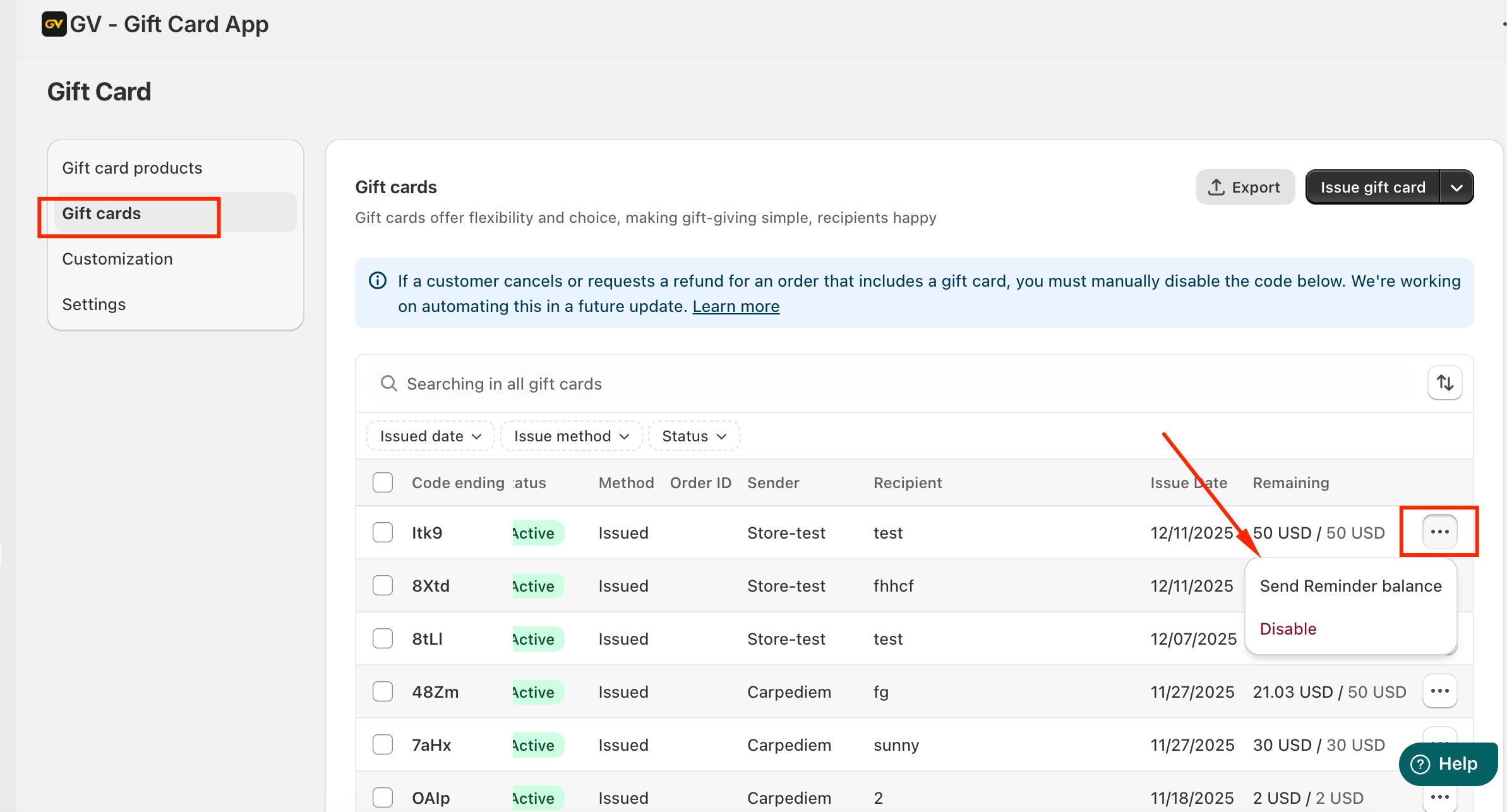
Option 2: From the Gift Cards List
Navigate to the Gift Cards page.
Find the gift card or recipient in the list.
Click the three-dot menu next to the entry.
Choose Send Reminder Balance.
This option allows you to resend the reminder directly without opening the full details page.
Should you need any further information, please do not hesitate to let us know at support@govalos.com
Was this article helpful?
That’s Great!
Thank you for your feedback
Sorry! We couldn't be helpful
Thank you for your feedback
Feedback sent
We appreciate your effort and will try to fix the article