Changing the recipient’s email address on an existing eGift Card is not supported. Once a gift card has been issued, the recipient information cannot be edited.
How to Send an eGift Card to a New Email Address
If a customer requests that their eGift Card be resent to a different email address, the only available solution is to follow the steps below:
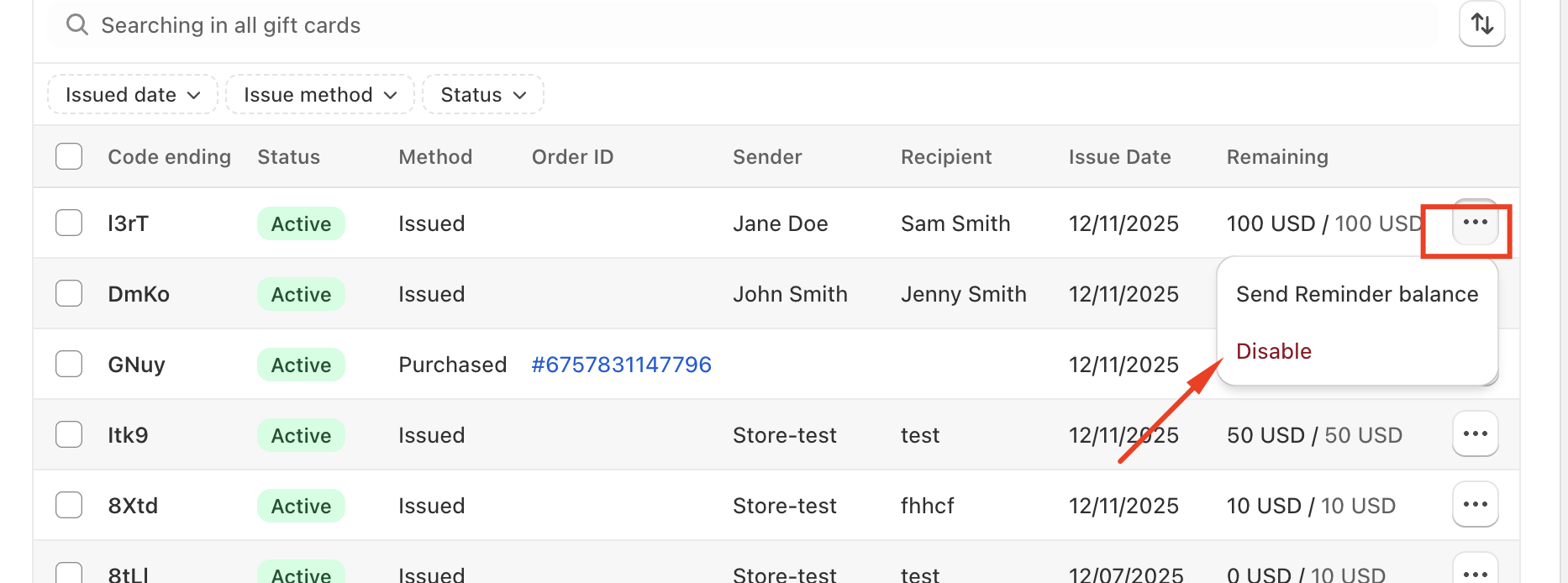
Step 1: Deactivate the Existing Gift Card
Locate the original gift card in your Shopify admin and deactivate it so it can no longer be used.
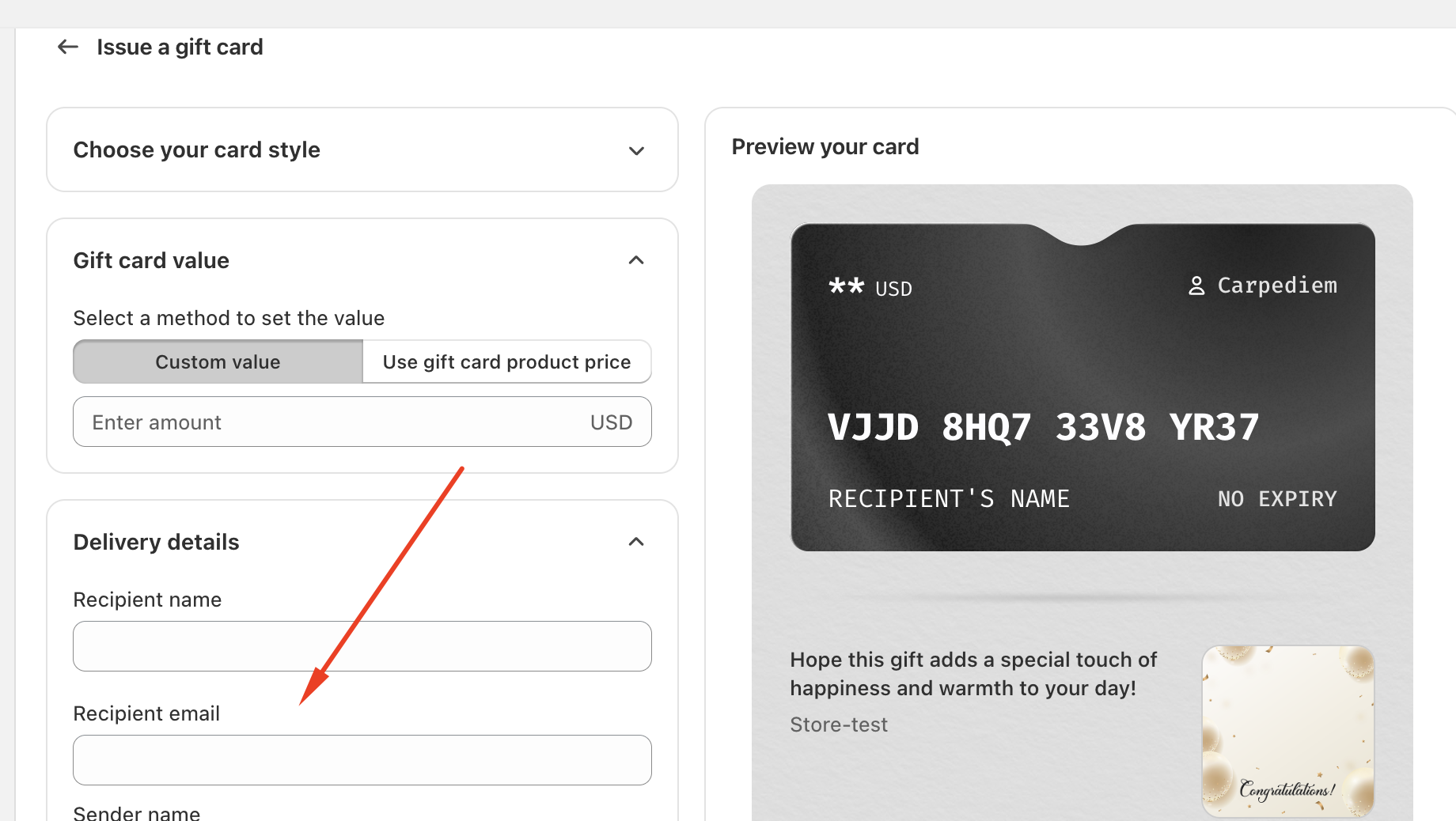
Step 2: Issue a New Gift Card
Create and send a new gift card using the correct email address provided by the customer.
Step 3: Deliver the New Code
The newly issued gift card will be delivered to the updated email address.
Should you have any further questions, please feel free to drop us an email at support@govalos.com
Was this article helpful?
That’s Great!
Thank you for your feedback
Sorry! We couldn't be helpful
Thank you for your feedback
Feedback sent
We appreciate your effort and will try to fix the article