Sometimes you may need to re-send a gift card email, either because the recipient didn't receive it on the first time, lost it, or the buyer misspelled the recipient's email, so you have to edit it and re-send the email.
You can utilize our Send Reminder balance email to re-send the code as the following:
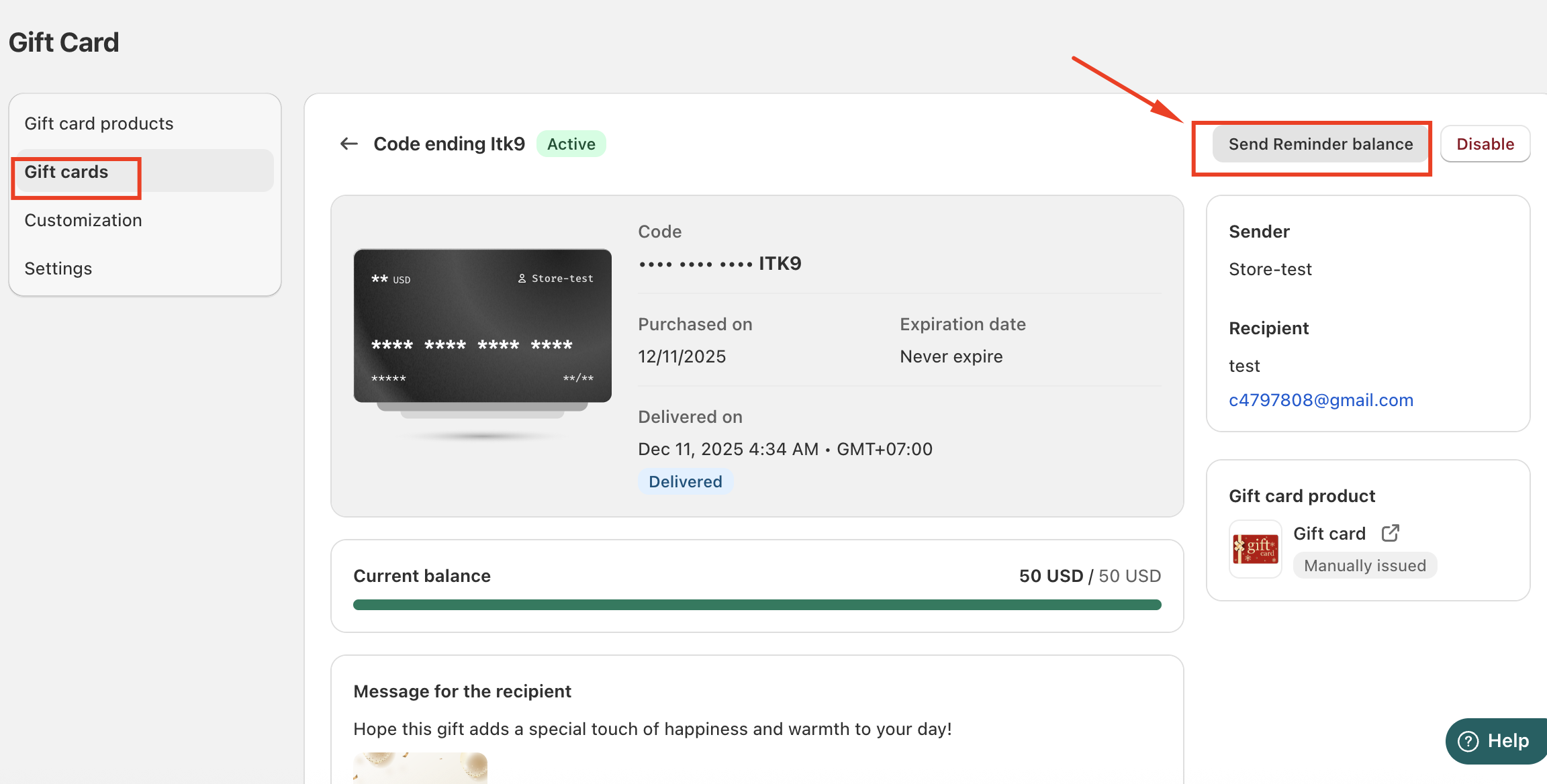
Option 1: From the Gift Card Details Page
Open the Gift Cards section.
Locate the specific gift card or recipient you want to resend the reminder to.
Click on gift card to open the card information.
Select Send Reminder Balance.
This will immediately resend the balance reminder to the recipient.
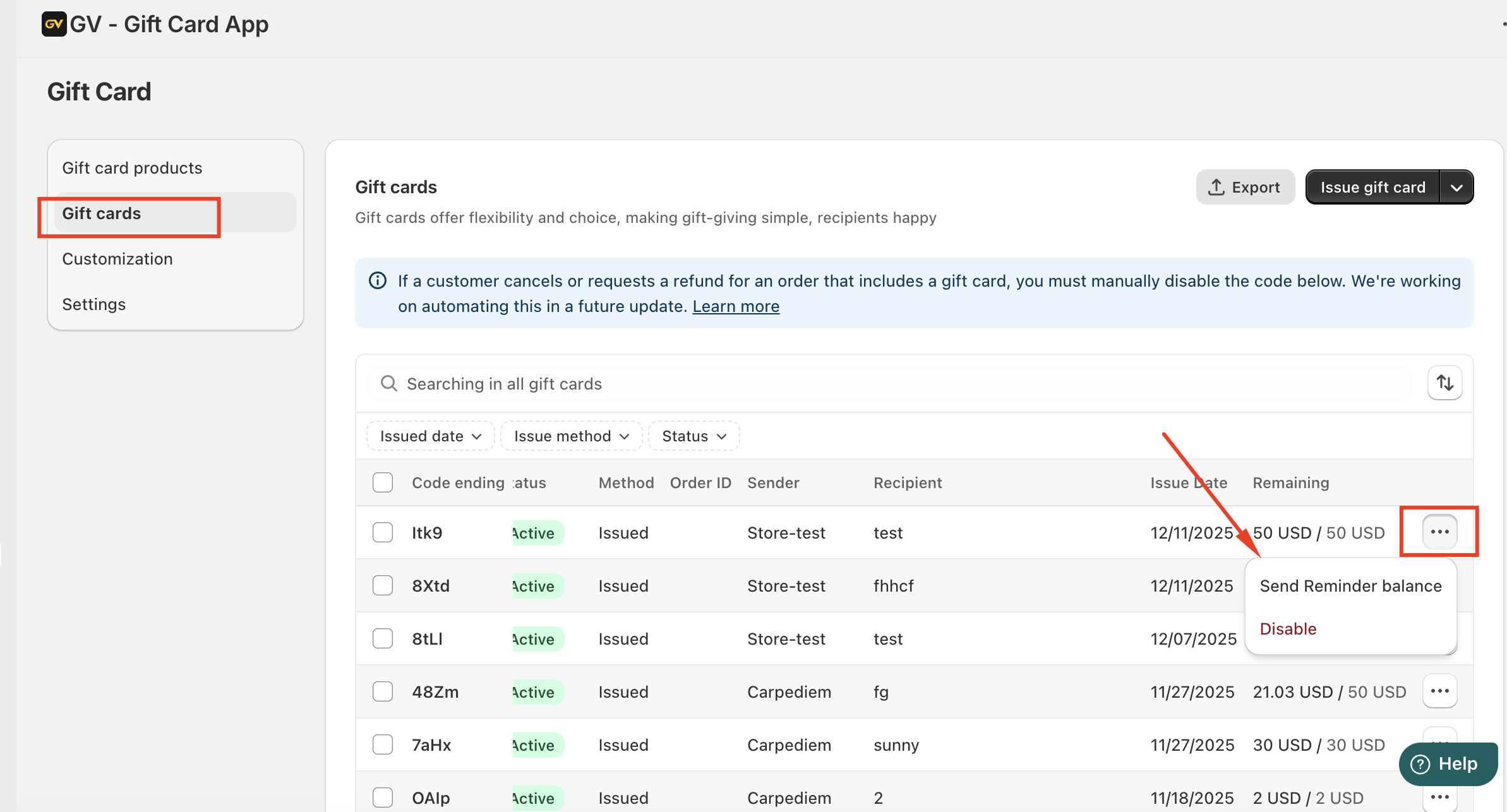
Option 2: From the Gift Cards List
Navigate to the Gift Cards page.
Find the gift card or recipient in the list.
Click the three-dot menu next to the entry.
Choose Send Reminder Balance.
This option allows you to resend the reminder directly without opening the full details page.
Was this article helpful?
That’s Great!
Thank you for your feedback
Sorry! We couldn't be helpful
Thank you for your feedback
Feedback sent
We appreciate your effort and will try to fix the article