When you manually issue a gift card to a recipient, the email they receive is a key touchpoint in the gifting experience. Customizing this email ensures it aligns with your store’s branding and provides a smooth, professional experience for your customers.
Follow the steps below to set up and personalize gift card emails.
Choose How Gift Card Details Are Displayed
You can control how the recipient views the gift card information in the email:
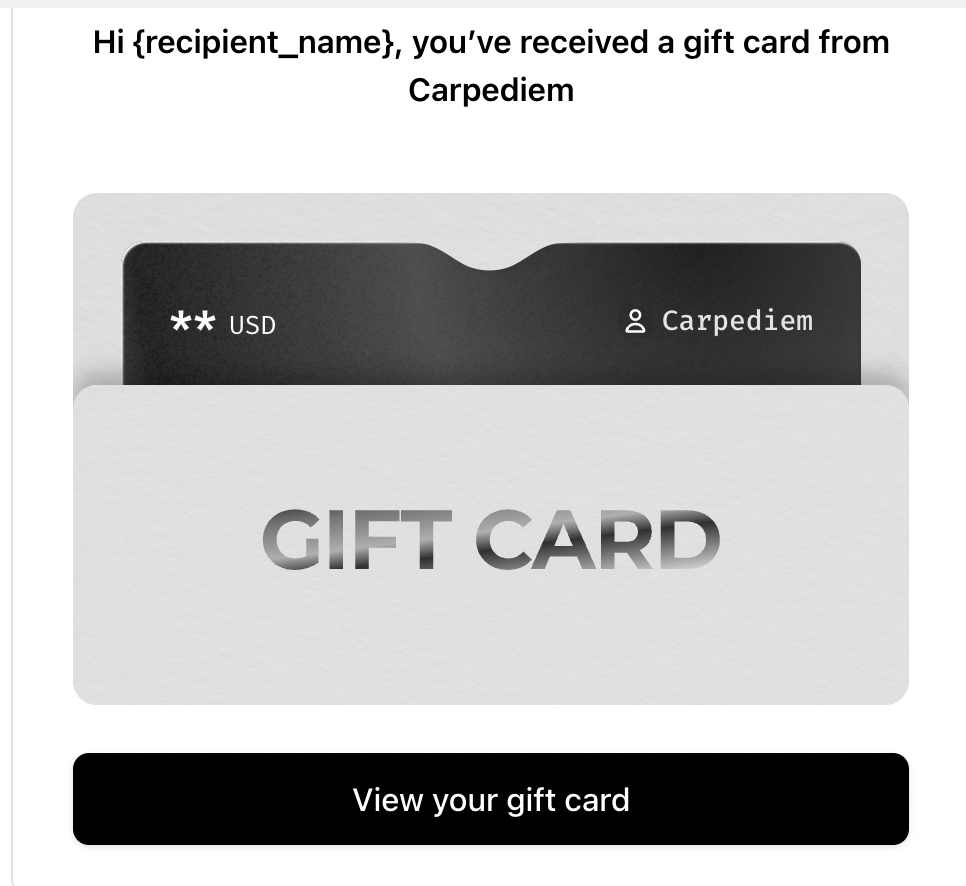
View Gift Card on a Separate Page
The recipient clicks a secure link to open a separate page containing all gift card details. This option is ideal for maintaining privacy and security.
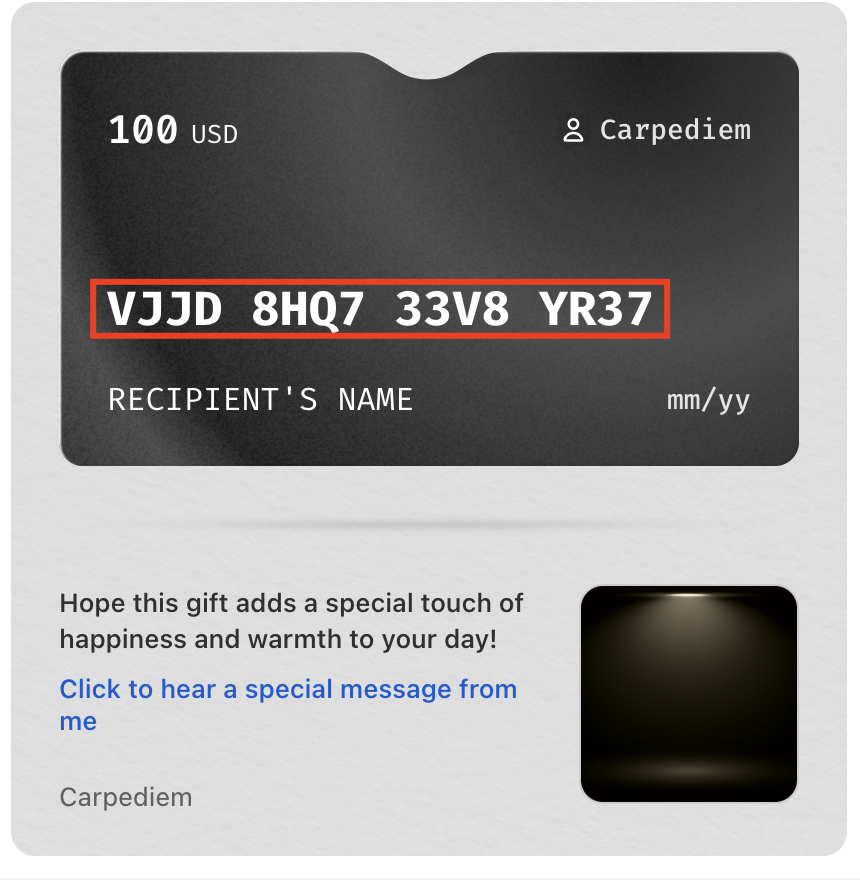
2. Show Full Gift Details in the Email
All gift card information, including the code, value, and expiration date, is displayed directly in the email. This provides a quick and convenient experience for the recipient.
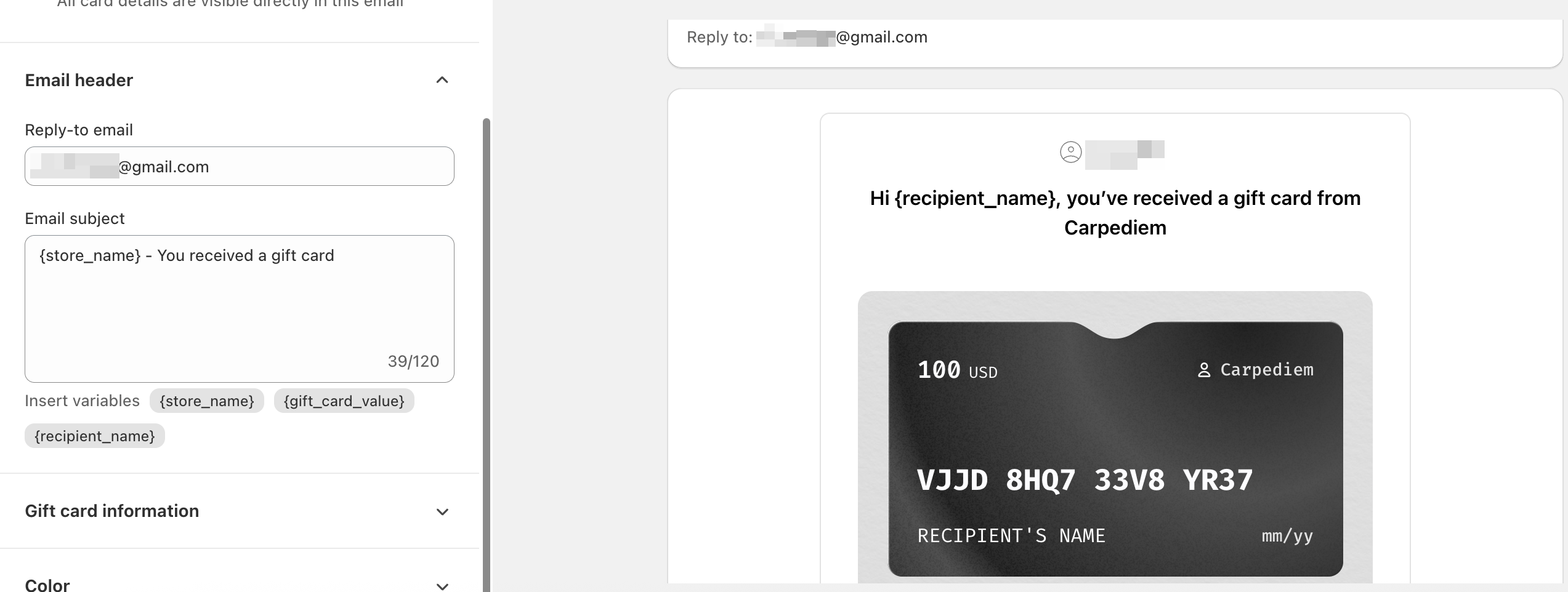
Customize Email Header and Subject
To match your brand voice, you can customize the email and email subject line. Clear, branded messaging helps the recipient immediately recognize your store and understand the purpose of the email.
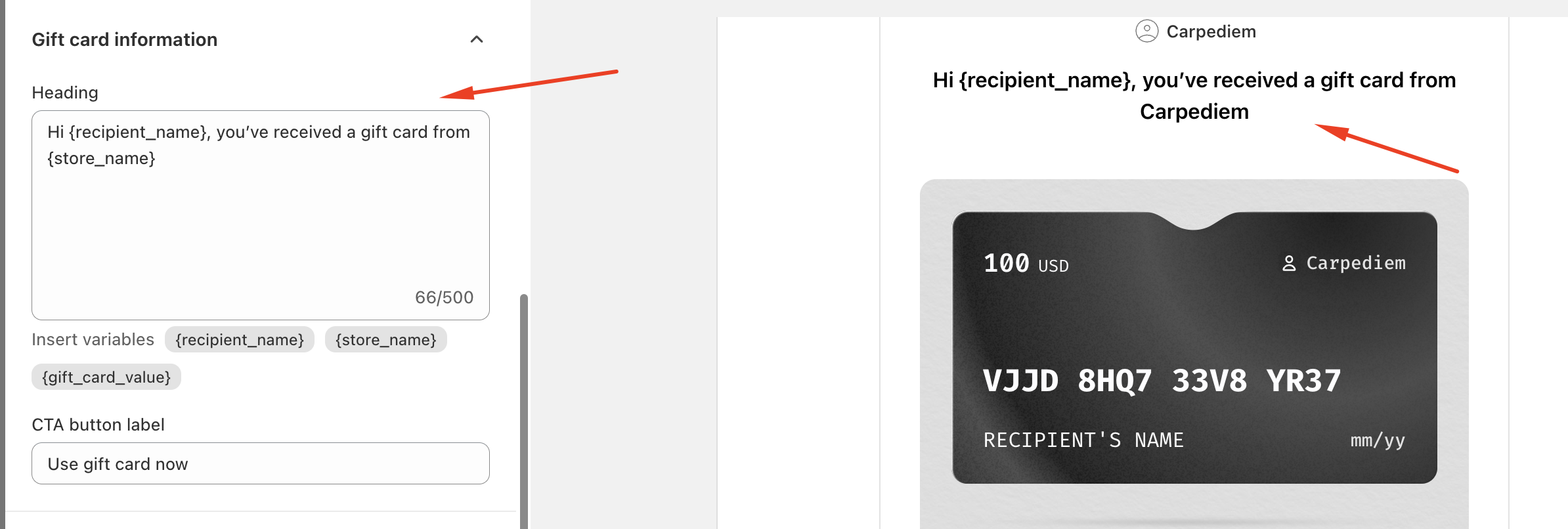
Customize Gift Card Information
You can personalize the content displayed within the email, including:
Email Heading – Add a heading that clearly lets your customer know they’ve received a gift card from your store, such as “You’ve received a gift card from [Store Name]!”
CTA Button Label – Customize the call-to-action button text to encourage immediate action. Examples include “Use Gift Card Now”, “Redeem Now”, or any wording that fits your store’s voice.
Customize the CTA
You can adjust the CTA button background color and CTA text color to match your store’s theme. A visually appealing CTA encourages recipients to engage with their gift card quickly and easily.

In case you have any further concerns, please feel free to drop us an email at support@govalos.com
Was this article helpful?
That’s Great!
Thank you for your feedback
Sorry! We couldn't be helpful
Thank you for your feedback
Feedback sent
We appreciate your effort and will try to fix the article