You can send emails to customers reminding them of an upcoming gift card expiration. These reminders encourage recipients to use their gift cards before they expire, helping customers maximize their balance while also boosting your sales.
Customizing these emails ensures they align with your store’s branding and communicate the message clearly and effectively.
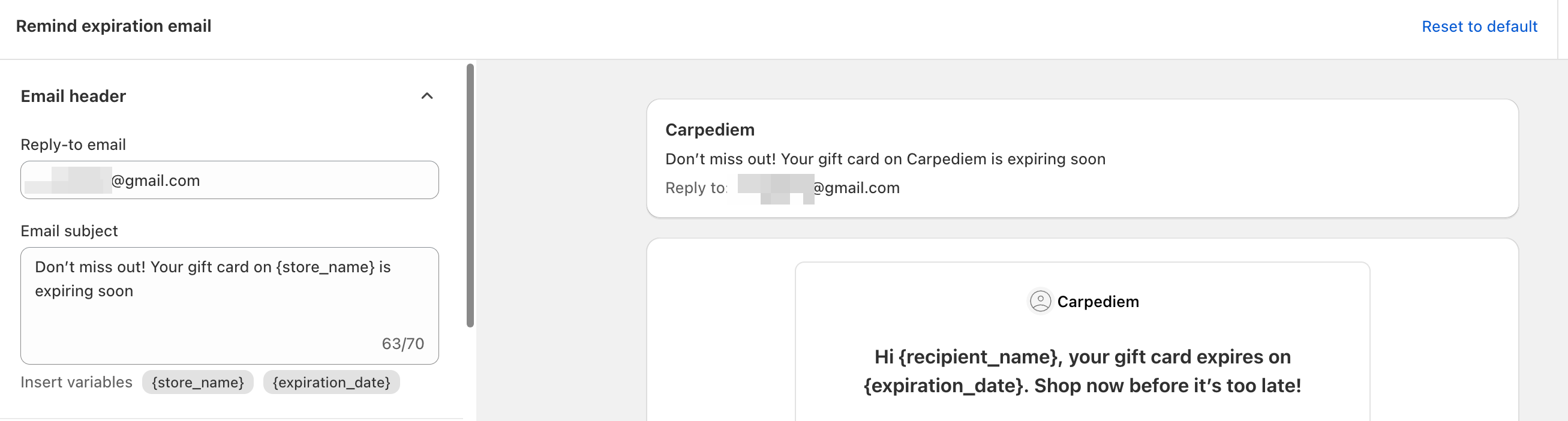
Customize Email Header and Subject
You can personalize the email header and subject line to create clear, branded messaging. A well-crafted header and subject line help the recipient immediately recognize your store and understand the purpose of the email.
Examples:
Subject: “Your Gift Card is About to Expire!”
Header: “Use Your Gift Card Before It’s Too Late”
Customize Gift Card Information
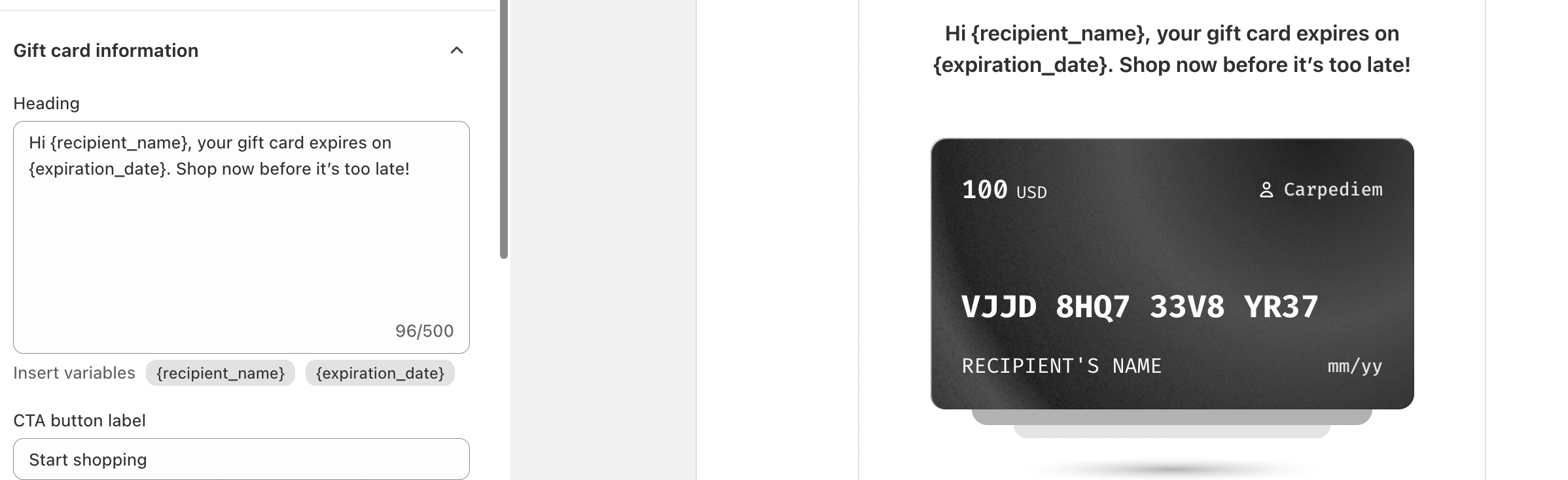
Within the email, you can customize the gift card information to show:
The expiration date of the gift card
A friendly reminder encouraging them to use it soon
This ensures that recipients are informed and motivated to redeem their gift card in time.
The process for customizing expiration reminder emails is the same as described in the Customize Emails for Manually Issued Gift Cards section. For detailed step-by-step instructions, please refer to our article: Customize Emails for Manually Issued Gift Cards
In case you have any further concerns, please feel free to drop us an email at support@govalos.com
Was this article helpful?
That’s Great!
Thank you for your feedback
Sorry! We couldn't be helpful
Thank you for your feedback
Feedback sent
We appreciate your effort and will try to fix the article