GV- gift cards can be sent to a customer on a future date. The timezone that the gift card is sent coordinates with the timezone of the site.
Sending a Gift Card on a Future Date
Gift cards can be scheduled for future delivery in two ways:
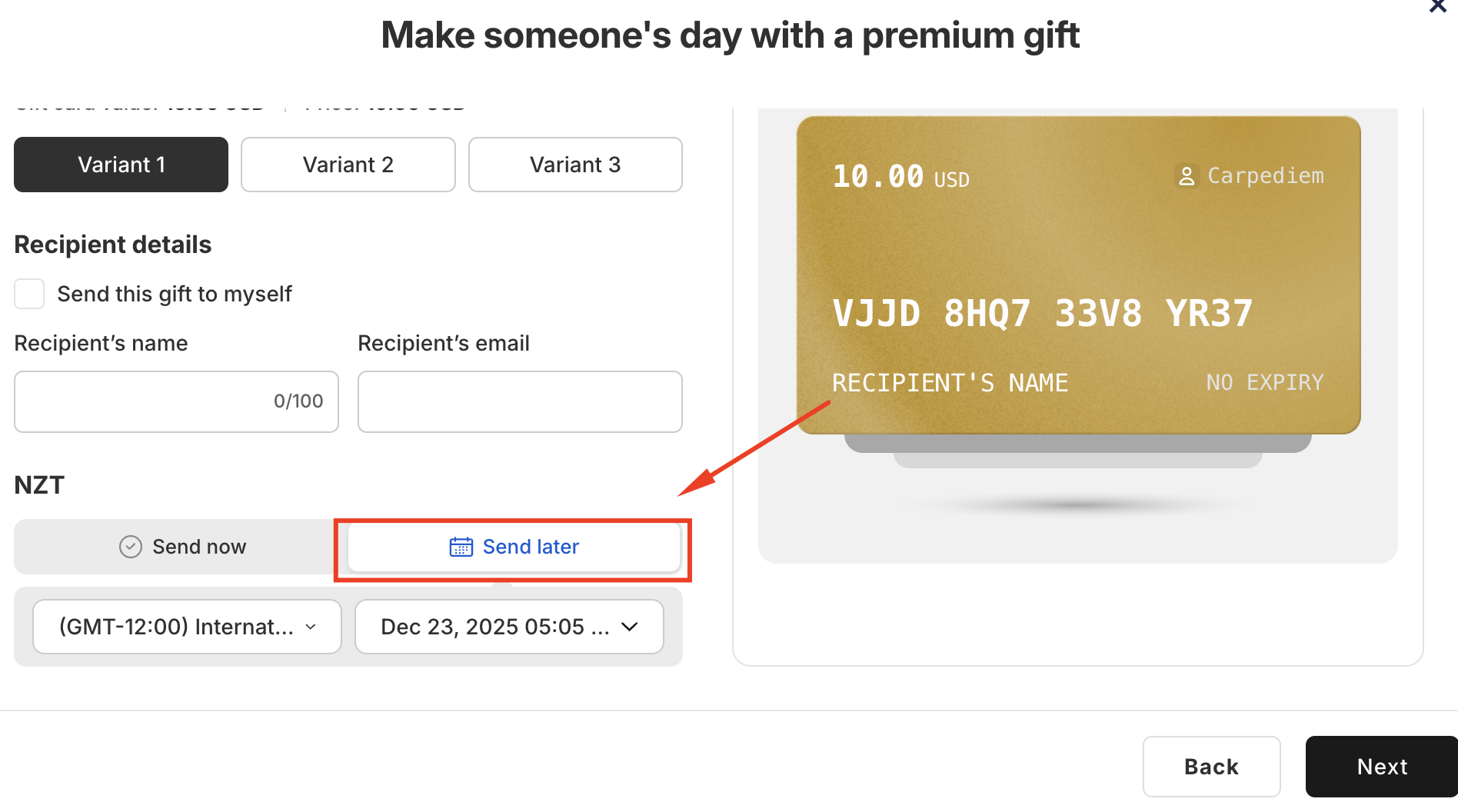
1. Customer Purchase on Your Store
When customers purchase a gift card from your store, they can choose a future delivery date and time during checkout. The gift card will be automatically sent according to the selected timeframe.
2. Manually Issue a Gift Card in the App
You can also schedule gift cards for future delivery directly from the GV – Gift Card app.
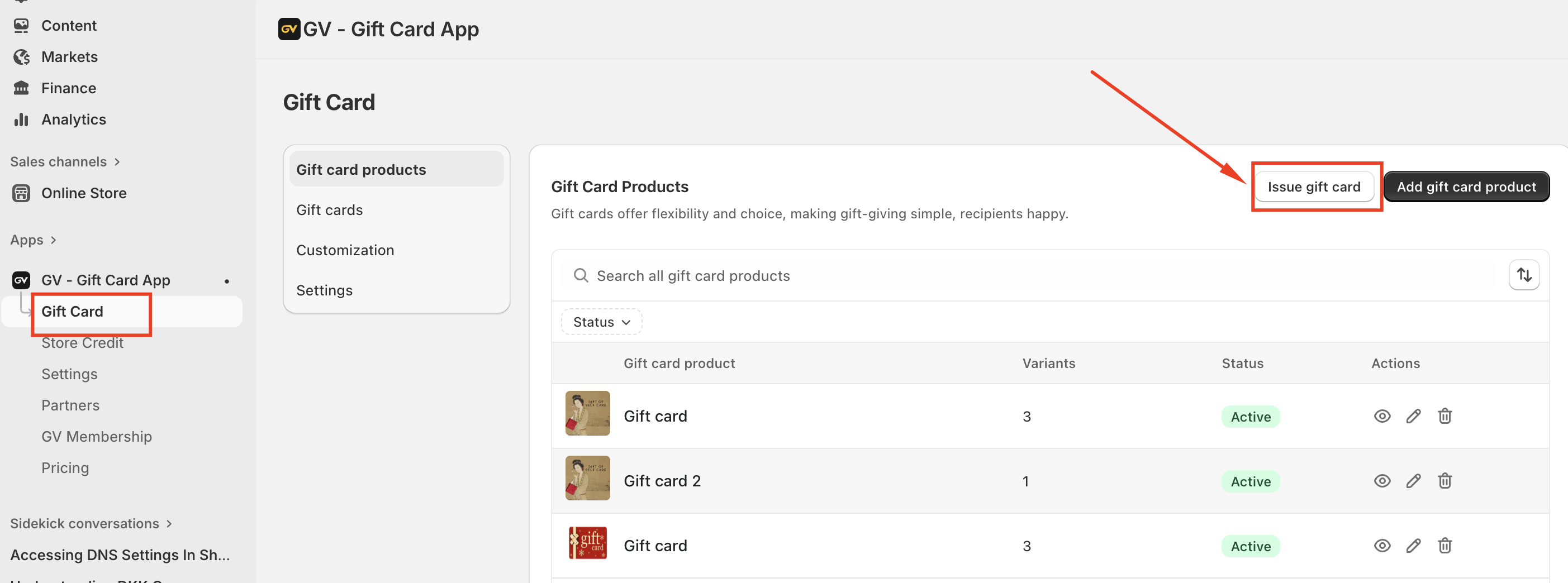
Step 1: In the GV – Gift Card app, navigate to Gift Cards, then click Issue Gift Card.
Step 2: Scroll down to the Delivery Time section and select Send later.
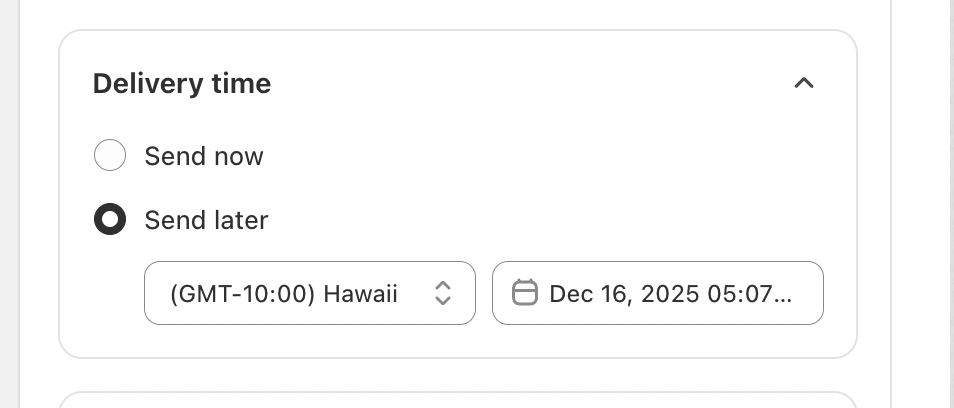
Step 3: Choose your preferred future delivery date and time from the drop-down menu, then click Save.
The gift card will be sent automatically at the scheduled time based on your store’s timezone.
In case you have any further concerns, please feel free to drop us an email at support@govalos.com
Was this article helpful?
That’s Great!
Thank you for your feedback
Sorry! We couldn't be helpful
Thank you for your feedback
Feedback sent
We appreciate your effort and will try to fix the article