In addition to making it easy to sell gift cards, GV – Gift Card also enables you to efficiently manage all issued gift cards and store credit directly within the app.
This article outlines the key actions available in both the Gift Cards and Store Credit dashboards, including how to view, search, and filter gift cards.
In this article
See below what you can do both in the Gift Cards and Store Credit dashboards in the GV- gift card app.
View
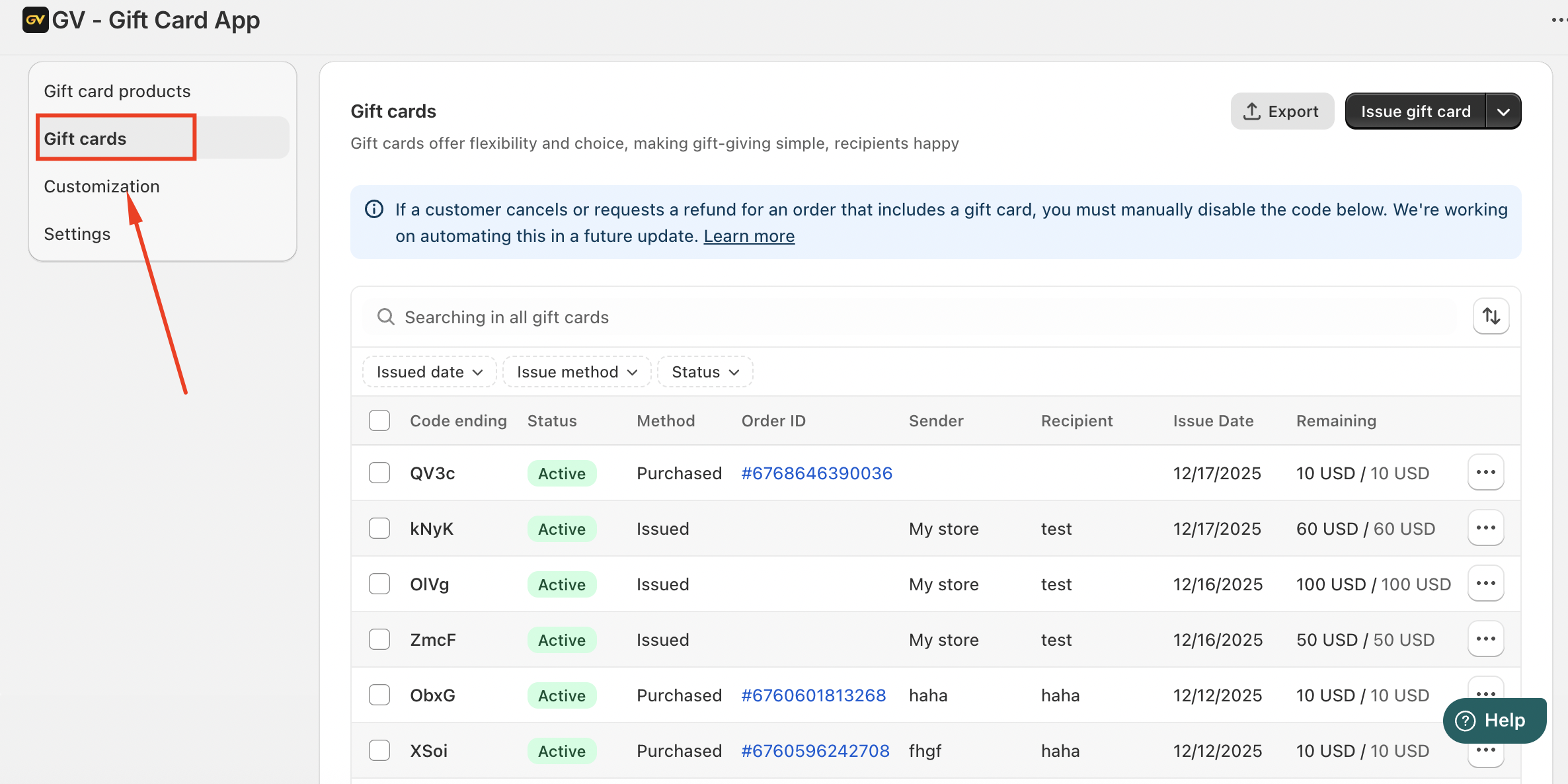
In the gift card dashboard, please click gift card, you can see the list of items issued through GV-gift card including details such as order info (when the gift card has been created through Shopify's checkout), card number, recipient name, recipient email, date issued, remaining balance and the original total value:
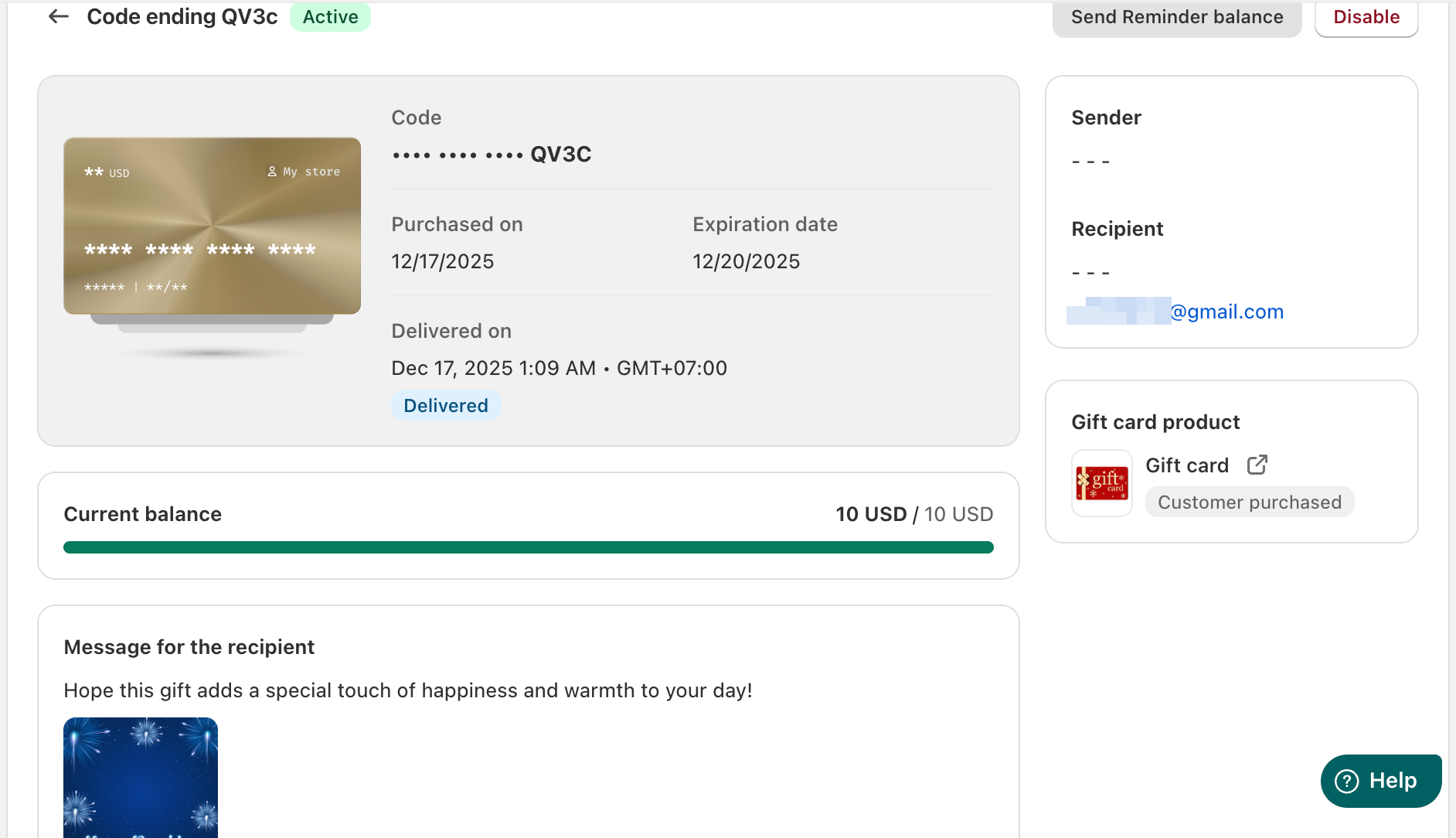
To view more detailed information, click on a gift card code. This will open the gift card details page, where you can see additional data including the sender information, personal note, gift card image, and activity timeline. From this page, you can also perform actions such as editing recipient details or resending the gift card email.
Search
Use the search bar to locate a specific gift card:
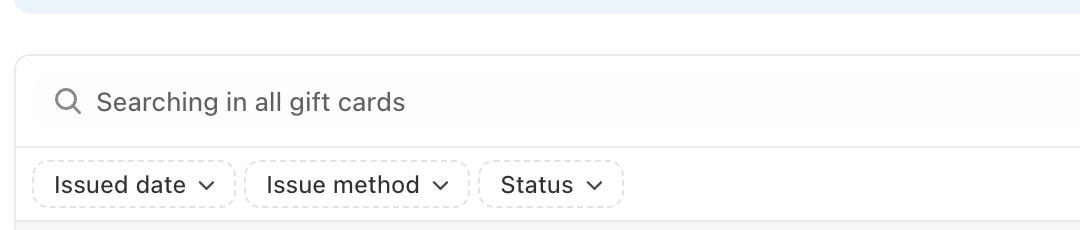
You can search by the Shopify order info, card number, recipient name, recipient email, remaining balance, and even the gift card note. The list will be updated as you type.
Filter
For more advanced management, you can use the filter options located next to the search bar. These filters allow you to:
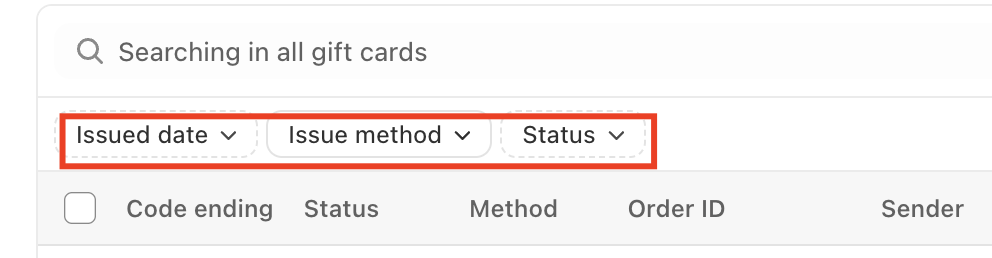
Find gift cards issued on a specific date or within a date range
Filter by status to view enabled or disabled gift cards
Filter by issuance method, such as gift cards created within the app or purchased directly from your storefront
These tools help you efficiently organize and manage gift cards, ensuring full visibility and control over your gift card and store credit operations.
In case you have any further concerns, please feel free to drop us an email at support@govalos.com
Was this article helpful?
That’s Great!
Thank you for your feedback
Sorry! We couldn't be helpful
Thank you for your feedback
Feedback sent
We appreciate your effort and will try to fix the article