To reward your customers with store credit for their purchases, you can easily set up a Loyalty Program based on completed orders. Follow the steps below to configure this feature correctly and ensure it works smoothly on your store.
Step 1: Navigate to Loyalty Programs
Start by going to the Store Credit section in the app. From there, select Loyalty Programs, then locate the Place Order activity and click Set up next to it.
Once inside the setup page, turn on the program to activate rewards for customer purchases.
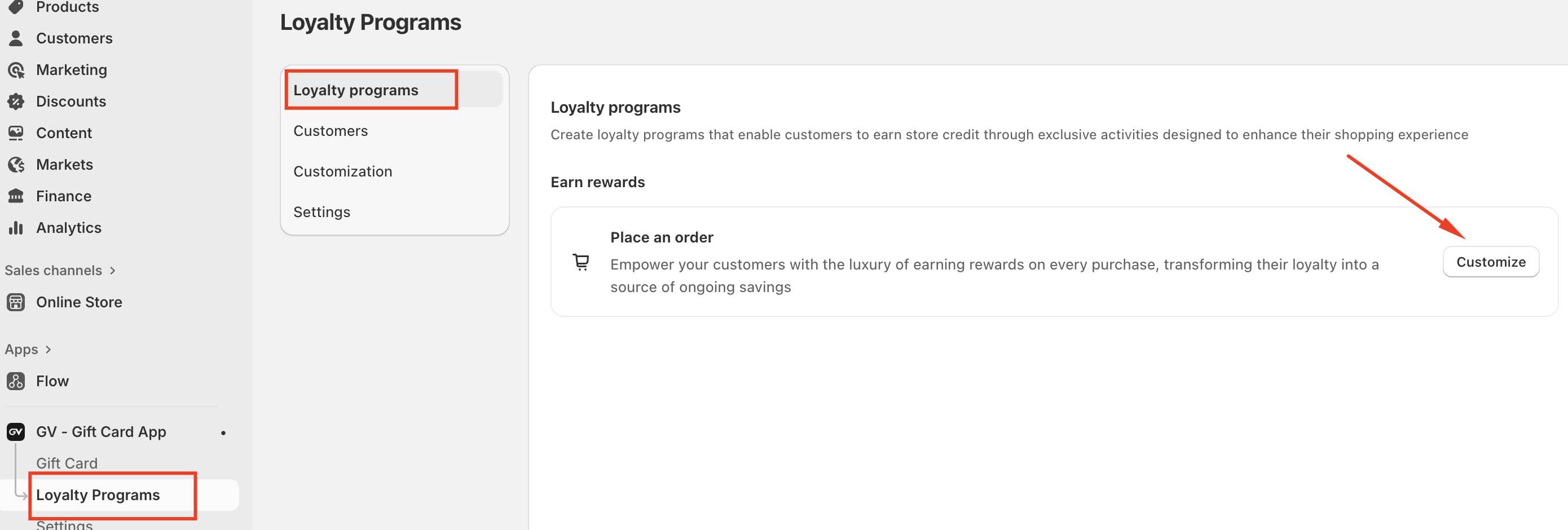
Then Change the status to Active.
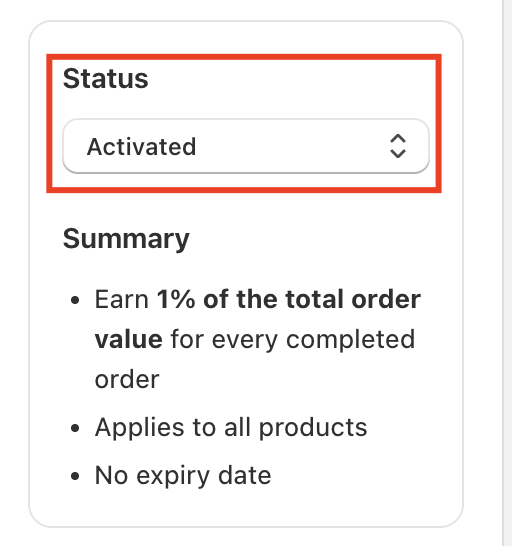
Step 2: Configure Reward Rules
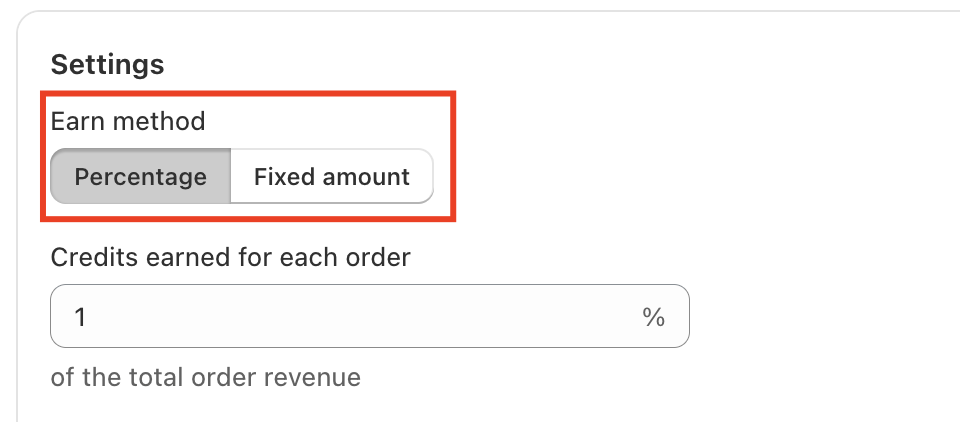
Next, define how customers will earn store credit for each order. The app supports two reward calculation methods:
Percentage-based rewards
This option rewards customers with a percentage of the order revenue.
For example, if an order total is $100 and you set the reward to 1%, the customer will earn $1 in store credit.
Fixed-amount rewards
With this option, customers earn a fixed amount of store credit per order, regardless of the order value.
For example, if you set the reward to $5, the customer will receive $5 in credit for every completed order.
Step 3: Select Eligible Products
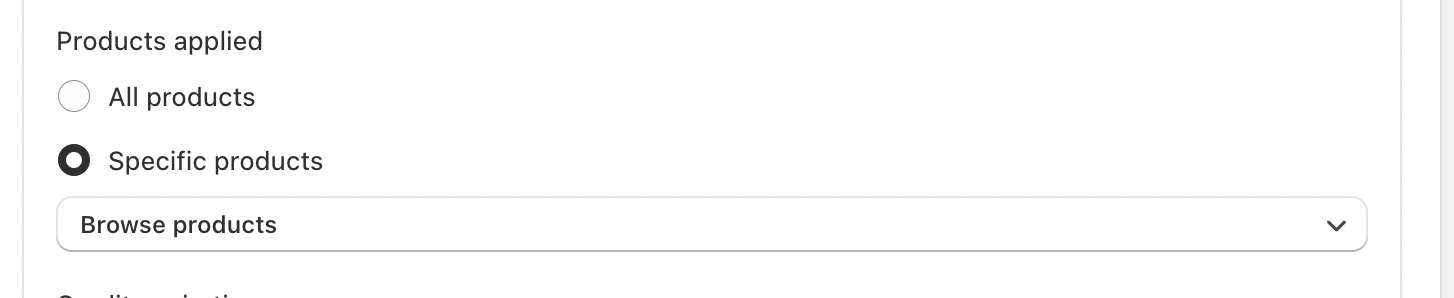
You can choose whether store credit applies to:
Specific products, or
All products across your store
This flexibility allows you to strategically boost sales, promote selected items, or support campaigns such as inventory clearance or special promotions.
Step 4: Set Credit Expiration Rules
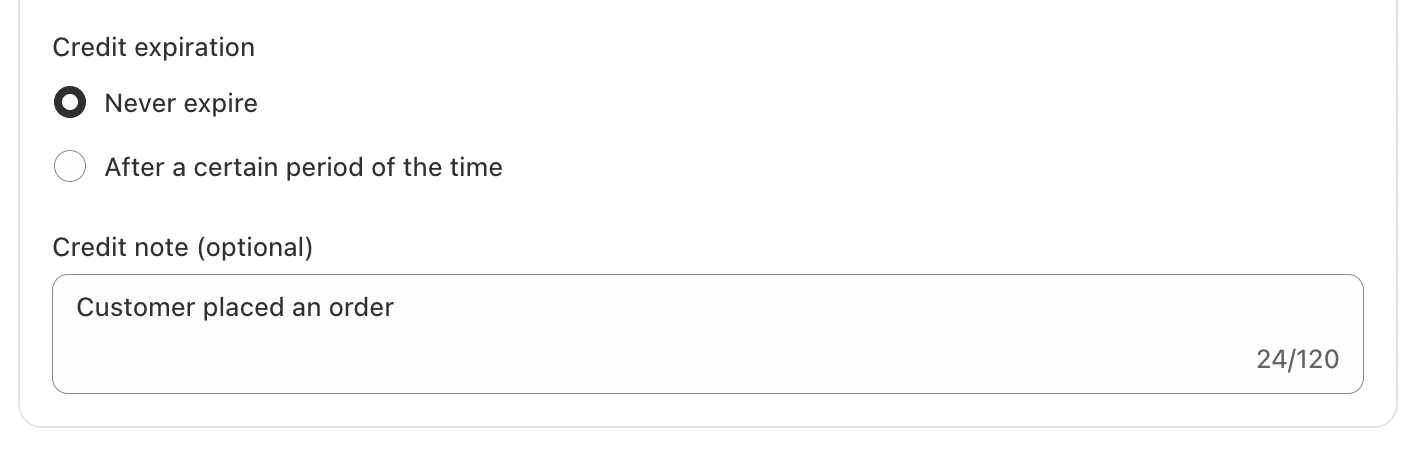
Finally, define when the earned store credit will expire. You can choose:
Never expire, or
Set a specific expiration timeframe that best fits your business strategy
Expiration rules can help encourage customers to return and make repeat purchases within a certain period.
In case you have any further concerns, please feel free to drop us an email at support@govalos.com
Was this article helpful?
That’s Great!
Thank you for your feedback
Sorry! We couldn't be helpful
Thank you for your feedback
Feedback sent
We appreciate your effort and will try to fix the article