Building a VIP tier system is one of the most effective ways to increase repeat purchases, reward loyal customers, and boost long-term revenue. With the GV – Gift Card App, you can easily create and manage tier-based loyalty programs based on customer spending or credit activity.
This guide walks you through how to configure and optimize your VIP Tiers inside the Loyalty Programs section.
Where to Find VIP Tiers
To access VIP Tiers in your Shopify admin:
Go to Apps
Open GV – Gift Card App
Click Loyalty Programs
Scroll down to the Ranking section
Select VIP tiers
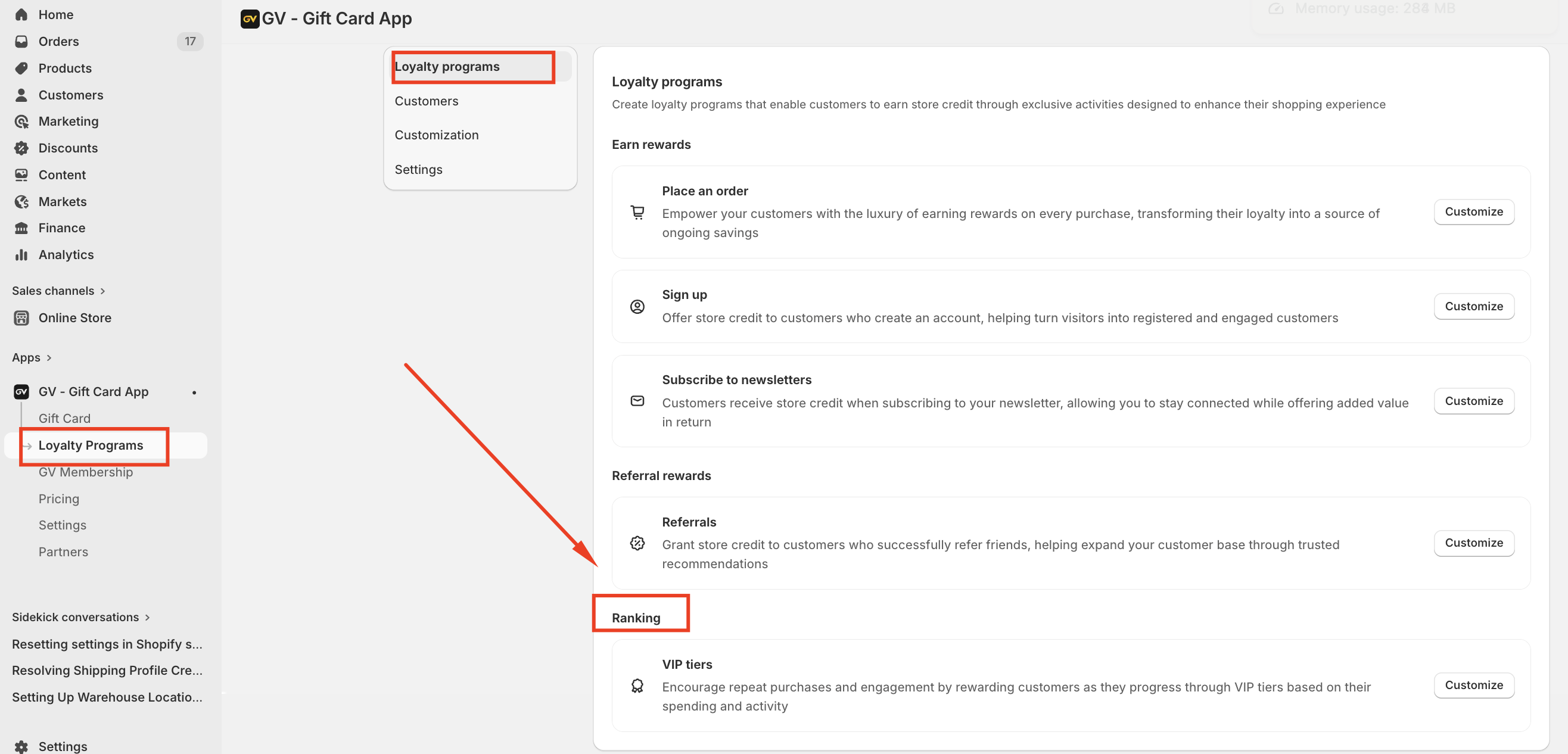
Once activated, this feature allows you to define multiple customer levels based on performance criteria.
What Are VIP Tiers?
VIP tiers reward customers as they progress through different levels based on:
Total money spent
orCredit earned
This creates a structured loyalty journey that encourages higher spending and long-term engagement.
For example:
Bronze – Entry level
Silver – Mid-tier for consistent shoppers
Gold – High-value customers
How to Set Up VIP Tiers
Step 1: Activate the Feature
At the top of the VIP tiers page, ensure the status is set to Activated.
Step 2: Create Tier Levels
Under Tier programs, you can:
Click Add tier
Define the tier name (e.g., Bronze, Silver, Gold)
Set the qualification requirement
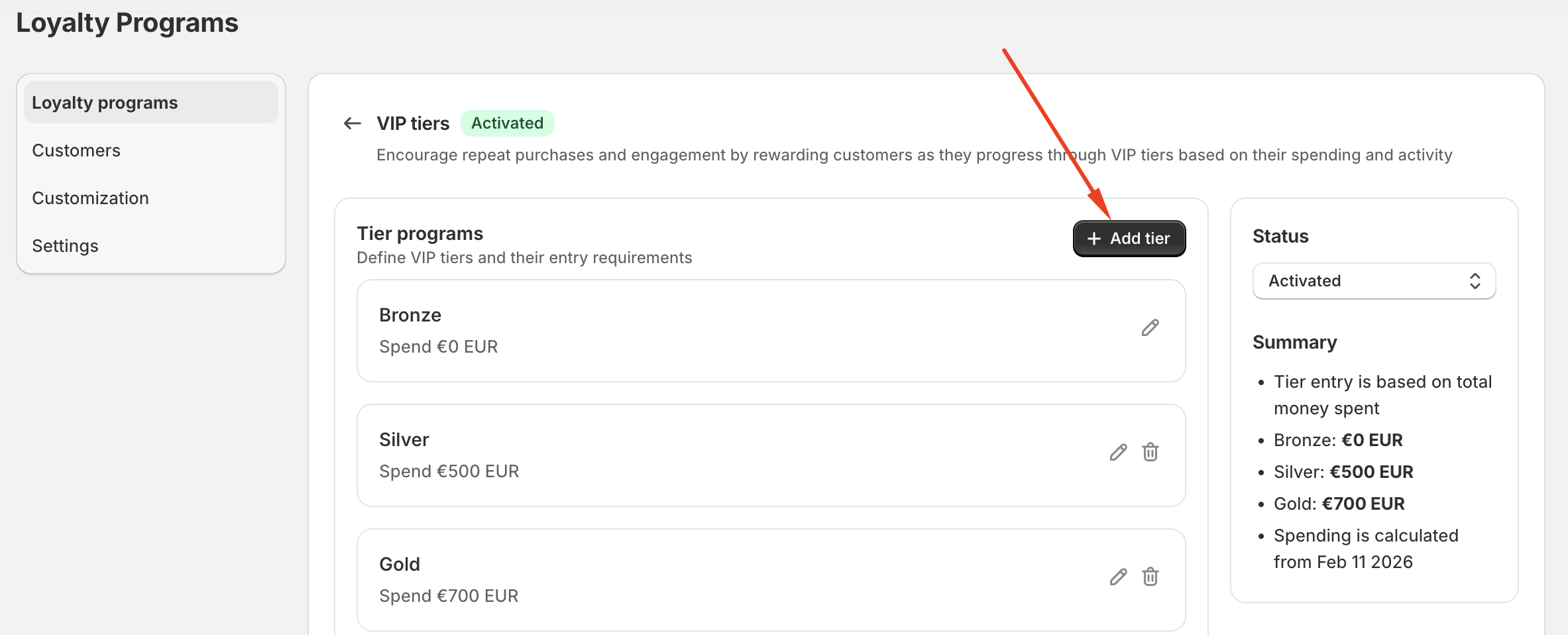
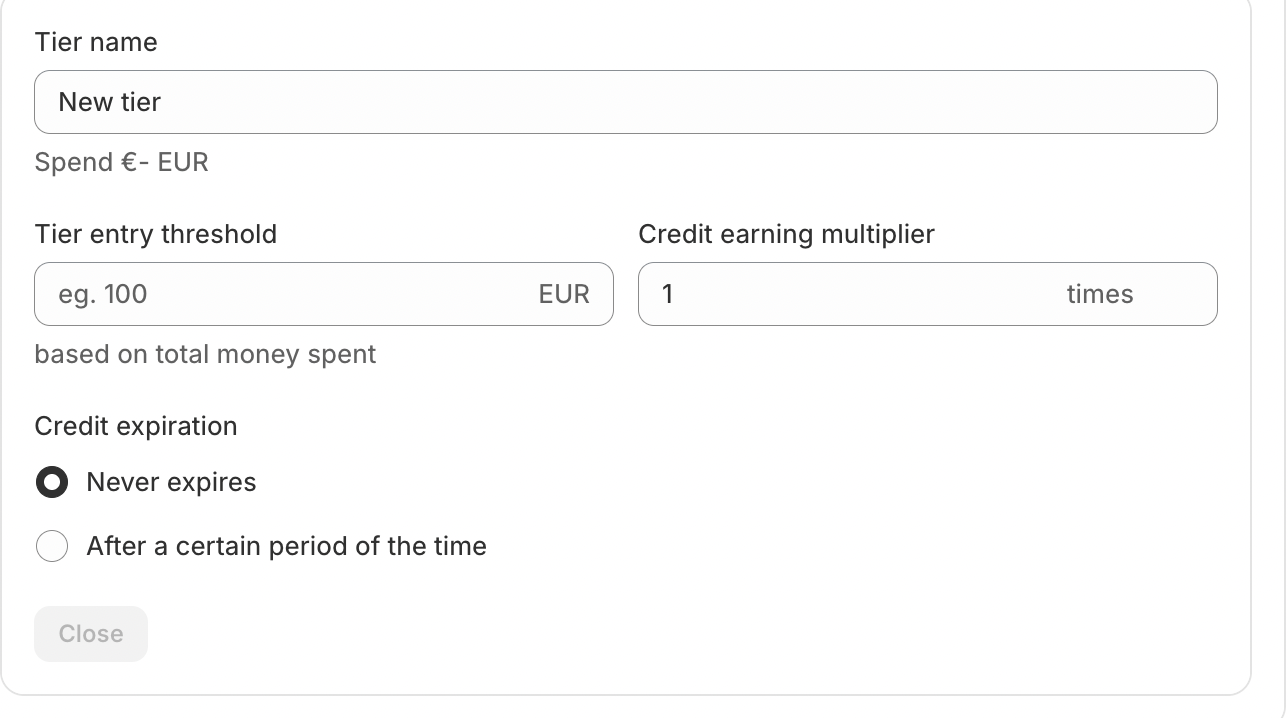
Example setup:
Bronze – Spend €0 EUR
Silver – Spend €500 EUR
Gold – Spend €700 EUR
You can edit or delete tiers at any time using the action icons.
Tier Entry Method Settings
Inside the Settings section, you can choose how customers qualify:
Option 1: Money Spent (Most Common)
Customers move up tiers based on total order value accumulated.
Option 2: Credit Earned
Customers qualify based on the amount of store credit earned through rewards.
Choose the method that best matches your loyalty strategy.
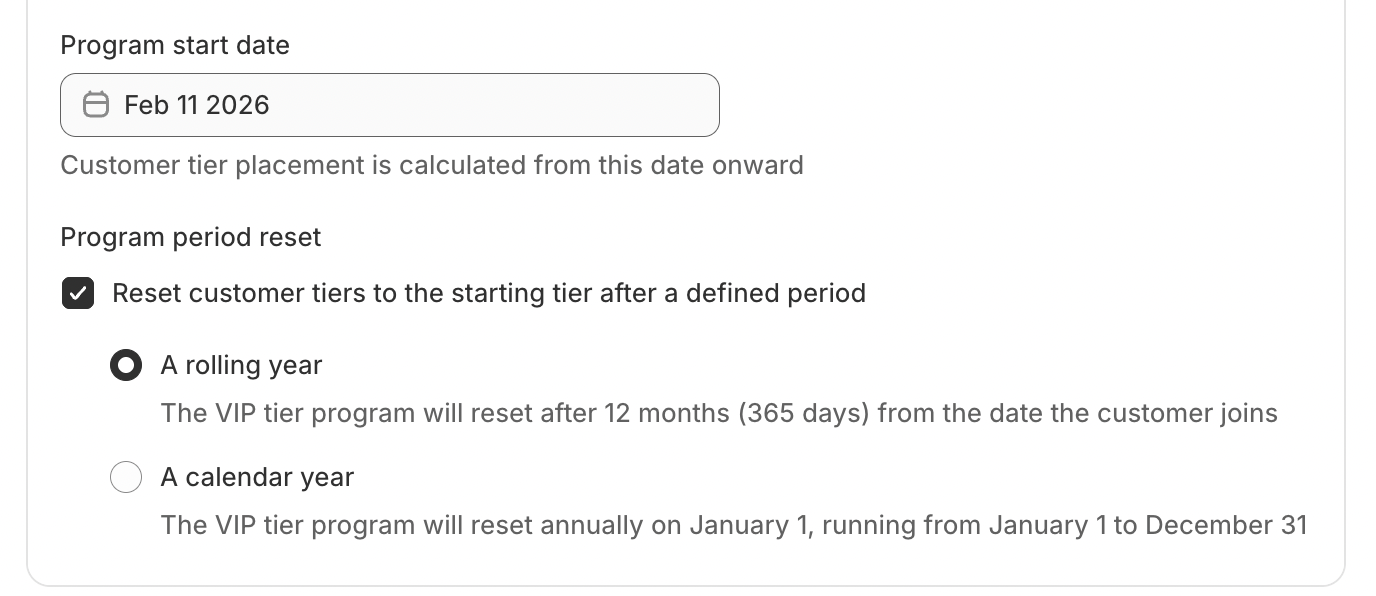
Program Start Date
You can choose when the loyalty program starts tracking data.
Important Rules:
Orders placed before the program start date will NOT be included.
Only orders placed after activation will count toward tiers and credits.
This is useful if you want to launch the loyalty program from a specific date.
Tier Reset Rules
You can define how and when customer tiers reset.
Reset Options:
1. No Reset
Once customers reach a tier, they remain in it permanently.
2. Calendar Year Reset
All customers reset on a fixed date (e.g., January 1).
Spending restarts from zero annually.
3. Rolling Year Reset
Tier validity lasts 12 months from the date a customer enters a tier.
After 12 months, eligibility is re-evaluated.
In case you have any further concerns, please feel free to drop us an email at support@govalos.com
Was this article helpful?
That’s Great!
Thank you for your feedback
Sorry! We couldn't be helpful
Thank you for your feedback
Feedback sent
We appreciate your effort and will try to fix the article