The Earn Credits for Signup feature allows you to reward customers with store credits when they create an account on your store. This helps encourage customer registration while strengthening long-term engagement. This article explains how the Signup reward works and how to configure it to fit your loyalty strategy.
Configuring the Signup Reward
By default, the Signup reward is deactivated. You can activate and customize it at any time.
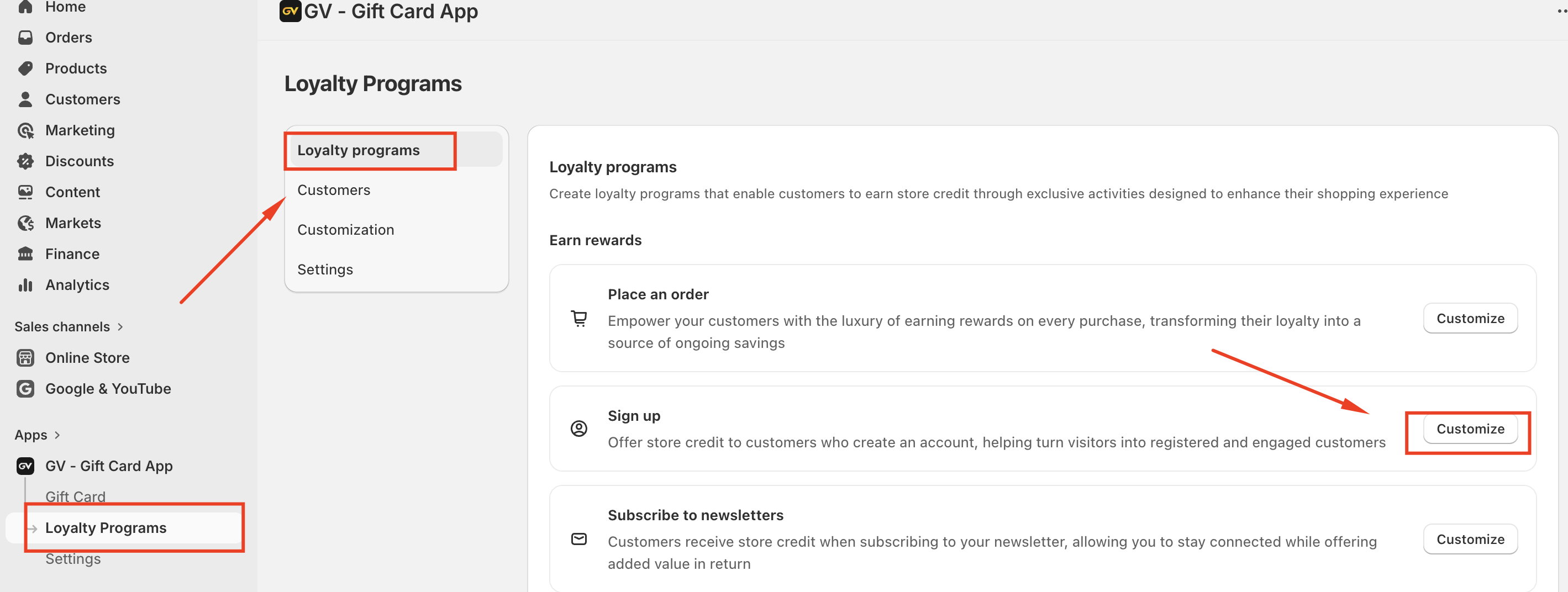
How to Access
Go to Apps → GV – Gift Card App
Select Loyalty Programs
Click Sign up, then select Customize
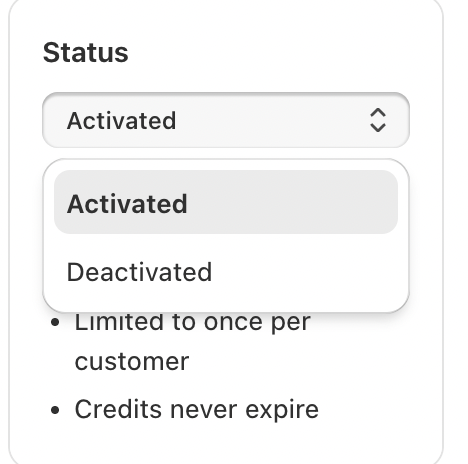
Activate or Deactivate
Toggle the Signup reward ON or OFF
Default status: Deactivated
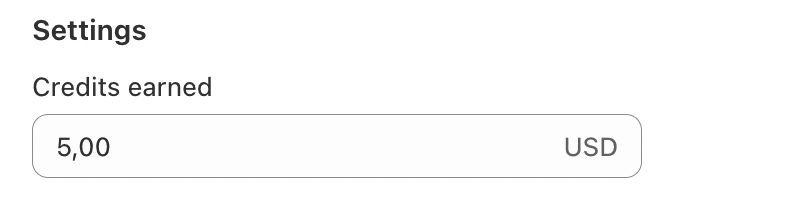
Settings
Credits Earned
Set the number of credits customers receive for signing up
Default preset: $5
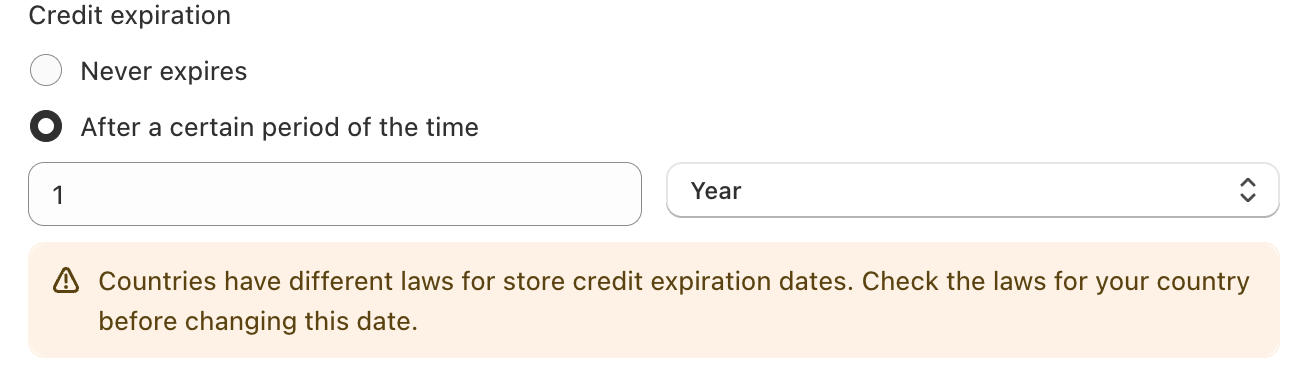
Credit Expiration
Choose when the credits expire:
Never expire (default)
Expire after a certain period
Sync Credits for Existing Customers
This option applies to customers who signed up before you activated the Signup reward.
When enabled, credits are automatically sent to customers who:
Signed up before activation
Have not previously received Signup credits
Can be toggled ON/OFF
Default setting: OFF
Credit Note (Optional)
Add an internal note for administrative or tracking purposes (up to 120 characters)
Status and Reward Rules
Set the program status to Activated to make it live
Each customer can receive the Signup reward once only
Credits are issued automatically once the account is created
Important Requirement
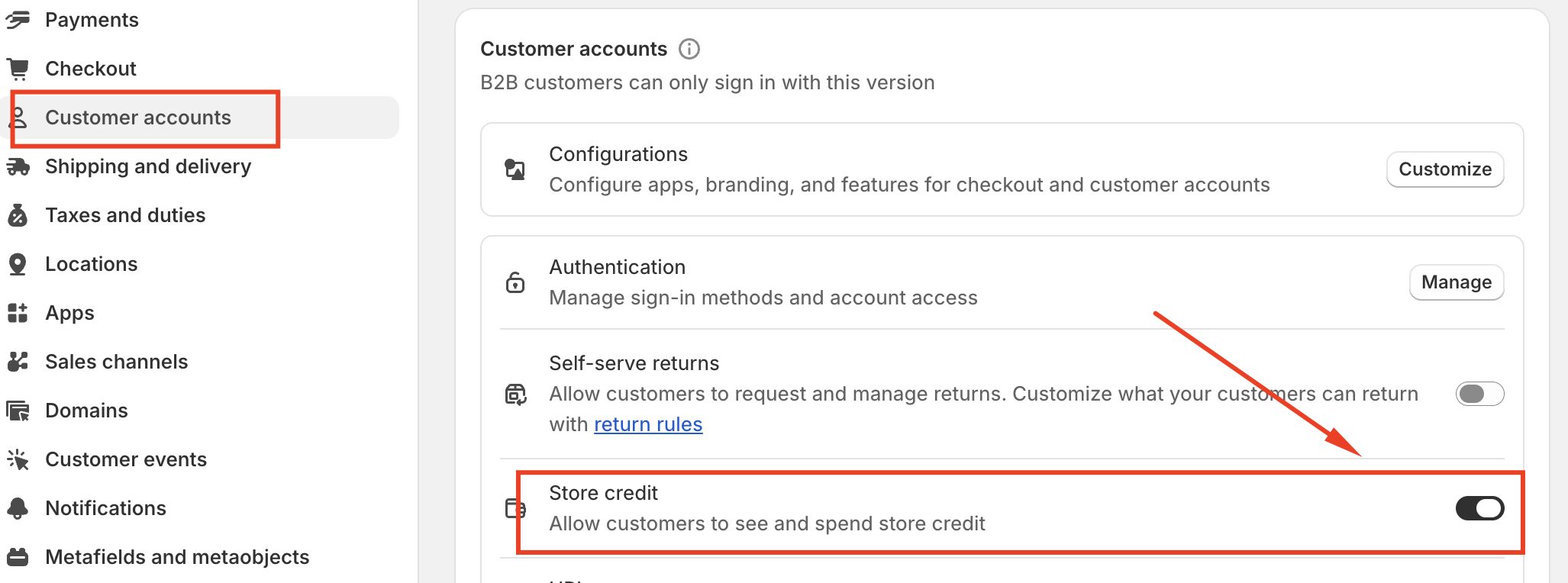
To ensure the Signup reward works correctly, Store Credit must be enabled in your Customer Account settings.
If Store Credit is disabled, customers will not receive their earned credits.
Customizing the Signup Display (Launcher)
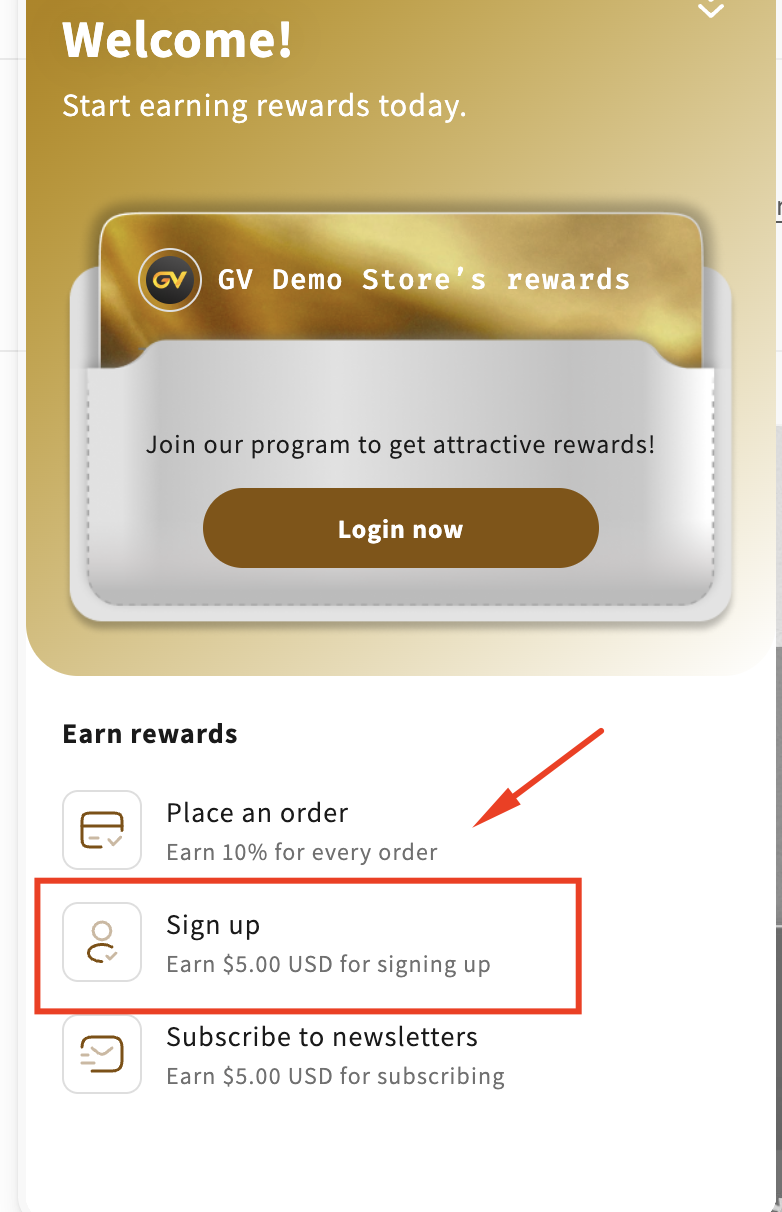
You can customize how the Signup reward appears in the Loyalty widget.
Go to:
Loyalty Program → Customization → Launcher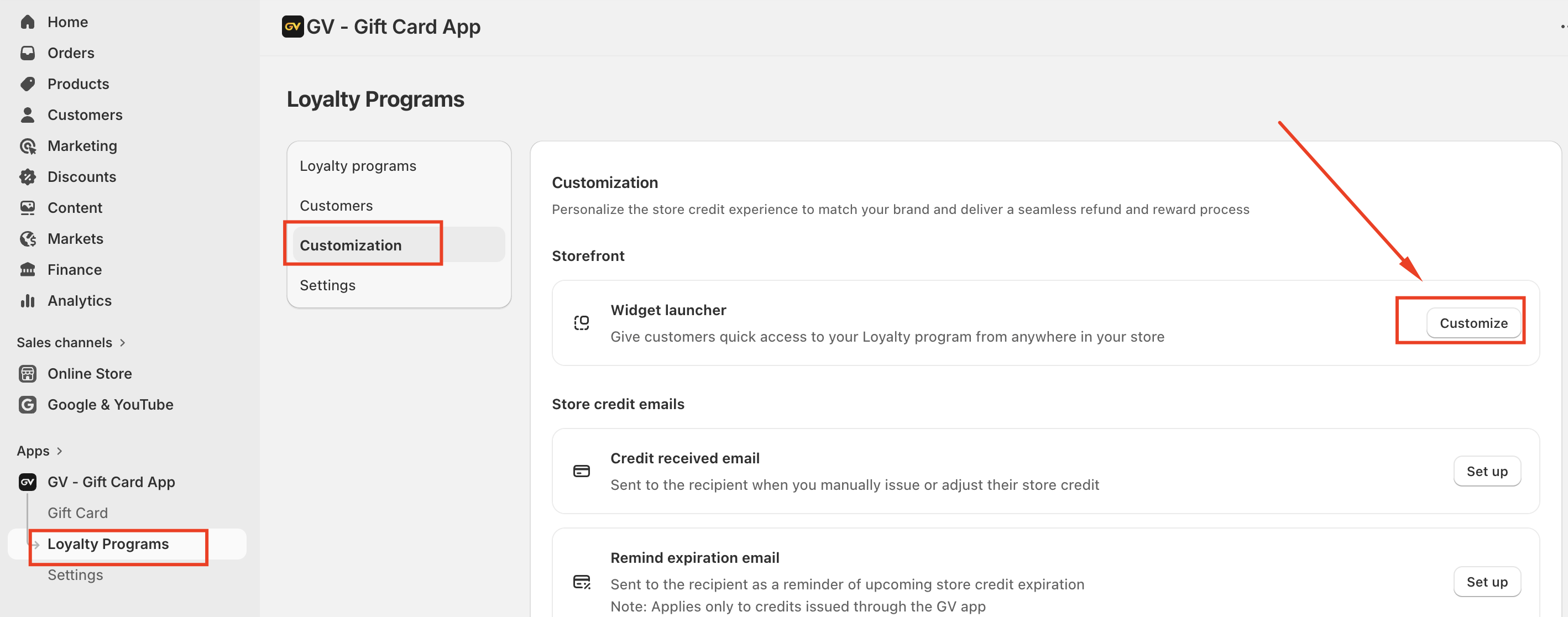
Edit and Preview Content
Navigate to Program & Rewards
Select Signup
Click Customize content
Use the ?️ icon to switch to Preview mode
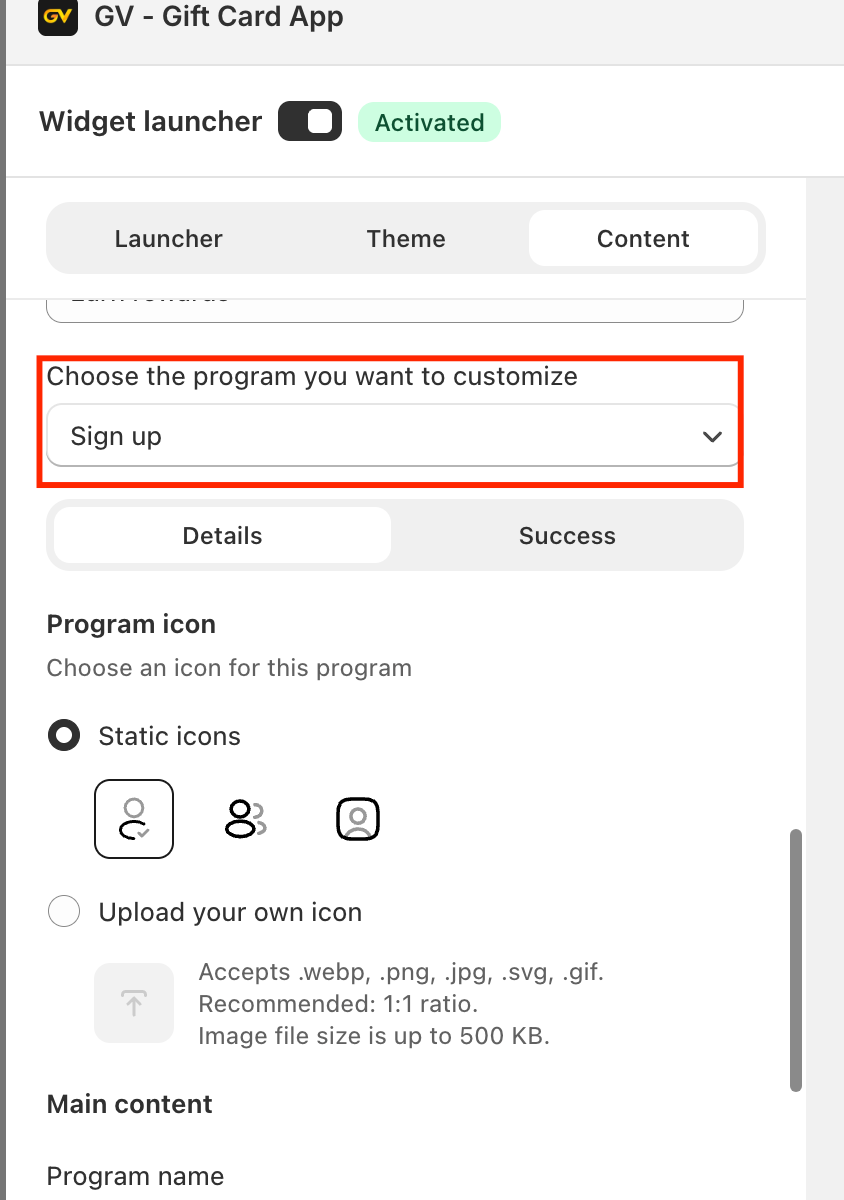
This allows you to review and adjust the customer-facing content before publishing.
Summary
The Signup Earn Credits feature helps increase customer registrations while rewarding engagement. With flexible credit values, expiration rules, syncing options, and display customization, you can tailor the experience to align with your store’s loyalty goals.
If you have any further questions or need assistance setting up your loyalty program, please feel free to contact us at support@govalos.com.
Was this article helpful?
That’s Great!
Thank you for your feedback
Sorry! We couldn't be helpful
Thank you for your feedback
Feedback sent
We appreciate your effort and will try to fix the article