The Signup Earn Credit program is designed to incentivize new customers to create an account by rewarding them with credits upon successful signup. This feature integrates seamlessly with the Launcher, Customer account system, Activity log, and email notifications to ensure a consistent and transparent user experience.
Each customer account is eligible to earn signup credit only once, ensuring fairness and preventing abuse.
Signup Earn Credit Flow
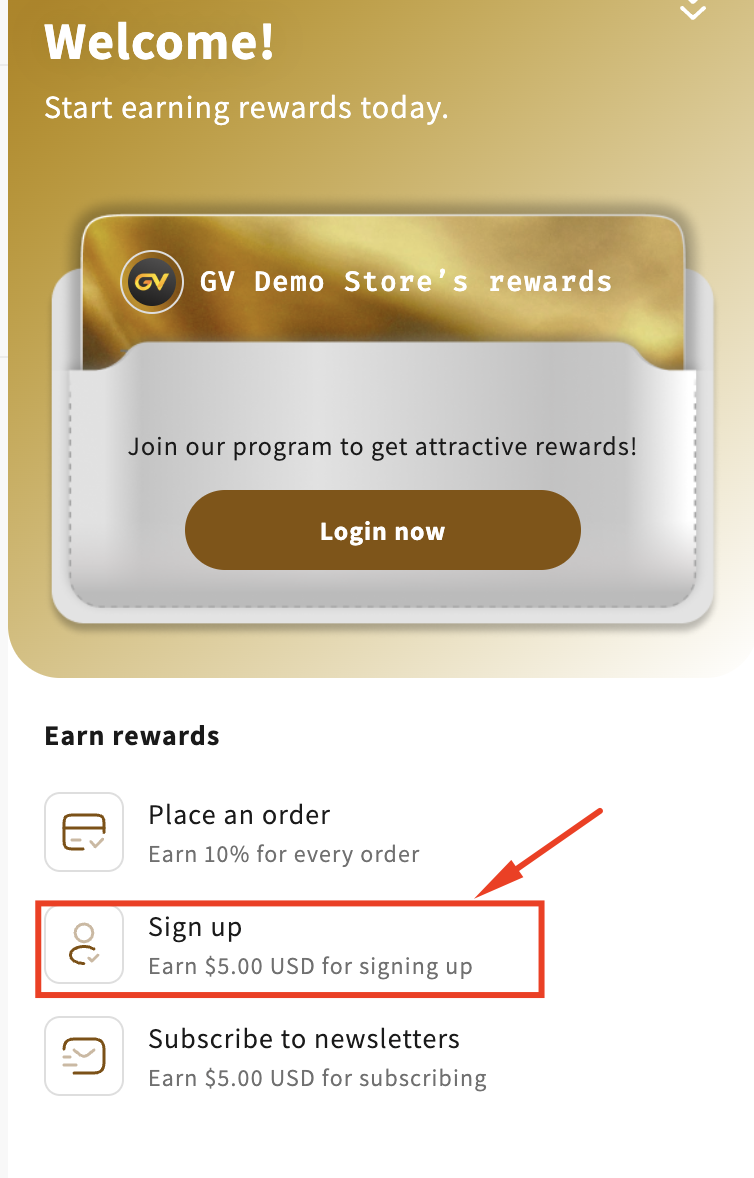
1. Program Activation and Entry Point
When the merchant enables the Signup Earn Credit program:
The program is displayed in the Launcher according to the app’s display settings.
Customers can access the signup flow via:
A CTA in the Launcher, or
The Shopify customer account creation page directly.
Once the customer completes account creation, the system begins the credit validation process.
2. Credit Eligibility Check
After signup, the system verifies whether the customer’s email has already received credits from the Signup program.
If the customer has not earned signup credit before:
Credits are issued to the customer’s account.
If the customer has already earned signup credit:
No additional credits are granted.
Important: Each customer account can earn Signup credit only one time.
3. Earn History Recording
When credits are successfully issued, an earn history record is created and stored under the Customer profile with the following details:
Date: Signup date
Type: Received
Origin: Signup
Amount: Earned credit value
Balance: Remaining credit balance
Expired date: Calculated based on Signup program settings
Internal note: Empty by default (displays user-entered text if provided)
This ensures traceability and consistency across the system.
4. Launcher Notification
Once credits are earned:
A confirmation message is displayed in the Launcher, notifying the customer that they have successfully earned signup credits.
The Launcher UI updates dynamically to reflect the customer’s logged-in status and credit balance.
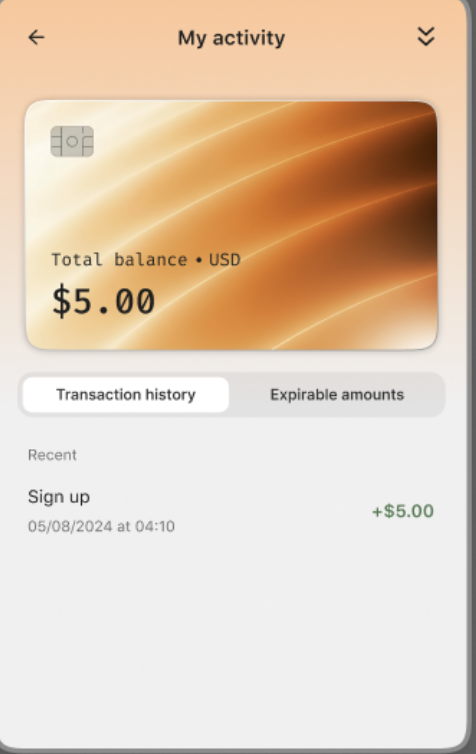
5. Activity Log Update
The earn action is recorded in the Activity section:
The activity name is displayed based on the program name configured by the merchant.
The transaction appears in the customer’s Transaction History, clearly showing:
Signup action
Earned credit amount
Timestamp
This provides customers with full visibility into how and when their credits were earned.
6. Credit Received Email
If enabled in settings:
A Credit Received Email is automatically sent to the customer.
The email content and timing follow the merchant’s configured notification rules.
This reinforces the reward experience and increases customer engagement.
Display Behavior
Launcher Display
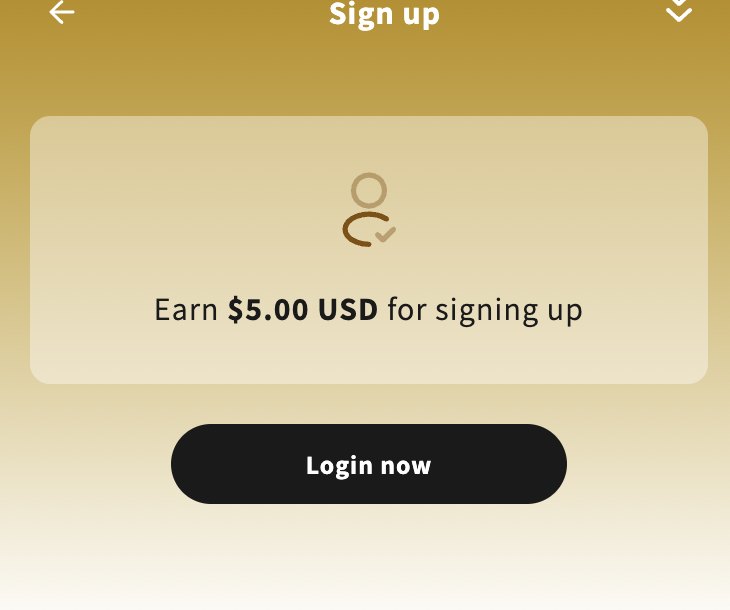
The Signup Earn Credit program appears in the Launcher based on app display settings.
The Sign in / Sign up CTA redirects customers to the Shopify account creation page.
After login:
The Launcher displays updated account information and total credit balance.
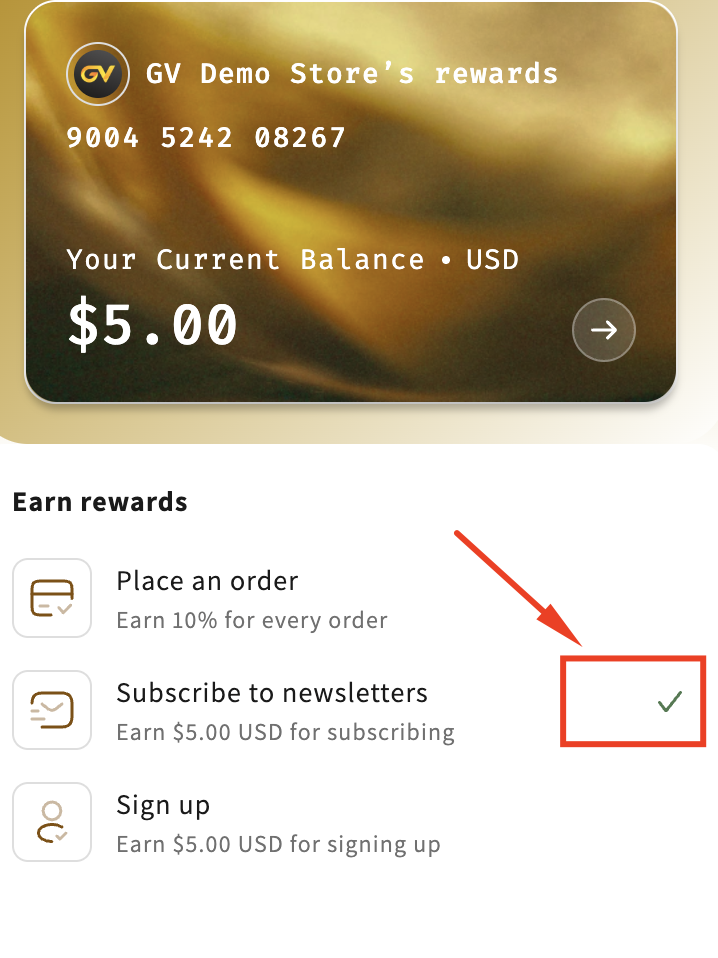
Completed State
When the system detects that the customer is already logged in and has completed the Signup program:
A “completed” icon is displayed next to the Signup action.
The Signup item becomes non-clickable, preventing access to the detail page again.
This clearly communicates that the reward has already been earned.
If you have any further questions or need assistance setting up your loyalty program, please feel free to contact us at support@govalos.com.
Was this article helpful?
That’s Great!
Thank you for your feedback
Sorry! We couldn't be helpful
Thank you for your feedback
Feedback sent
We appreciate your effort and will try to fix the article