The Subscribe to Newsletter activity is a powerful way to grow your email list while rewarding customers through your loyalty program. By customizing this activity on the Launcher, you can control how it appears to customers and ensure the message is clear, engaging, and aligned with your brand.
This article explains how to customize the Subscribe to Newsletter reward within the Loyalty Program Launcher and preview your changes before publishing.
Accessing the Launcher Customization
To begin customizing the Launcher:
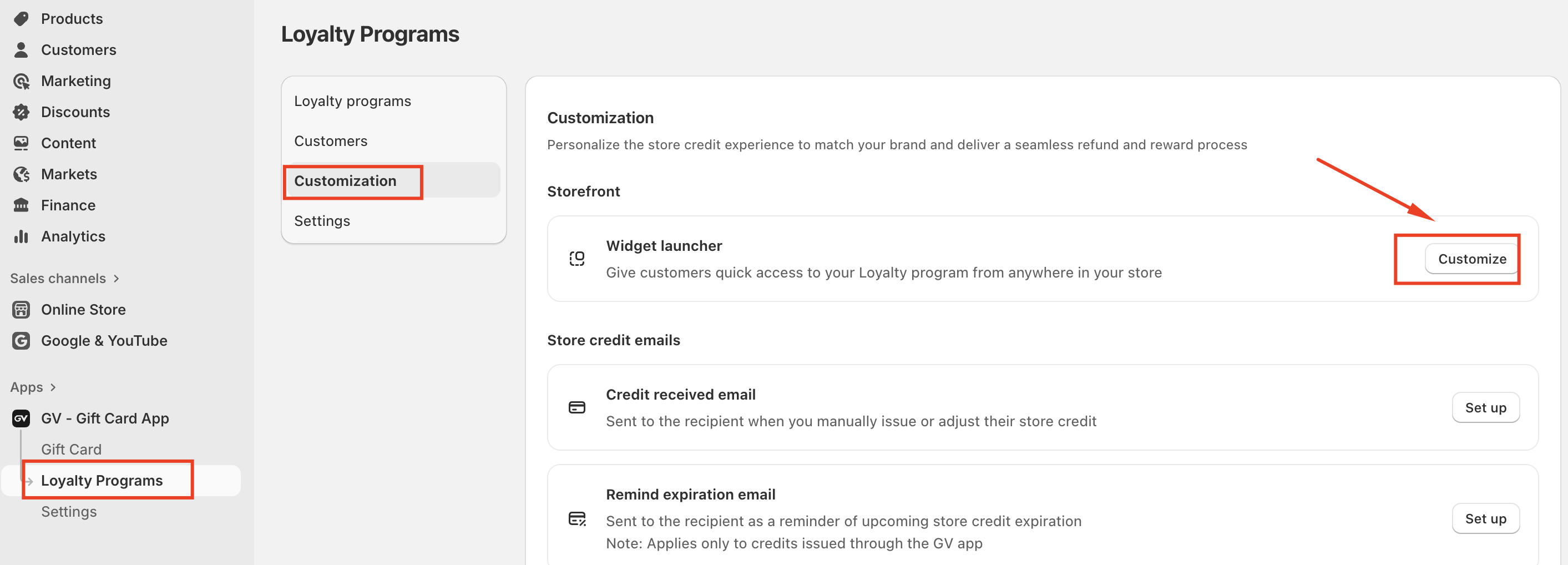
Go to Loyalty programs
Select Customization
Click on Customize in Widget launcher
Selecting the Content Area
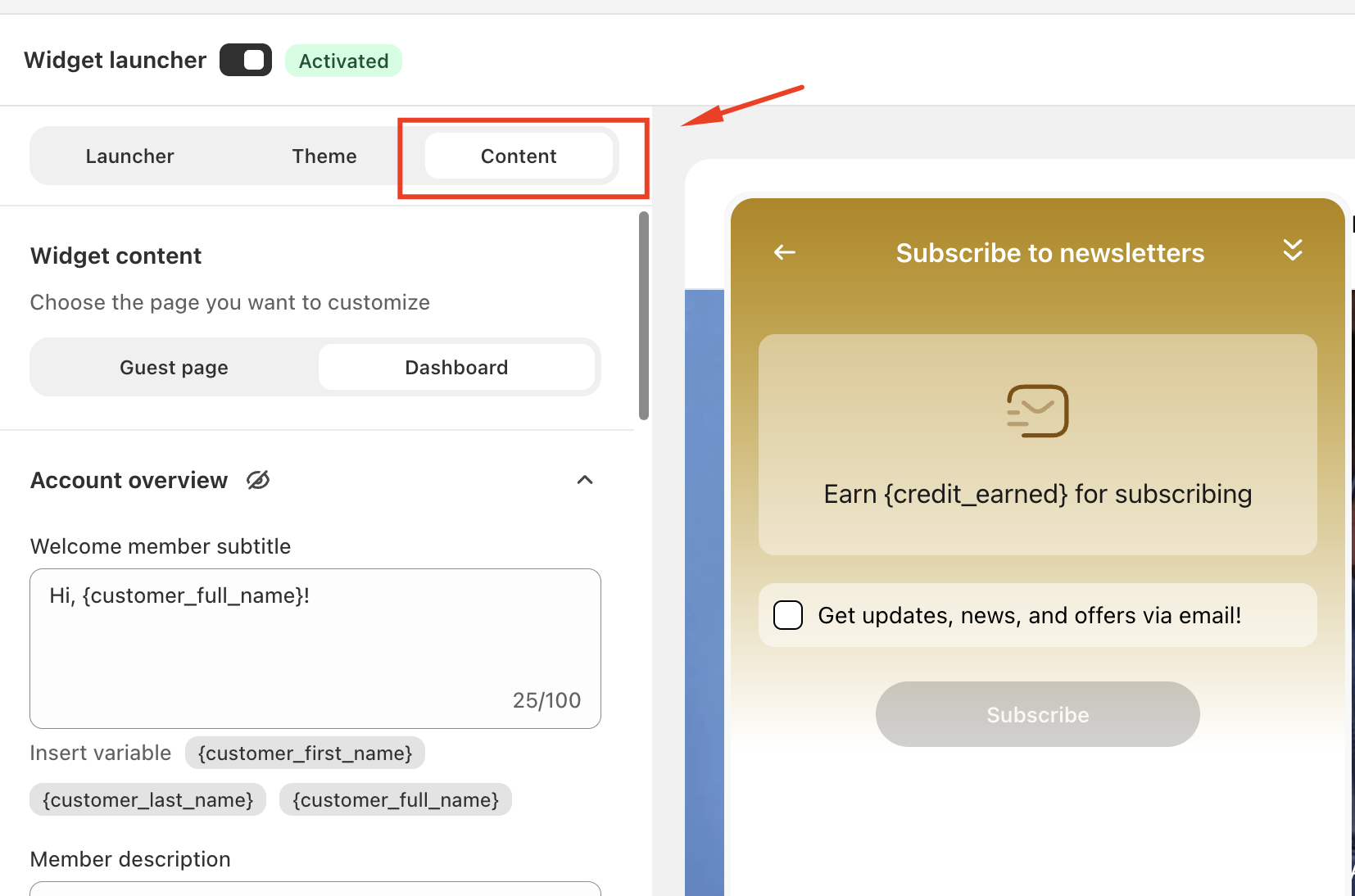
Under the Content tab, choose which page you want to customize:
Guest page – displayed to customers who are not logged in
Dashboard – displayed to logged-in customers who can view points and rewards
The Subscribe to Newsletter activity typically appears in the Dashboardview, under the earning activities list.
Customizing “Subscribe to Newsletter”
Follow these steps to customize the newsletter subscription reward:
Open the Program & rewards section
Under Earn rewards heading, click Select program
Choose the loyalty program you want to edit
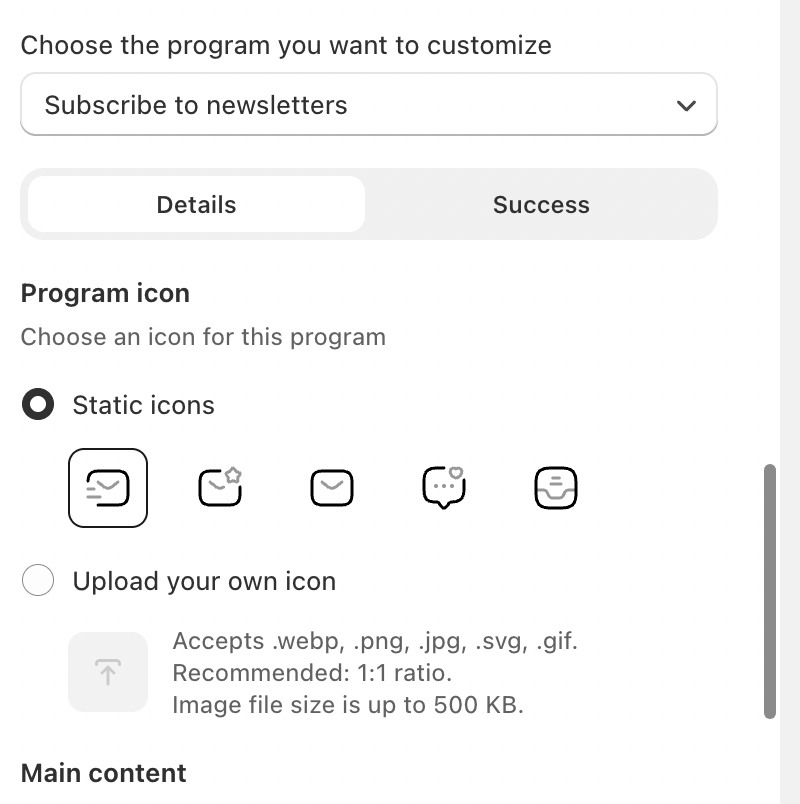
Locate and select Subscribe to newsletter
From here, you can modify:
Activity title
Description text shown to customers
Reward value (points or store credit)
Associated icon or visual indicator
Clear and benefit-driven messaging helps customers understand exactly what they’ll earn by subscribing.
Summary
Customizing the Subscribe to Newsletter activity on the Launcher allows you to turn a simple signup action into a rewarding customer experience. By editing the content, previewing different states, and optimizing clarity, you can increase both newsletter subscriptions and loyalty engagement.
In case you have any further concerns, please feel free to drop us an email at support@govalos.com
Was this article helpful?
That’s Great!
Thank you for your feedback
Sorry! We couldn't be helpful
Thank you for your feedback
Feedback sent
We appreciate your effort and will try to fix the article