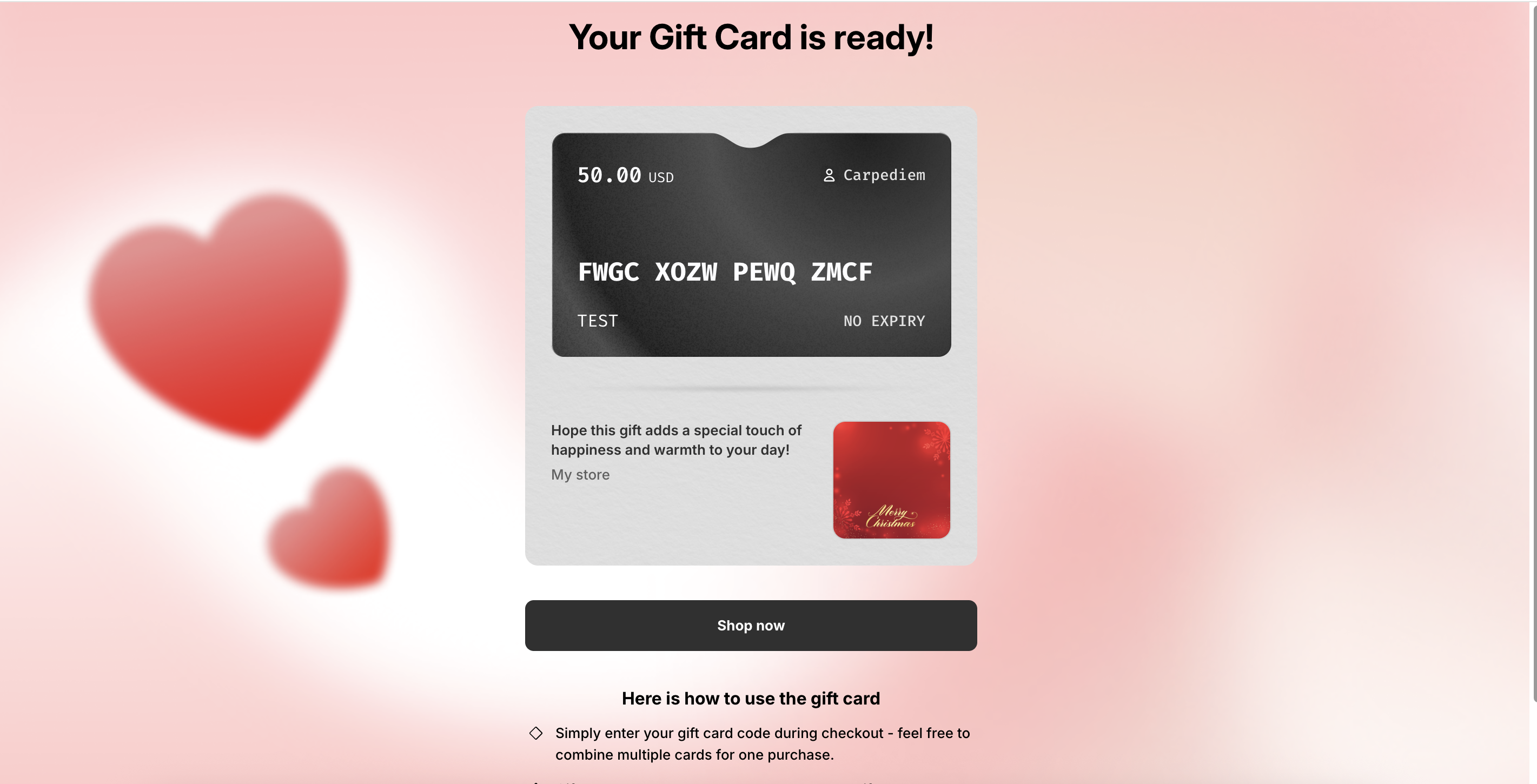
When customers receive a gift card via email, they can click the link in the message to view their gift card details, including the gift card code, gift card amount, and expiration date. This page is an important touchpoint in the customer journey and can be fully customized to match your store’s branding and messaging.
Follow the steps below to customize the gift card detail page.
______________________________________________________________________________________________________
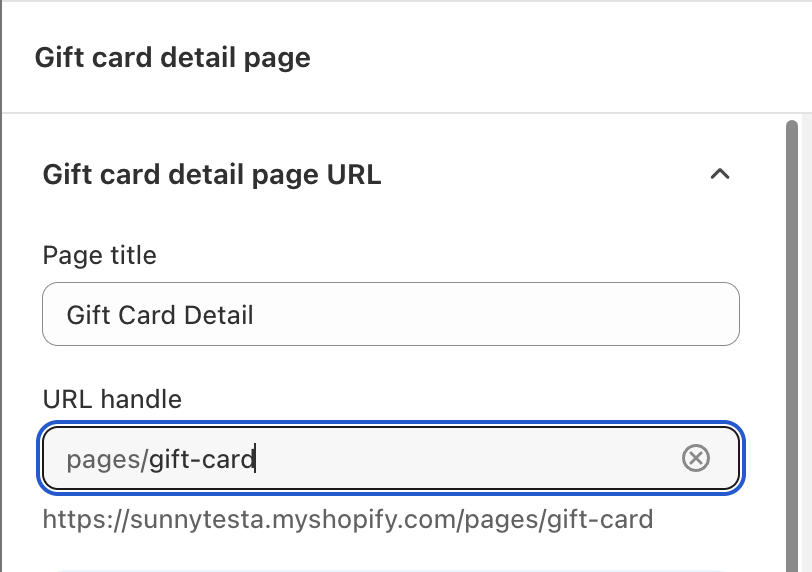
Gift Card Detail Page URL
You can customize the gift card detail page URL to align with your store’s domain structure or branding preferences. This URL is the link recipients access directly from the gift card email.
___________________________________________________________________________________________________
Customize Gift Card Detail Page Content
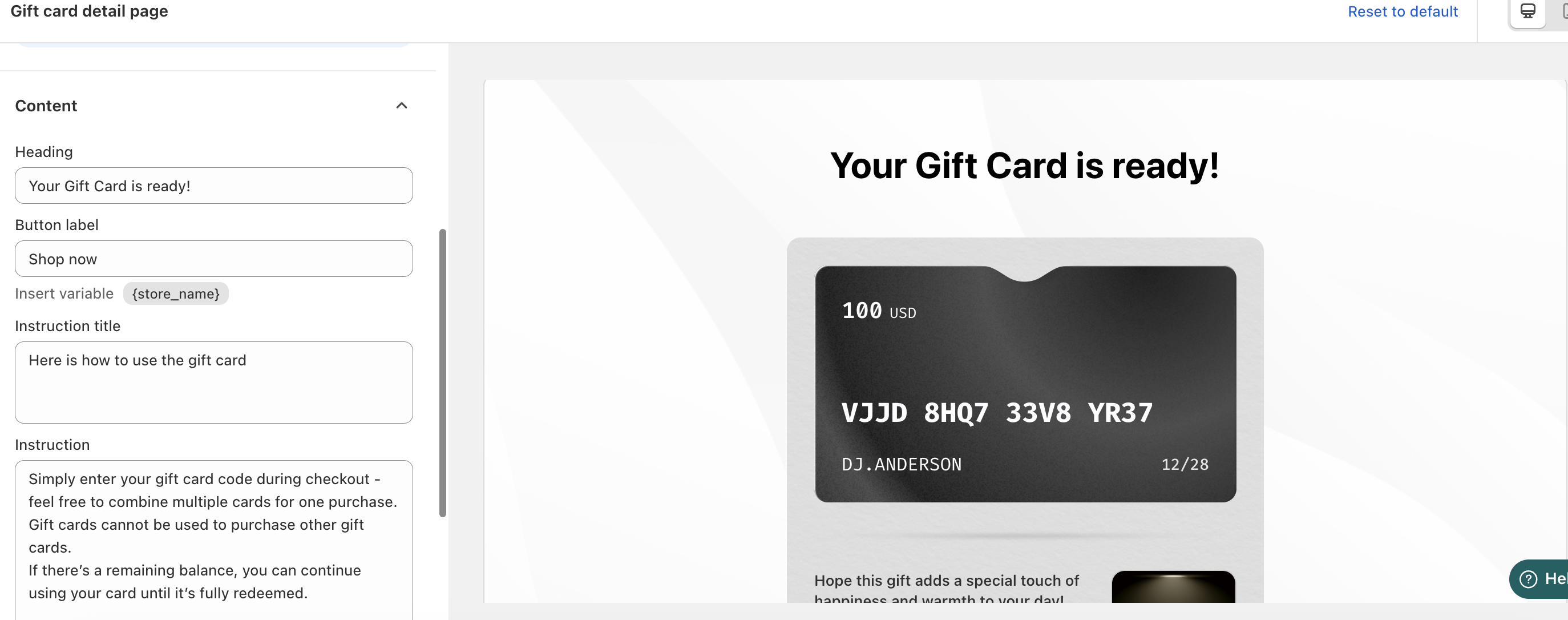
You can personalize the content displayed on the gift card detail page to better guide recipients.
This includes:
Heading text (for example, a welcome or congratulatory message)
Instructions on how to use the gift card, such as where and when it can be redeemed
Clear instructions help ensure a smooth redemption experience and reduce customer support inquiries.
______________________________________________________________________________________________________
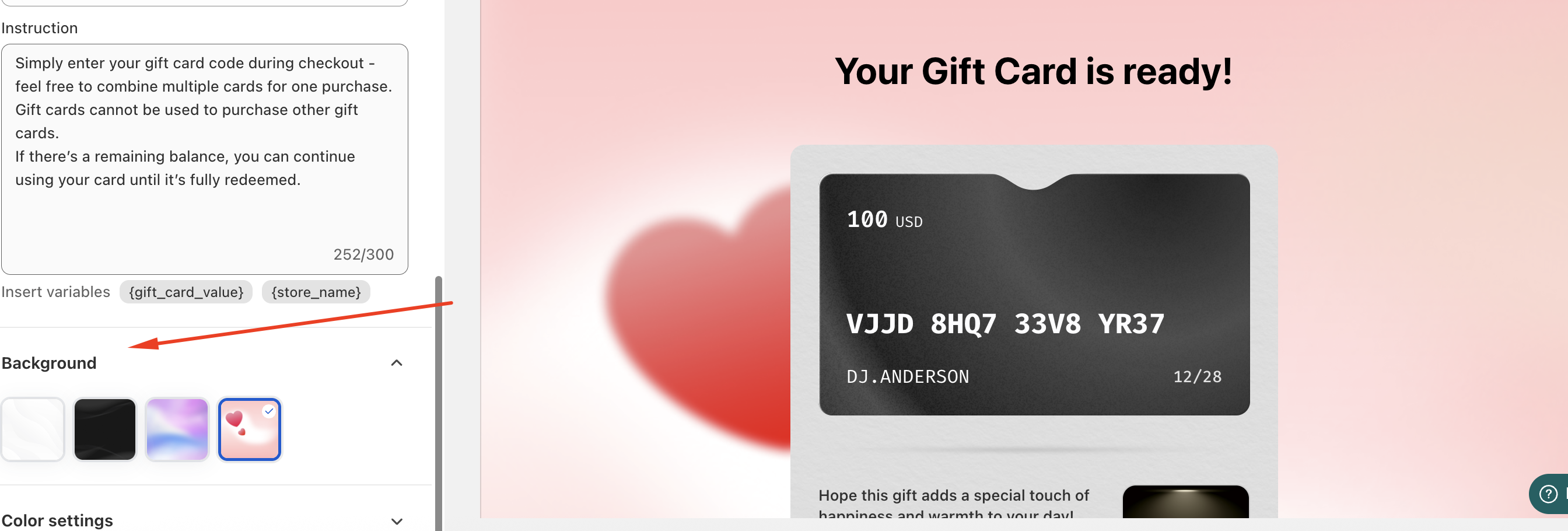
Customize the Gift Card Detail Page Background
To match your store’s theme, you can customize the background design of the gift card detail page. This allows the page to visually align with your branding and provide a cohesive shopping experience.
______________________________________________________________________________________________________
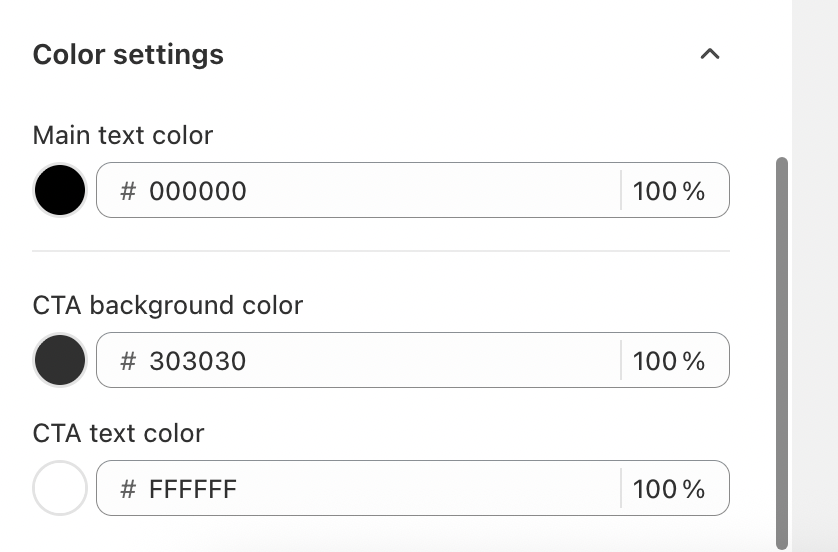
Customize the CTA Button
You can also adjust the CTA background color on the gift card detail page. Choose a color that complements your theme and clearly guides recipients toward their next action, such as shopping or redeeming the gift card.
______________________________________________________________________________________________________
Preview the Gift Card Detail Page
Once all customization steps are completed, the updated gift card detail page will be displayed to customers when they click the gift card link from their email. This ensures a polished and branded experience from email delivery to redemption.
In case you have any further concerns, please feel free to drop us an email at support@govalos.com
Was this article helpful?
That’s Great!
Thank you for your feedback
Sorry! We couldn't be helpful
Thank you for your feedback
Feedback sent
We appreciate your effort and will try to fix the article