The GV widget allows customers to view their rewards and store credit information directly within their account and checkout-related pages. To ensure the widget displays correctly, you’ll need to add the GV app block using Shopify’s Checkout Editor. Follow the steps below to complete the setup.
Step-by-Step Guide
Step 1: Go to the Checkout Editor
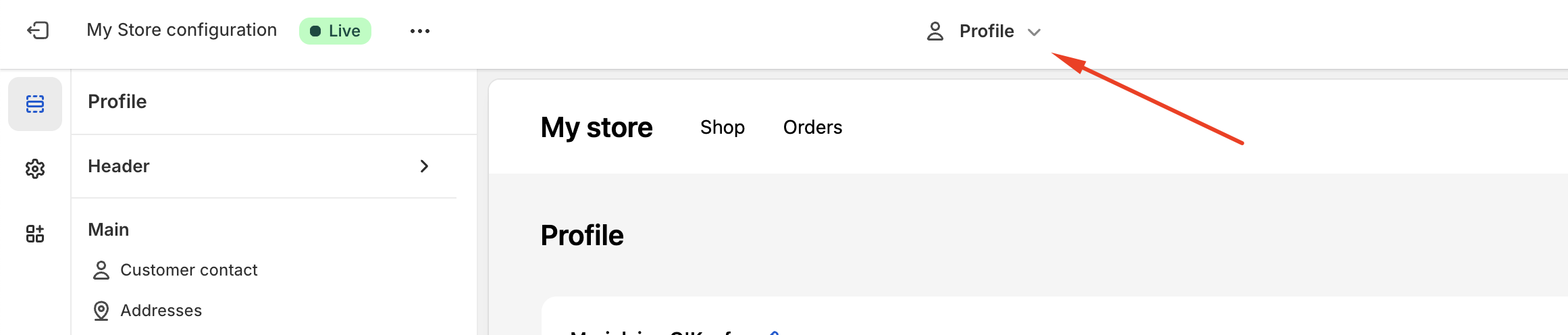
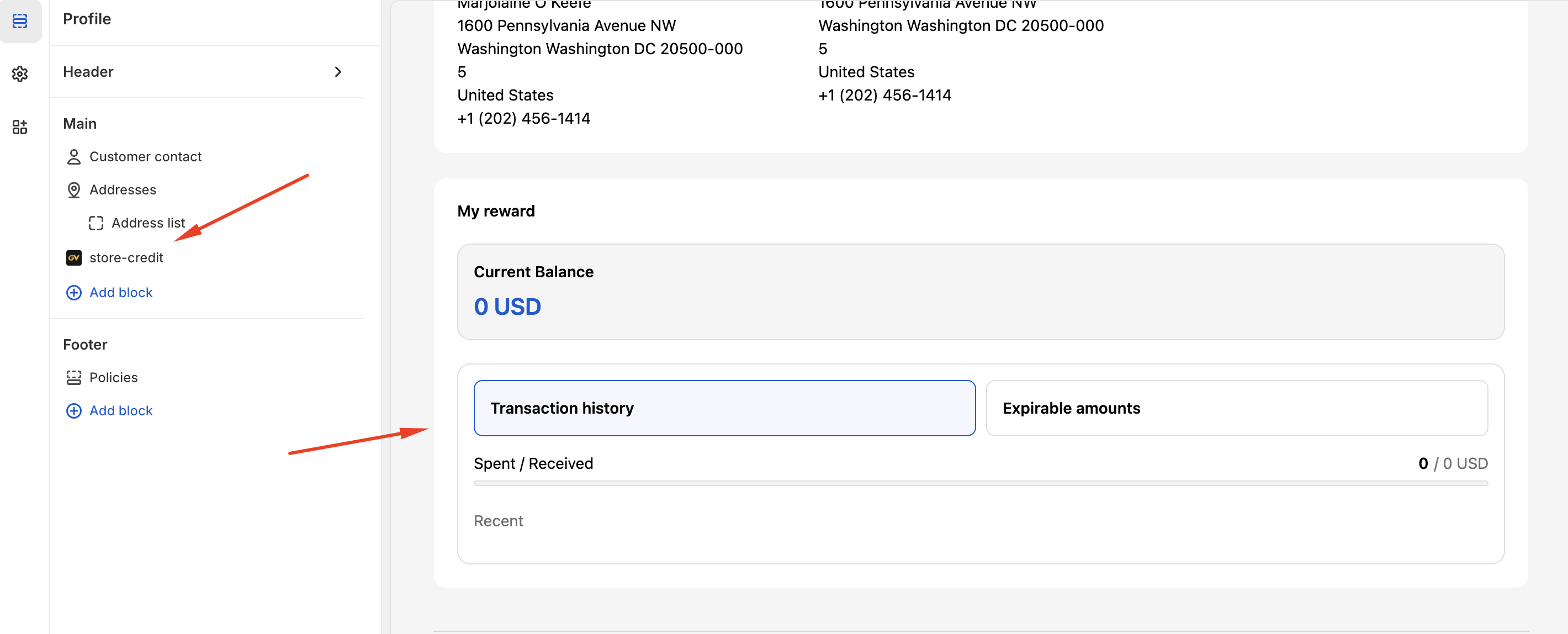
Step 2: Add the GV App Block
Click “Add app block”, then select the GV app from the list of available apps.
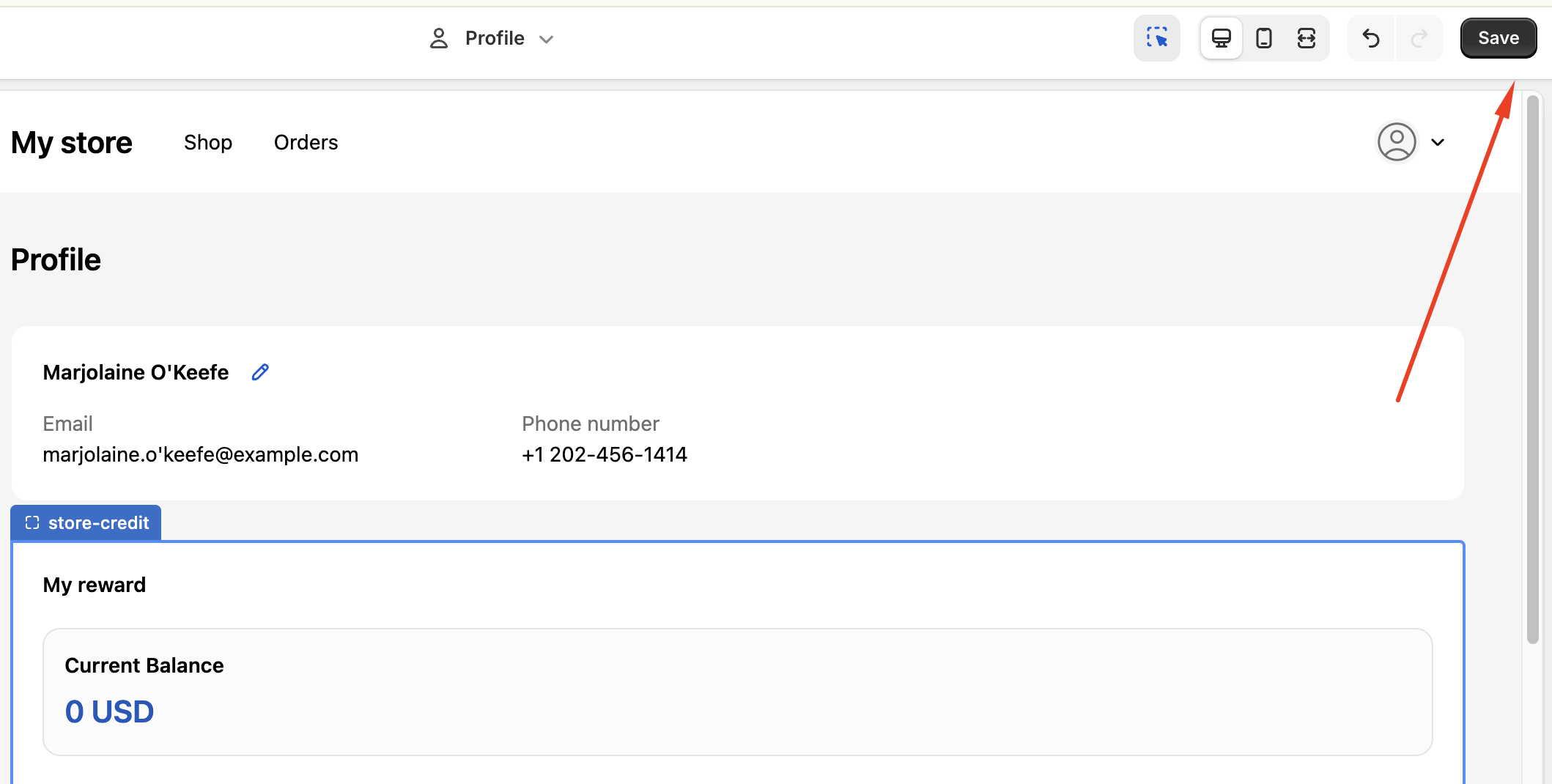
Step 3: Save Your Changes
Once the GV app block has been added, click Save in the top-right corner of the screen. Your changes will take effect immediately.
If you’ve followed the steps above and the widget does not appear as expected, or if you have any additional questions, please feel free to contact us at support@govalos.com.
Was this article helpful?
That’s Great!
Thank you for your feedback
Sorry! We couldn't be helpful
Thank you for your feedback
Feedback sent
We appreciate your effort and will try to fix the article