The Customers section in Loyalty Programs allows merchants to manage customer wallets, issue store credits, and track transaction history with ease. This centralized view helps you monitor loyalty participation and better understand customer engagement.
Accessing the Customers Section
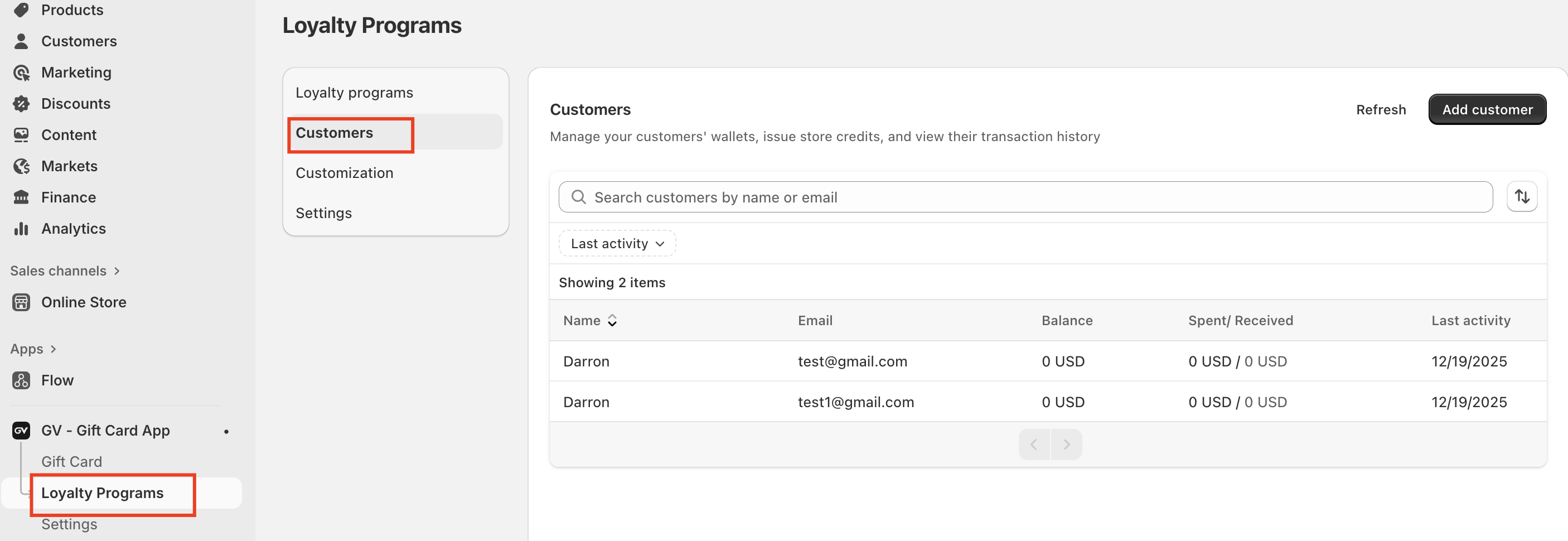
To manage customers who have joined your Store Credit or loyalty program, follow these steps:
Navigate on Loyalty Programs
Click on Customers in the left-hand menu
From here, you will be taken to the customer management dashboard.
What You Can Manage in This Section
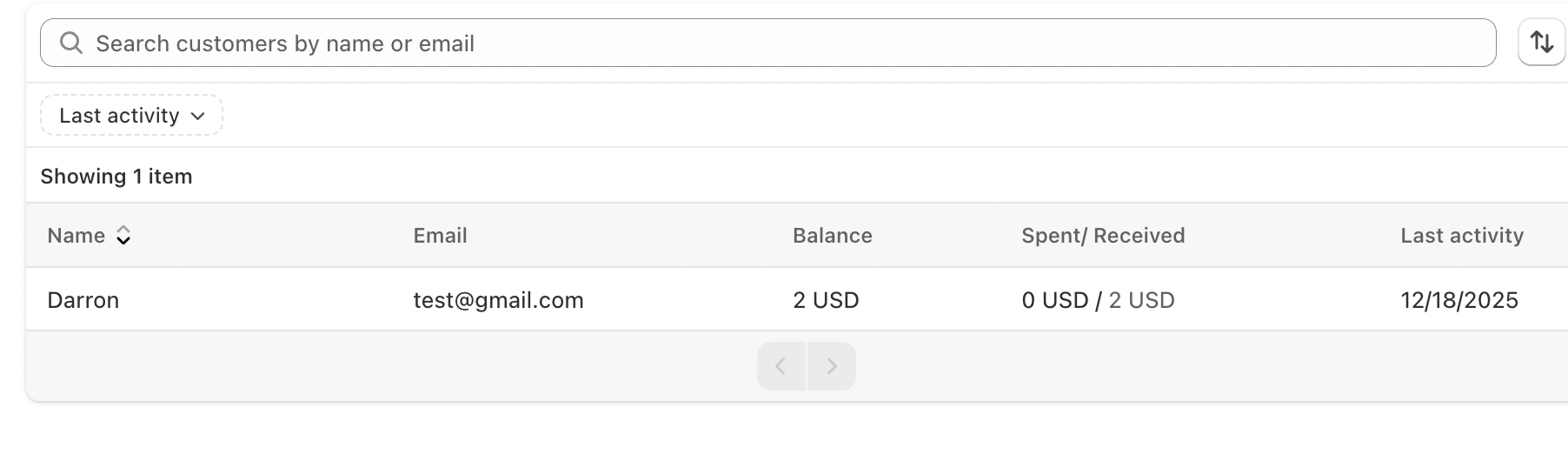
Within the Customers tab, you can:
View how many customers have joined your loyalty program
See customer details such as name and email
Track each customer’s store credit balance
Review spent and received credits
Monitor the customer’s last activity and transaction history
This gives you full visibility into how customers are earning and using store credit.
Adding Customers Manually
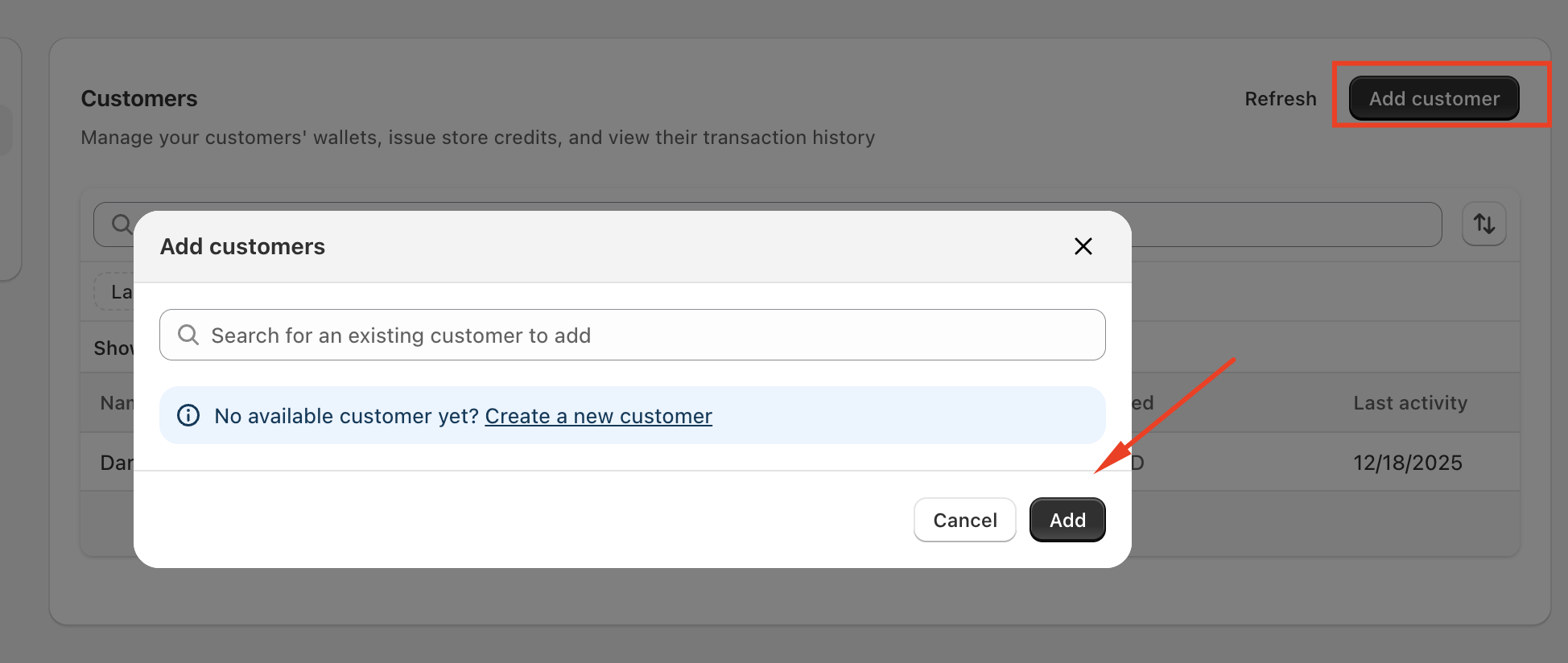
You can also manually add customers to the Loyalty Programs system:
Click Add customer in the top-right corner
Follow the on-screen steps to enter the customer’s information
Save to create the customer wallet and begin managing their credits
This is especially useful if you want to reward customers manually or enroll them into your loyalty program outside of automatic flows.
In case you have any further concerns, please feel free to drop us an email at support@govalos.com
Was this article helpful?
That’s Great!
Thank you for your feedback
Sorry! We couldn't be helpful
Thank you for your feedback
Feedback sent
We appreciate your effort and will try to fix the article