The Settings section within the Loyalty Programs feature allows you to control how store credits work for your customers, including configuring expiration reminders to help customers use their credits on time.
To access these settings, please follow the steps below:
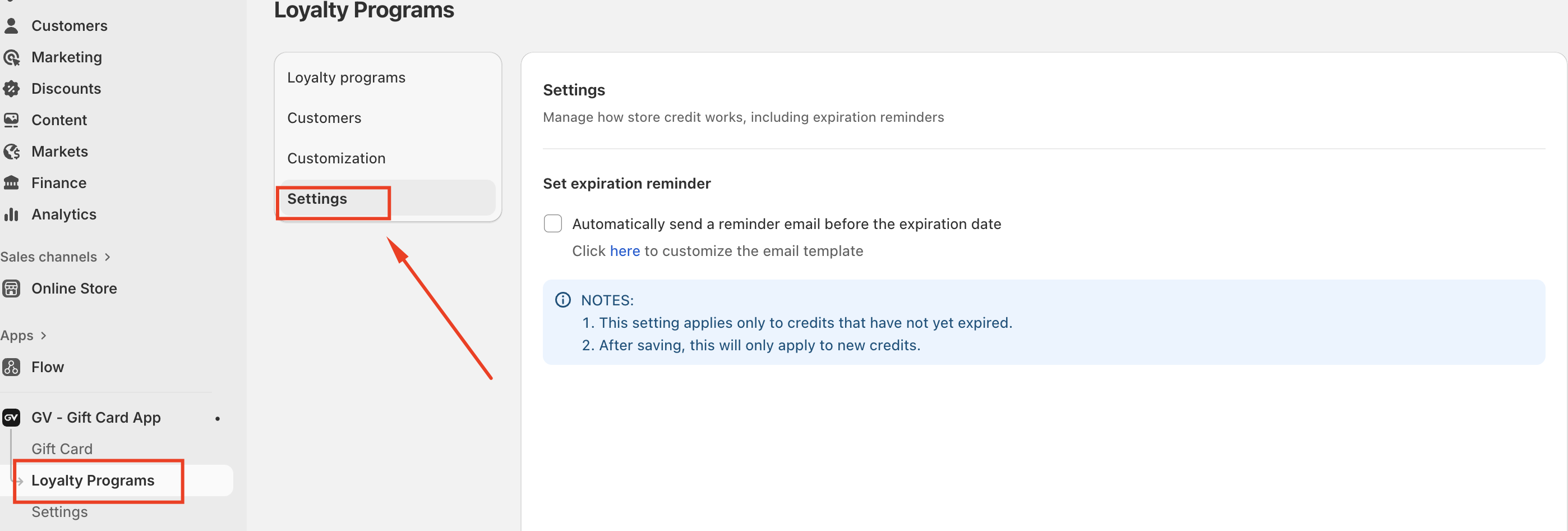
Go to Loyalty Programs and select Settings from the left-hand menu.
Setting Up Expiration Reminder Emails
Within the Settings page, you will find the option to set expiration reminders for store credits. When enabled, the system will automatically send reminder emails to customers before their store credits expire.
To enable this feature:
Check the option “Automatically send a reminder email before the expiration date.”
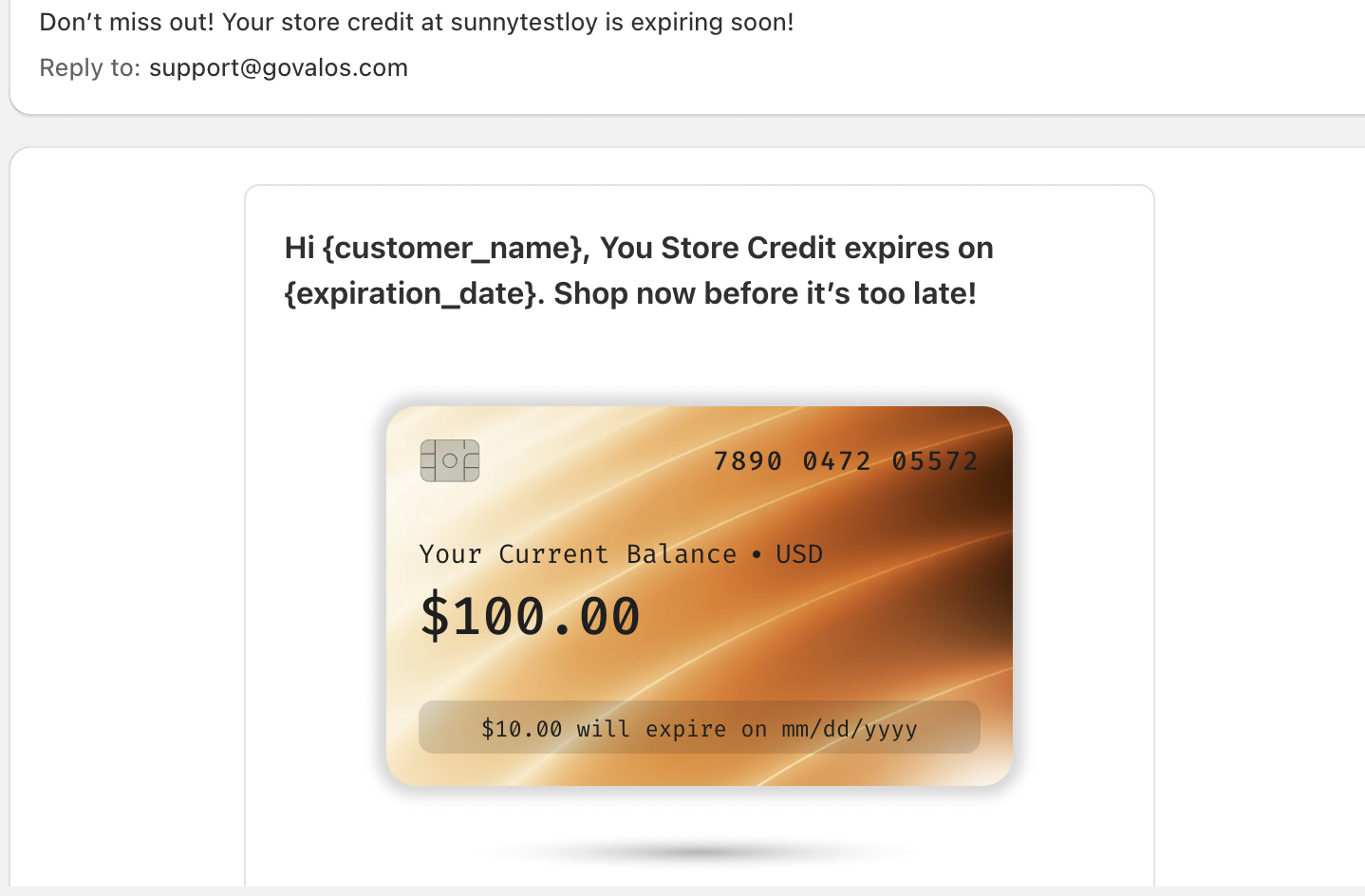
Customize the email template according to your brand’s tone and messaging.
Save your changes to apply the settings.
Important Notes
Please keep the following points in mind when configuring expiration reminders:
This setting only applies to store credits that have not yet expired.
After saving, the reminder setting will apply only to newly issued store credits, not existing ones.
By enabling expiration reminders, you can proactively encourage customers to redeem their store credits, increasing engagement and driving repeat purchases.
If you have any further questions or need assistance with setup, please feel free to contact us at support@govalos.com.
Was this article helpful?
That’s Great!
Thank you for your feedback
Sorry! We couldn't be helpful
Thank you for your feedback
Feedback sent
We appreciate your effort and will try to fix the article