The GV – Gift Card App allows you to easily enroll both existing and new customers into your loyalty program. This ensures that all customers—regardless of when they first shopped with you—can enjoy loyalty rewards and benefits.
This article explains how to add existing customers to the loyalty program and how to create a new customer if one is not yet available.
Adding an Existing Customer to the Loyalty Program
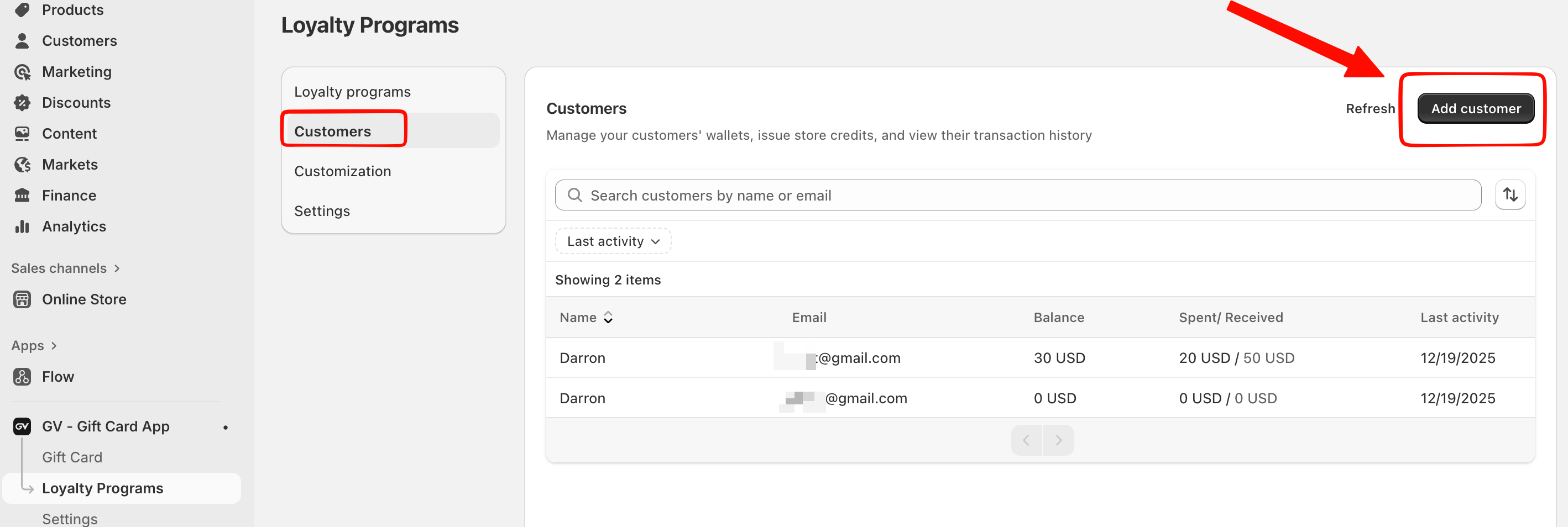
If the customer already exists in your Shopify store, you can add them directly to the loyalty program by following these steps:
Navigate to Loyalty Programs
Click Add customer.
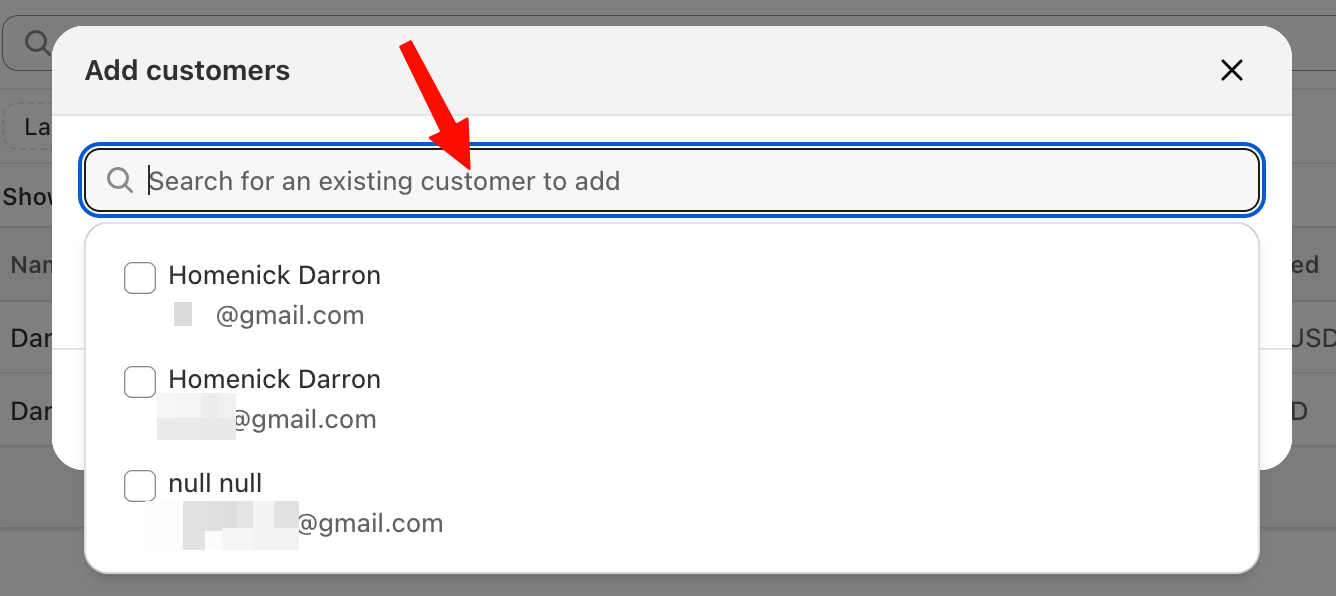
Use the search bar to find the customer you want to add.
Select the customer from the search results.
Click Add.
Once added, the existing customer will immediately appear in the loyalty customer list and will be eligible for loyalty rewards.
Creating a New Customer (If No Customer Is Available)
If the customer does not yet exist in your store, you can create a new customer profile directly from the app:
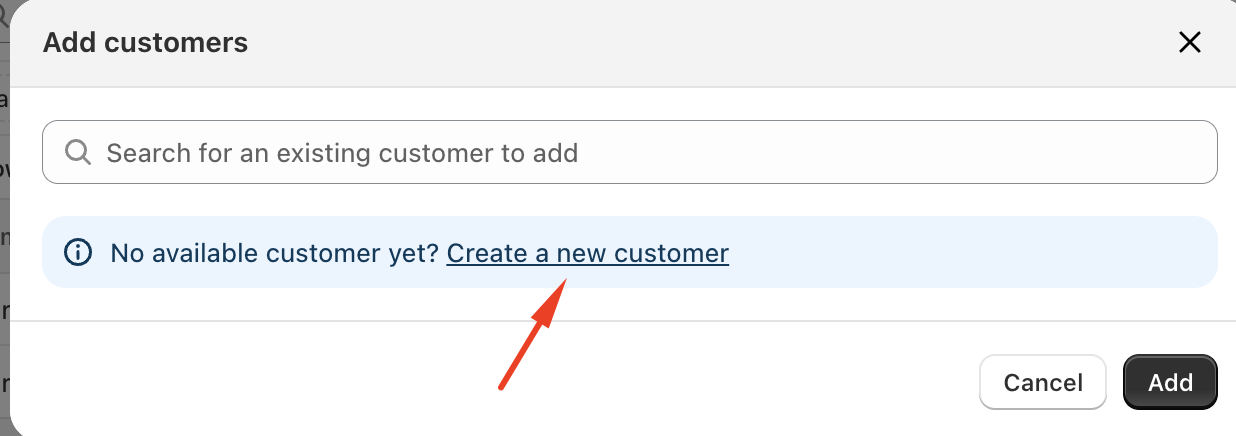
In the Add customer window, click Create a new customer.
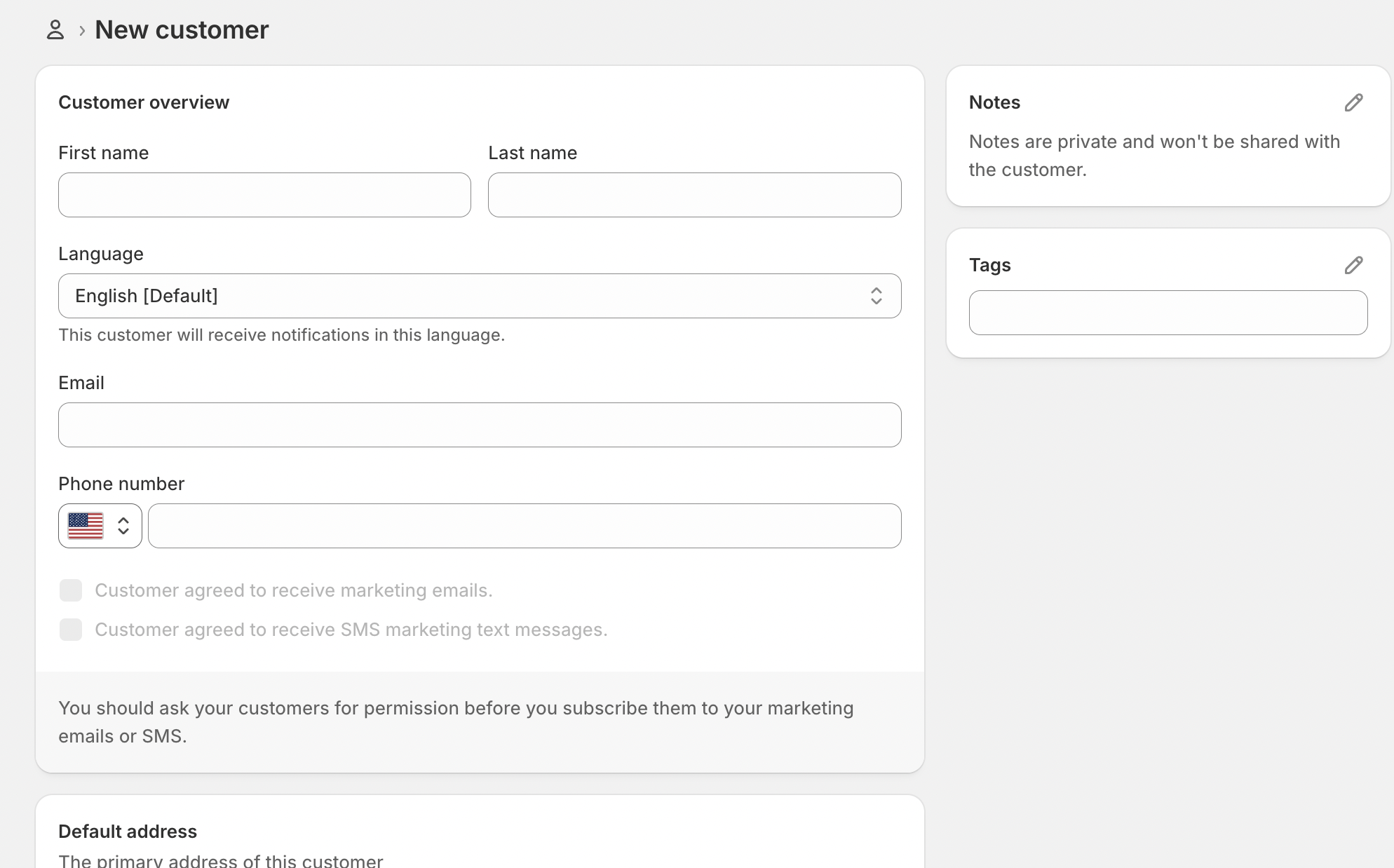
You will be redirected to the Shopify Customers page.
Create and save the new customer profile in Shopify.
Return to the GV – Gift Card App.
Search for the newly created customer and select them.
Click Add to include them in the loyalty program.
After completing these steps, the new customer will appear in the loyalty customer list and can start earning rewards.
Should you need any further assistance, please do not hesitate to contact us at support@govalos.com
Was this article helpful?
That’s Great!
Thank you for your feedback
Sorry! We couldn't be helpful
Thank you for your feedback
Feedback sent
We appreciate your effort and will try to fix the article