At this time, GV does not offer a dedicated feature for creating or managing physical gift cards. We understand that many merchants are interested in this functionality, and we are actively considering it for future development.
Current Workaround: Using Bulk Gift Cards for Printable Codes
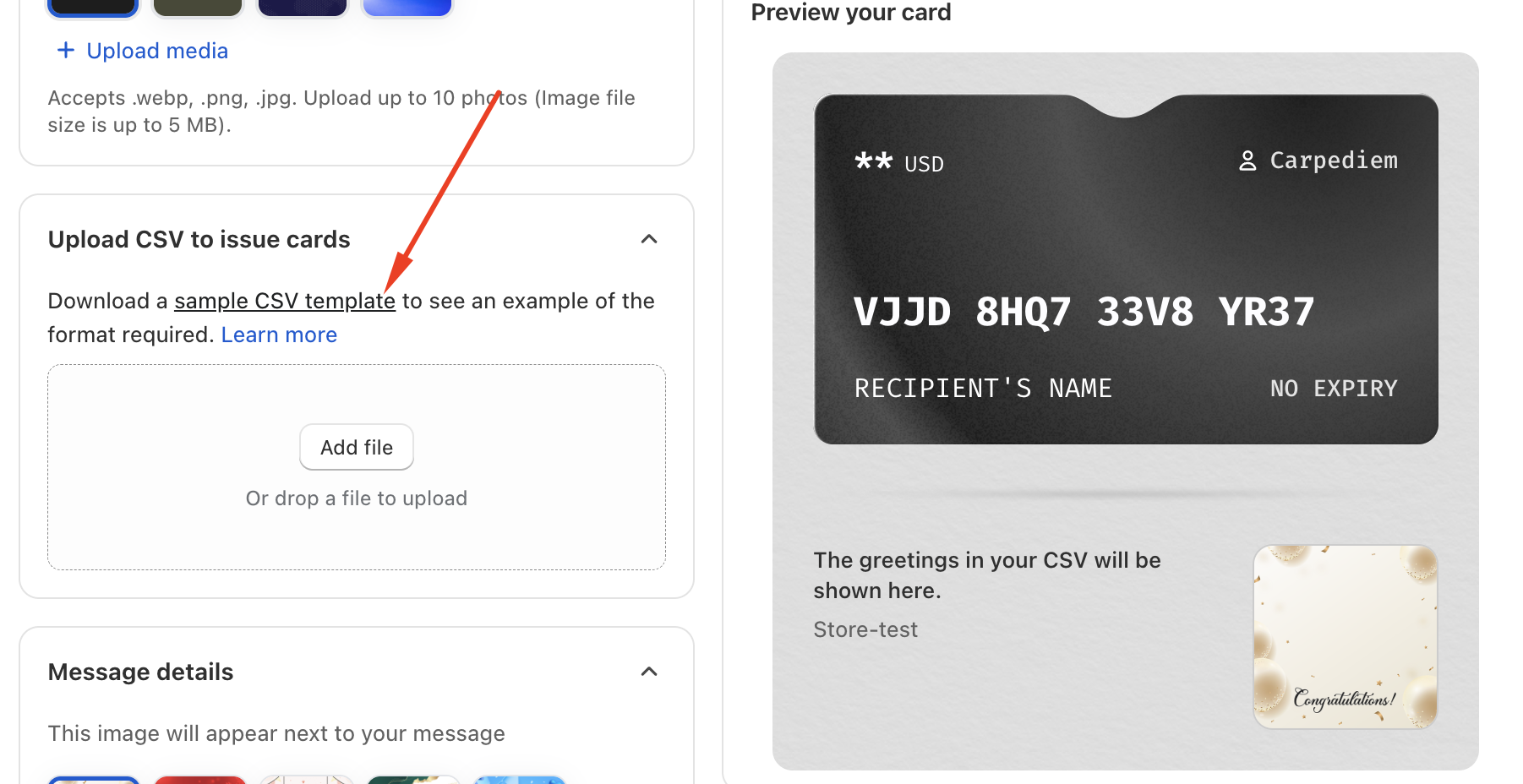
Although physical gift card support is not yet available, you can still create gift card codes for printing by using the Bulk Gift Cards feature.
Follow the steps below to generate codes for your physical cards:
1. Use the Bulk Gift Card Feature
Create a bulk gift card file and enter your own email address as the recipient, since customer information is not yet available at the time of printing.
2. Receive the Codes
Once the bulk file is processed, you will receive all generated gift card codes via email.
3. Prepare Your Physical Cards
Print these codes onto your own physical gift card designs.
(Please note: Merchants are responsible for preparing and printing the physical card materials.)
4. Update Customer Information Later
After you sell the physical gift cards, you can manually update each customer’s information directly in your Shopify admin.
Since GV uses the Shopify Gift Card API, updates made in Shopify will remain synced.
Was this article helpful?
That’s Great!
Thank you for your feedback
Sorry! We couldn't be helpful
Thank you for your feedback
Feedback sent
We appreciate your effort and will try to fix the article