By default, store credit emails are sent from GV’s email domain. To improve brand consistency and customer trust, you can configure the app to send emails using your own store’s domain.
This article explains how to set up and verify a custom email domain for Store Credit emails.
Why Use a Custom Email Domain?
Using your own domain allows you to:
Send emails that appear directly from your brand
Improve email deliverability and reduce spam filtering
Provide a more professional and trusted customer experience
Step 1: Open Email Settings
Click Settings.
Scroll to the Email sender section.
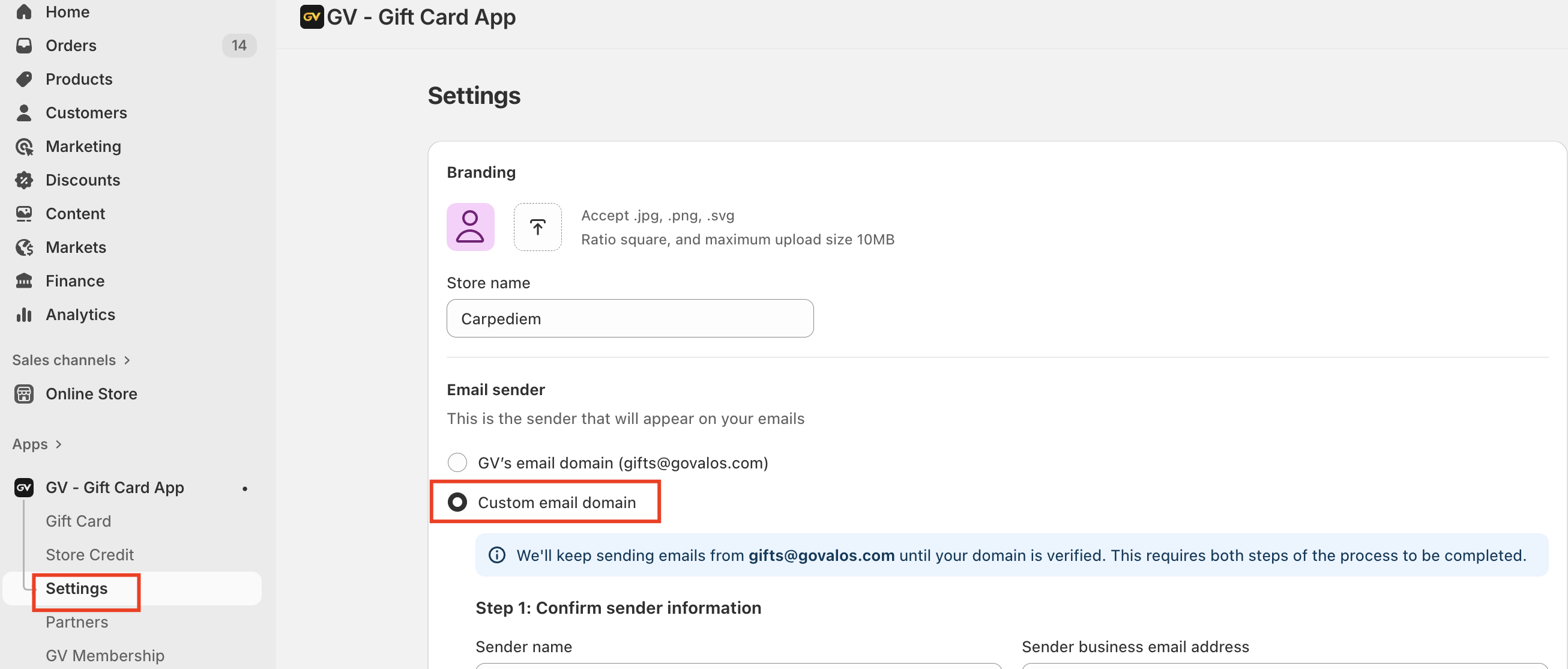
Step 2: Choose a Custom Email Domain
Under Email sender, select Custom email domain.
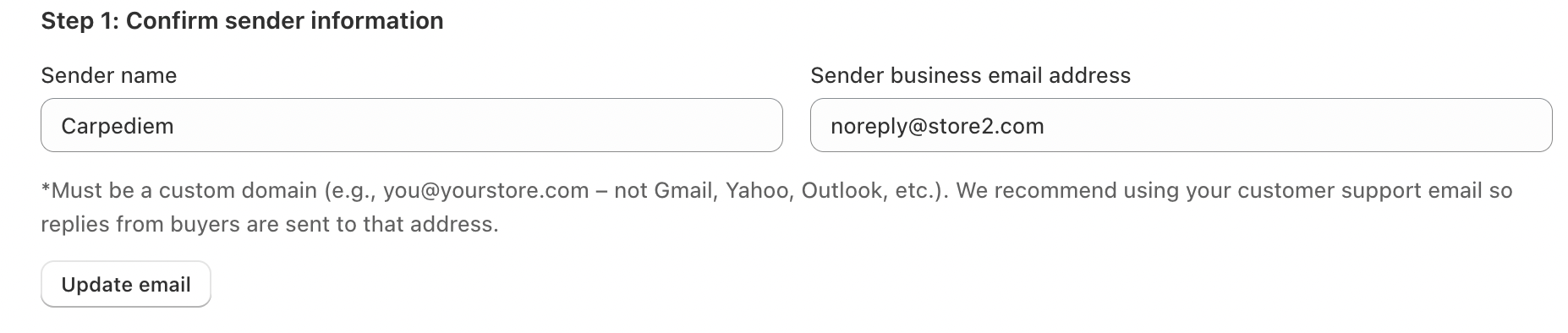
Enter:
Sender name (e.g. your store name)
Sender business email address (e.g.
support@yourstore.com)
Note: The email address must use your own domain. Public domains such as Gmail, Yahoo, or Outlook are not supported.
Click Update email to continue.
Step 3: Add DNS Records to Verify Your Domain
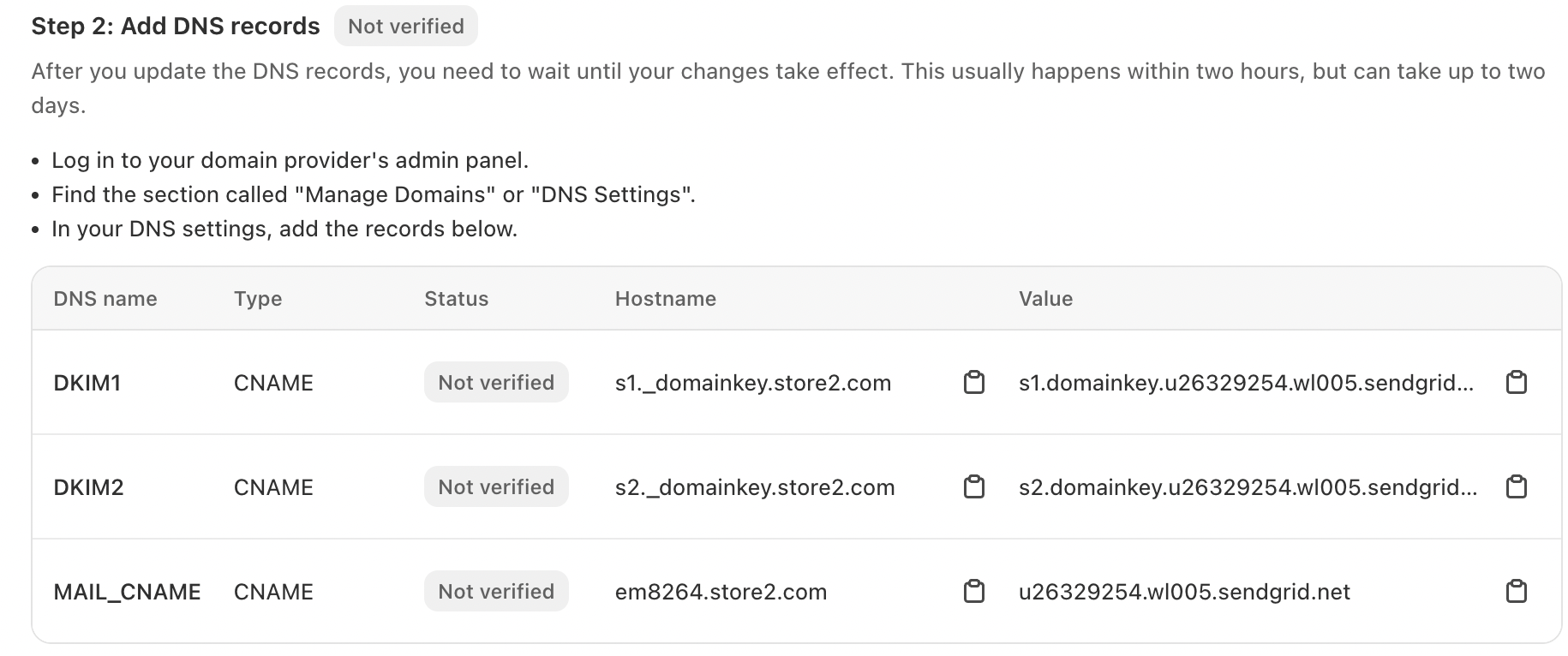
After saving your sender information, you will see a list of DNS records (CNAME records).
Log in to your domain provider’s admin panel (e.g. GoDaddy, Cloudflare, Namecheap).
Open DNS Settings or Manage Domains.
Add all DNS records shown in the app exactly as provided:
DKIM records
MAIL_CNAME record
Save your changes.
DNS updates usually take a few minutes, but may take up to 48 hours to fully propagate.
Step 4: Check Verification Status
Return to the Email sender section in the GV app.
Click Check status.
Once all records are verified, your custom domain will be activated automatically.
Until verification is complete, emails will continue to be sent from gifts@govalos.com to ensure uninterrupted delivery.
What Happens After Verification?
Store Credit emails will be sent from your own domain
Customers will see your brand as the email sender
Replies will go directly to your specified business email
This applies to all Store Credit notifications, including credit received and expiration reminder emails.
In case you have any further concerns, please feel free to drop us an email at support@govalos.com
Was this article helpful?
That’s Great!
Thank you for your feedback
Sorry! We couldn't be helpful
Thank you for your feedback
Feedback sent
We appreciate your effort and will try to fix the article