The GV – Gift Card App allows merchants to easily manage and adjust loyalty balances for individual customers. Whether you need to reward a customer, correct a balance, or apply a manual adjustment, you can update the balance directly from the admin dashboard in just a few steps.
This article walks you through the process of changing a loyalty customer’s balance and explains the available options during the adjustment.
Updating a Customer’s Loyalty Balance
To change a customer’s balance, you’ll need to access their profile from the Customers section of the app.
Step-by-Step Instructions:
In the GV – Gift Card App admin, navigate to Customers.
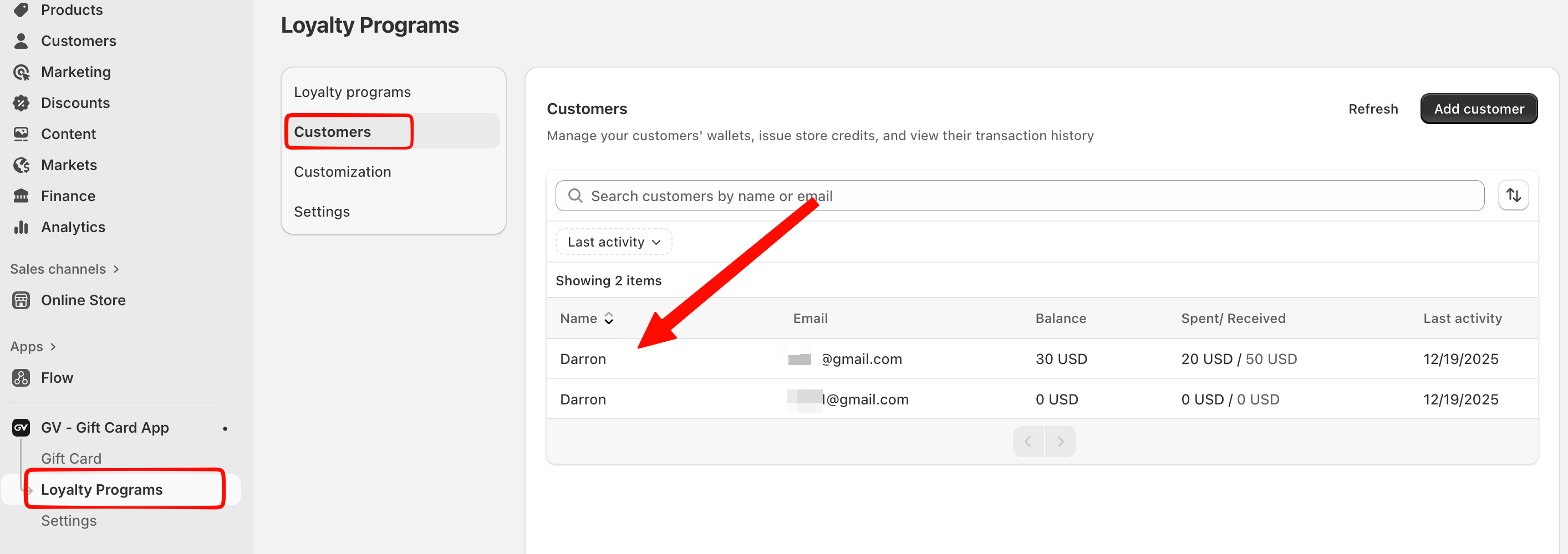
2. Select the customer whose loyalty balance you want to update.
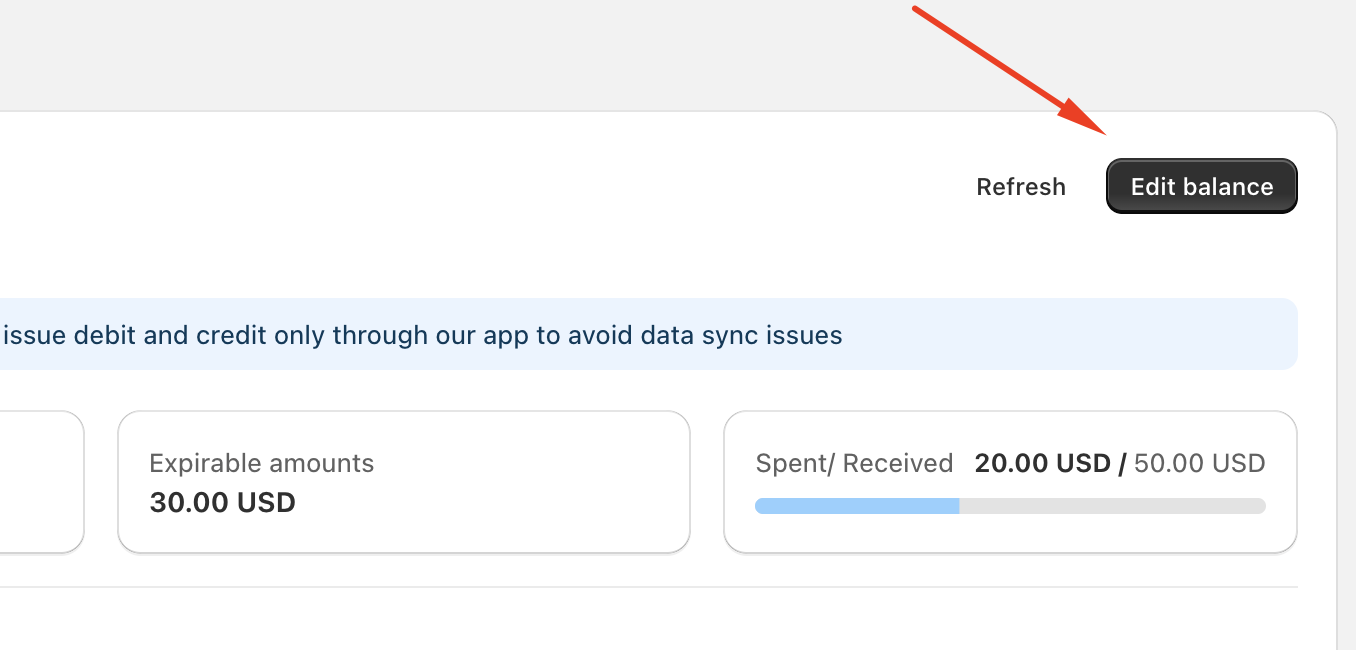
3. Click the Edit balance button located in the top-right corner of the customer profile.
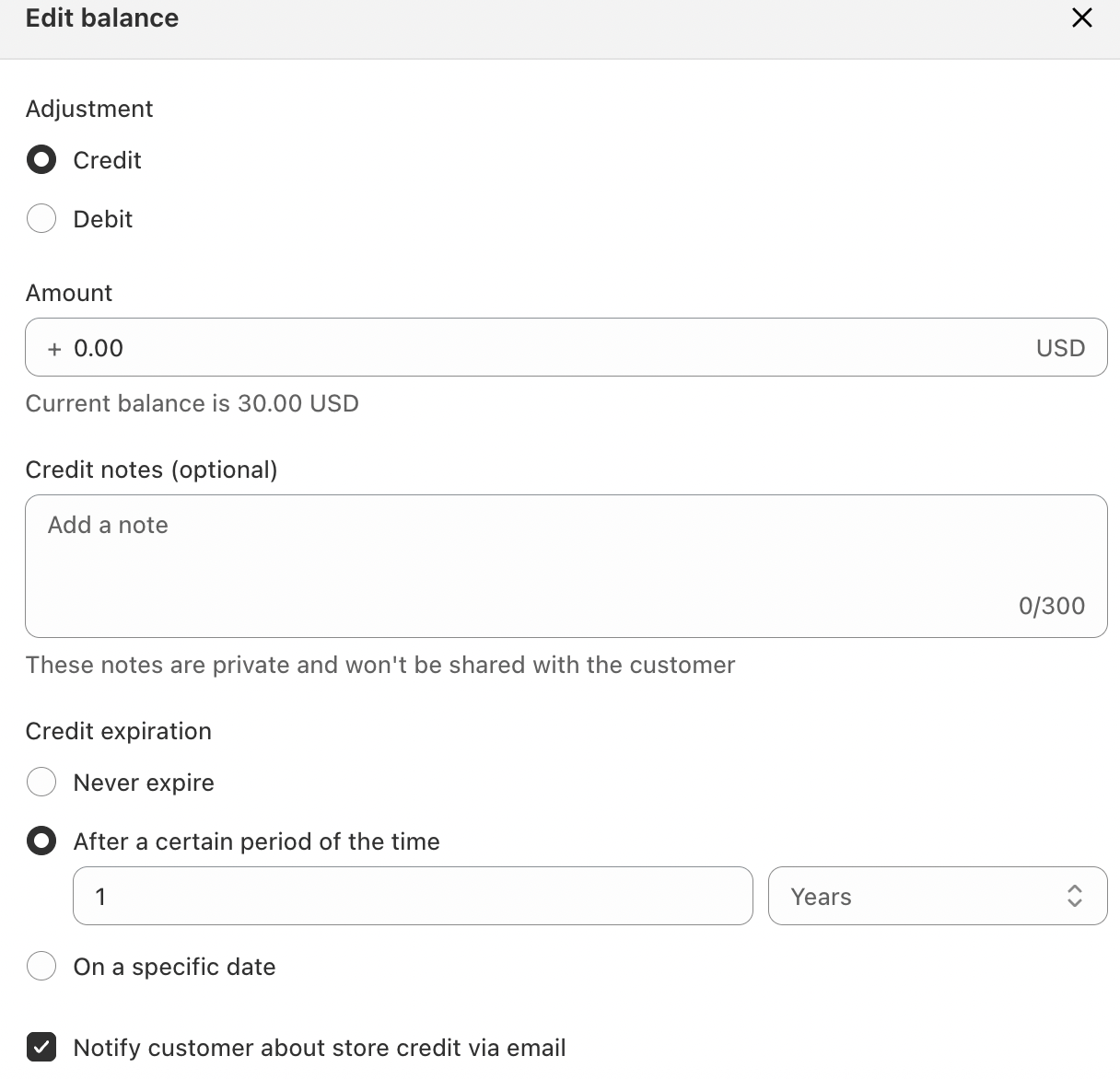
4. Choose the type of adjustment:
Credit – to add balance to the customer’s account
Debit – to deduct balance from the customer’s account
5. Enter the adjustment amount.
6. (Optional) Add an internal note for your reference. These notes are private and will not be shared with the customer.
7. Set the credit expiration:
Never expire
Expire after a certain period
Expire on a specific date
8. Enable email notification if you want the customer to be informed about the balance update.
9. Save your changes.
Once saved, the updated balance will be applied immediately and reflected in the customer’s transaction history.
Important Notes
Due to Shopify API limitations, balance adjustments should always be made directly through the GV app to avoid data synchronization issues.
All balance changes are logged and visible in the customer’s transaction history for tracking and auditing purposes.
Expiration rules help you control how long credited balances remain valid.
In case you have any further concerns, please feel free to drop us an email at support@govalos.com
Was this article helpful?
That’s Great!
Thank you for your feedback
Sorry! We couldn't be helpful
Thank you for your feedback
Feedback sent
We appreciate your effort and will try to fix the article