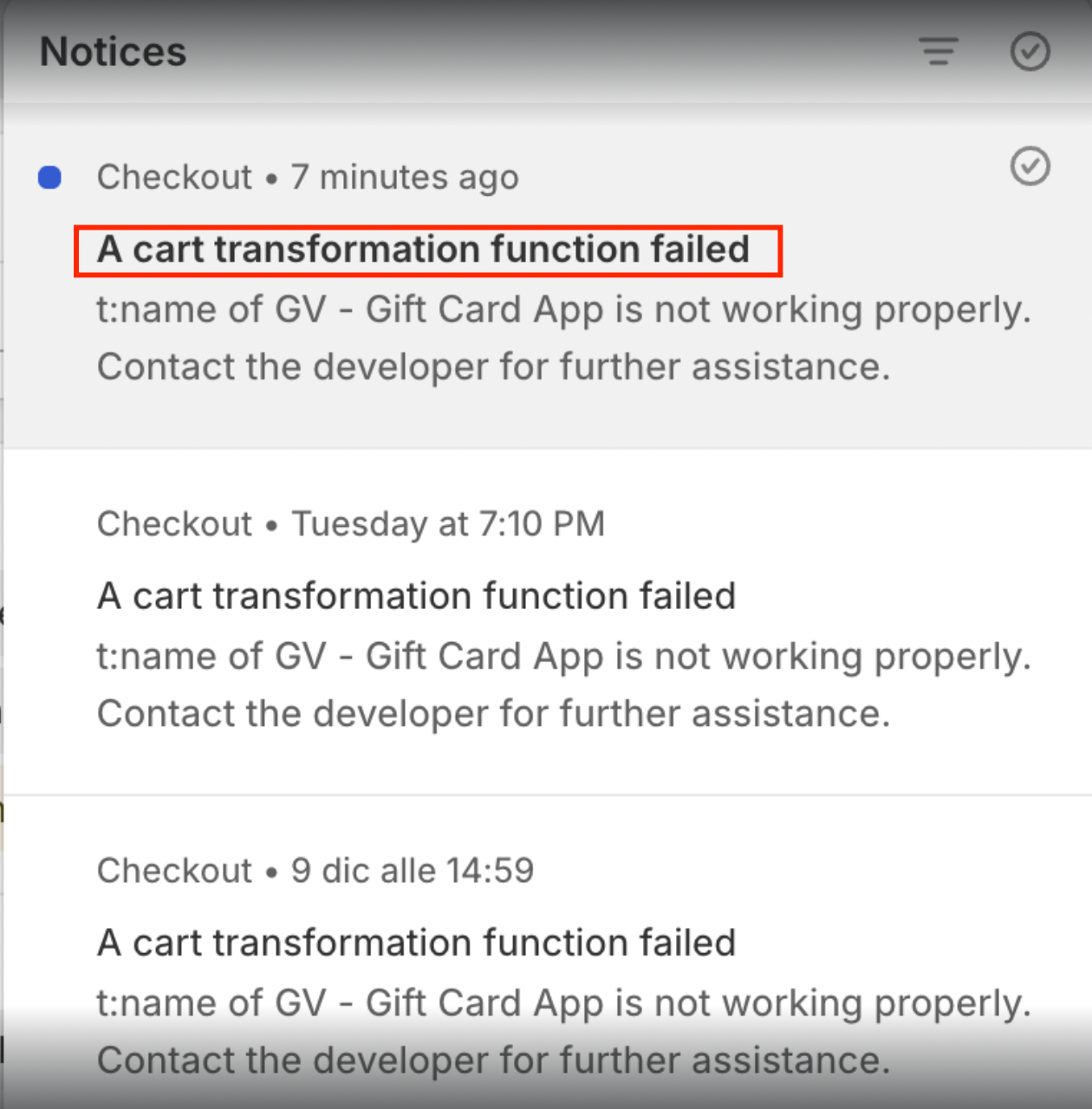
If you notice a notification in the logs stating “a cart transformation function failed”, there is no need to worry. This message is informational and does not indicate a problem with your store or data.
This article explains why this notification appears and how to resolve it.
Why This Notification Appears
The “cart transformation function failed” message occurs when your Shopify store is not on the Shopify Plus plan.
Certain cart transformation features are only supported on Shopify Plus. When it detects that your store does not meet this requirement, Shopify automatically triggers this notification. This is expected behavior and does not mean that anything is broken.
Important Notes
This notification does not affect your storefront.
Your store data remains safe and unchanged.
The GV – Gift Card App will continue to function normally.
How to Resolve it
To resolve, simply follow these steps:
Log in to the GV – Gift Card App.
Refresh the page (you can press F5 on your keyboard).
After refreshing, the app should work normally without any impact on store operations.
Should you need any further assistance, please do not hesitate to contact us at support@govalos.com
Was this article helpful?
That’s Great!
Thank you for your feedback
Sorry! We couldn't be helpful
Thank you for your feedback
Feedback sent
We appreciate your effort and will try to fix the article