The Follow on Instagram program allows merchants to reward customers with store credits when they visit and follow the store’s Instagram account. This feature helps increase brand awareness and grow your social media audience.
This program is available as a Premium feature and is not accessible for stores using the Free plan.
Feature Location
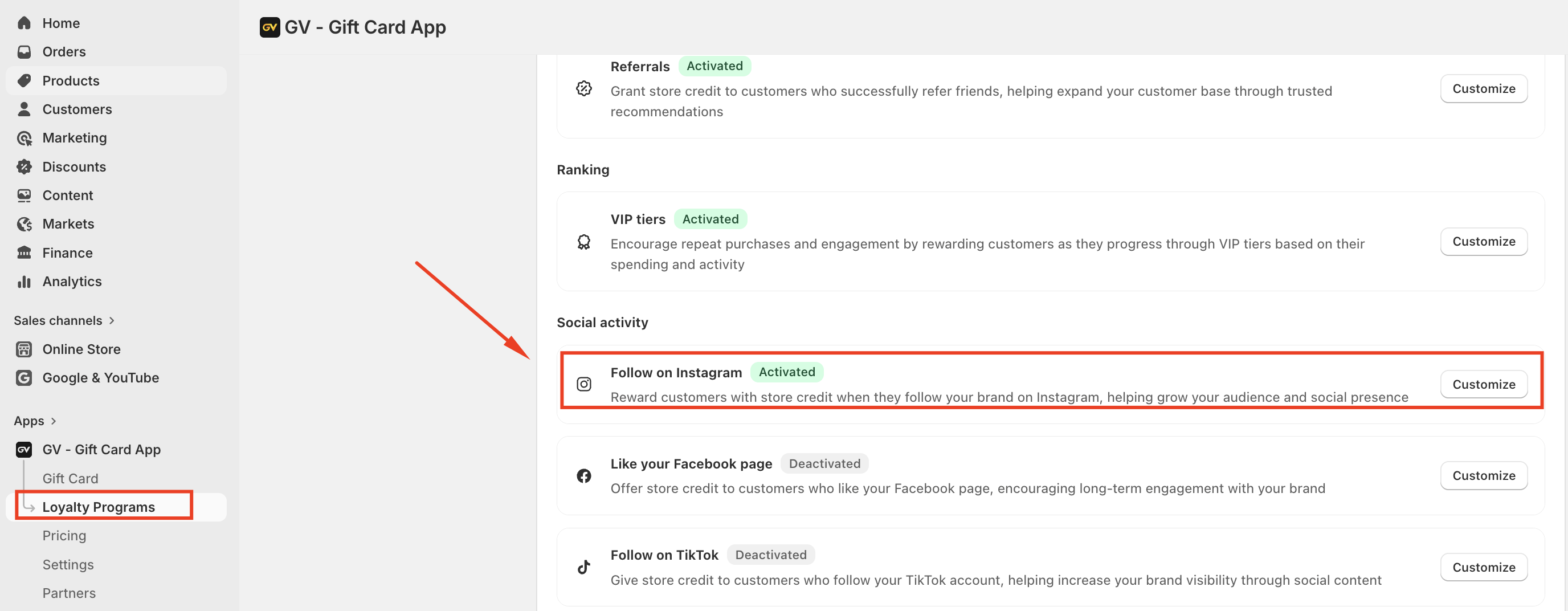
Navigate to:
Loyalty Program → Loyalty Program → Social Activity → Follow on Instagram
From here, you can enable and configure the Instagram reward program.
Enable the Program
To activate the Follow on Instagram program:
Go to Loyalty Program → Loyalty Program → Social Activity
Select Follow on Instagram
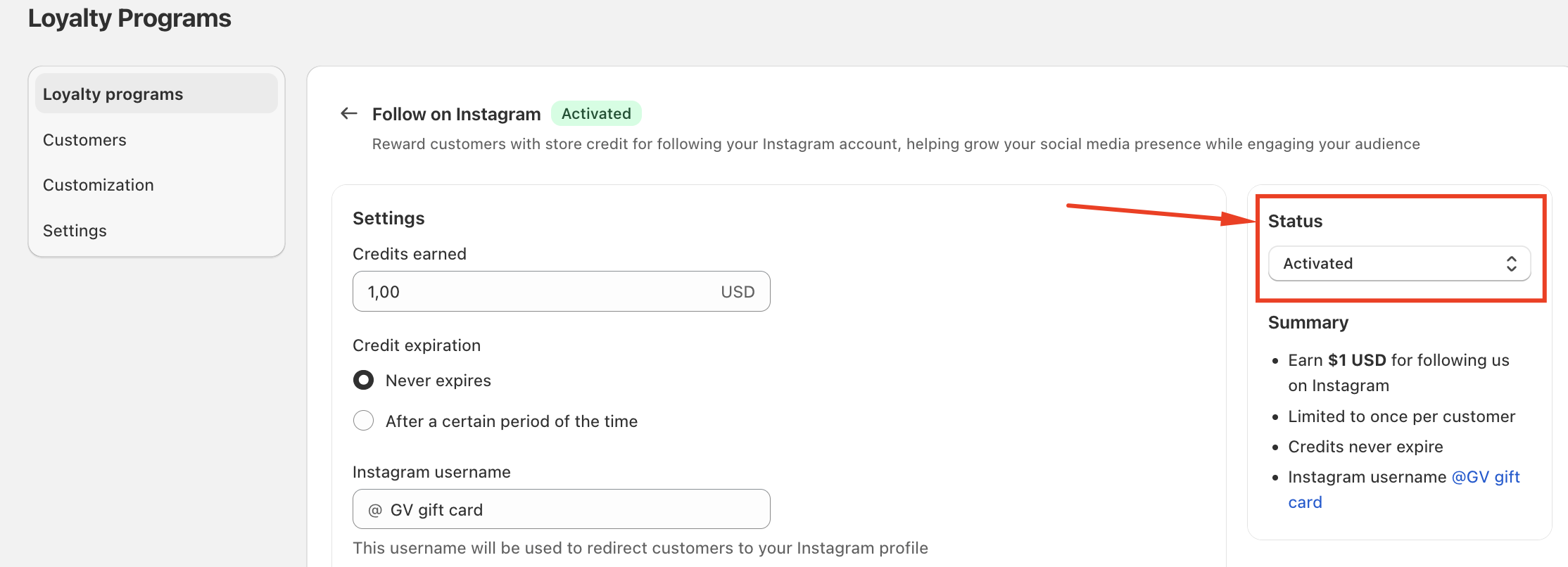
Turn on the Activate / Deactivate toggle
By default, the program is disabled.
Program Settings
After enabling the program, you can configure the following options.
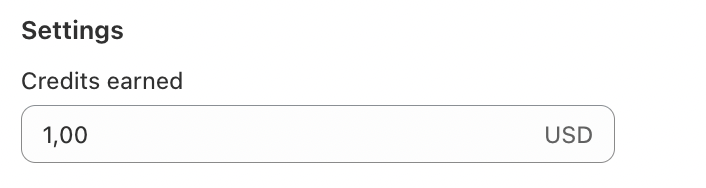
Credits Earned
Define the amount of store credit customers will receive when participating in this program.
Enter the credit value based on your store currency.
Credits are applied as a fixed amount.
Default value: $1
Example:
If you enter 5, customers will receive $5 store credit after participating.
Credit Expiration
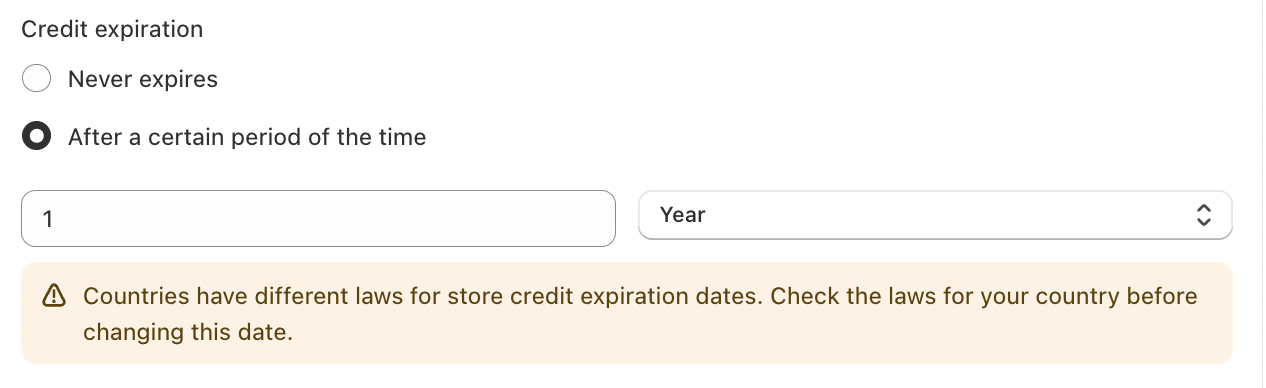
You can control how long the earned credits remain valid.
Available options:
Never expire (Default)
Credits will remain valid indefinitely.
Expire after a certain period
Credits will expire after a specified time. You can define the duration in:
Days
Months
Years
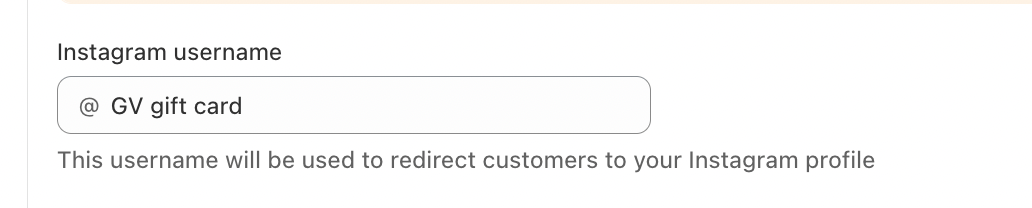
Instagram Link
Enter your store’s Instagram username or profile link.
This link will be used to redirect customers to your Instagram page when they click the reward action.
Example:instagram.com/your_username
Credit Note (Optional)
You may add an optional internal note for the credit transaction.
This note will appear in the customer credit history.
Customize the Program Display in the Launcher
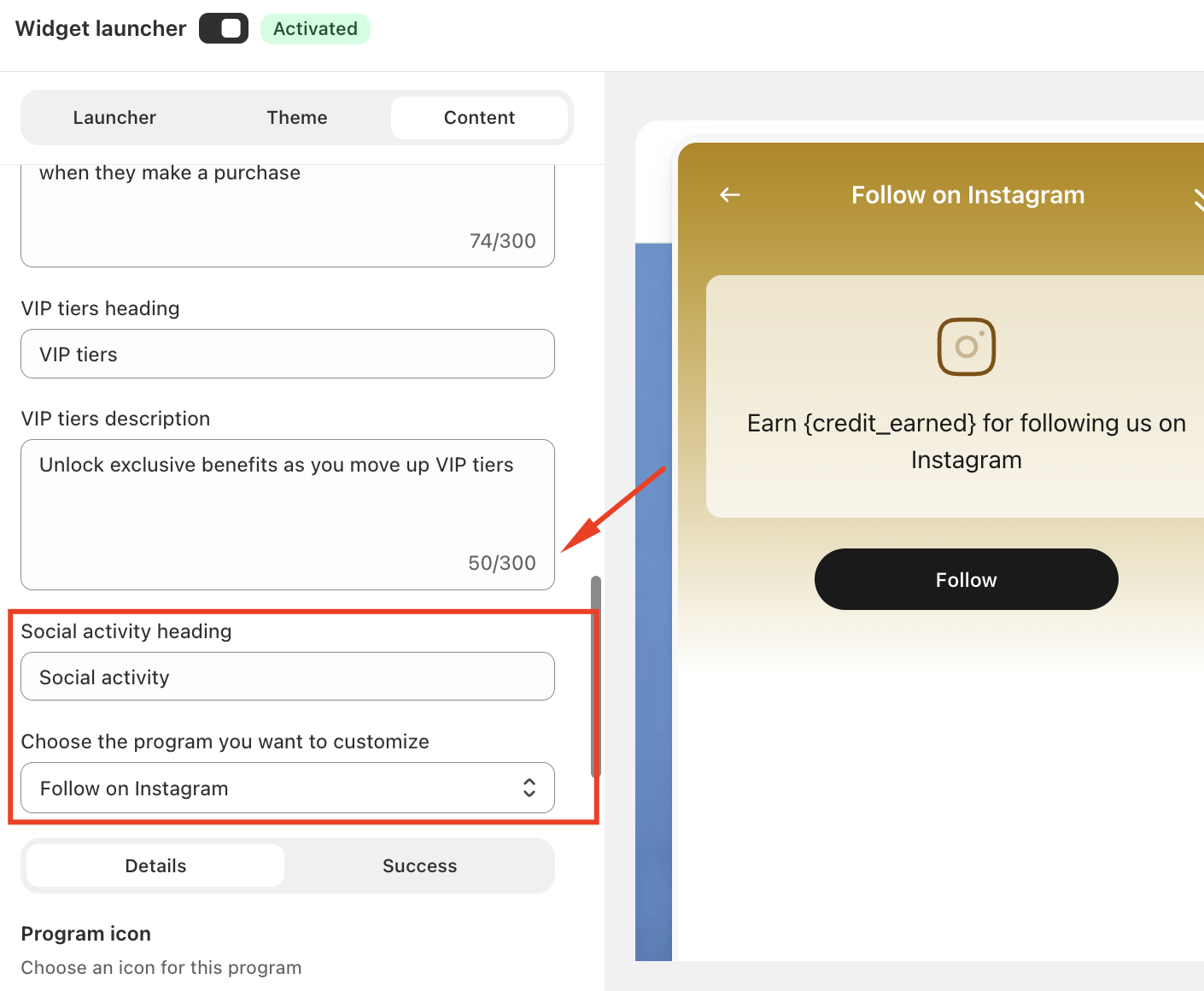
You can customize how the Instagram reward appears in the loyalty widget.
Go to:
Loyalty Program → Customization → Launcher
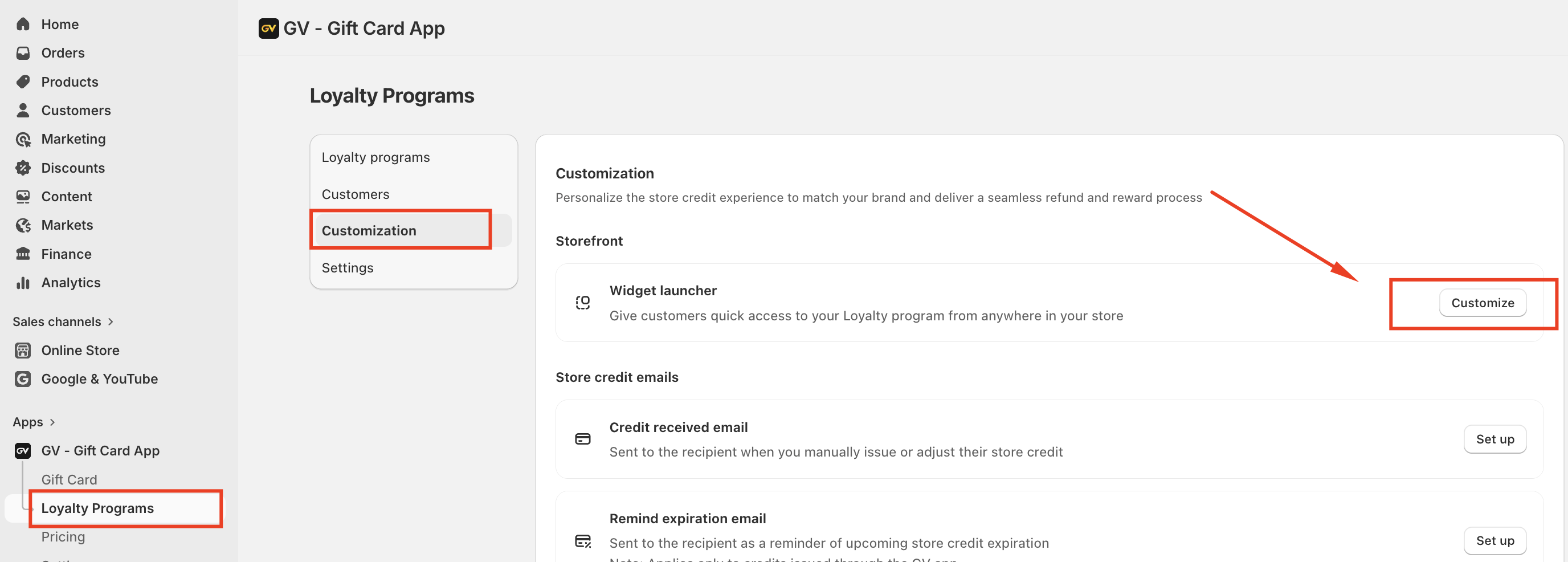
Steps:
Navigate to Program & Rewards
Select Follow on Instagram
Customize the content displayed to customers
Click the Preview (eye icon) to review the appearance in the launcher
Customer Experience Flow
Below is the typical flow for customers earning credits from this program.
1. Program Activation
The merchant enables the Follow on Instagram reward program.
2. Program Display
The reward appears in the Loyalty Launcher on the storefront.
3. Customer Login
Customers must log in to their account to participate in the program.
4. Redirect to Instagram
When customers click the Instagram icon, they will be redirected to the store’s Instagram page.
5. Credit Verification
The system checks whether the customer has already received credit for this program.
If no credit has been issued, store credit will be added to the customer’s account.
Each account can earn this reward only once.
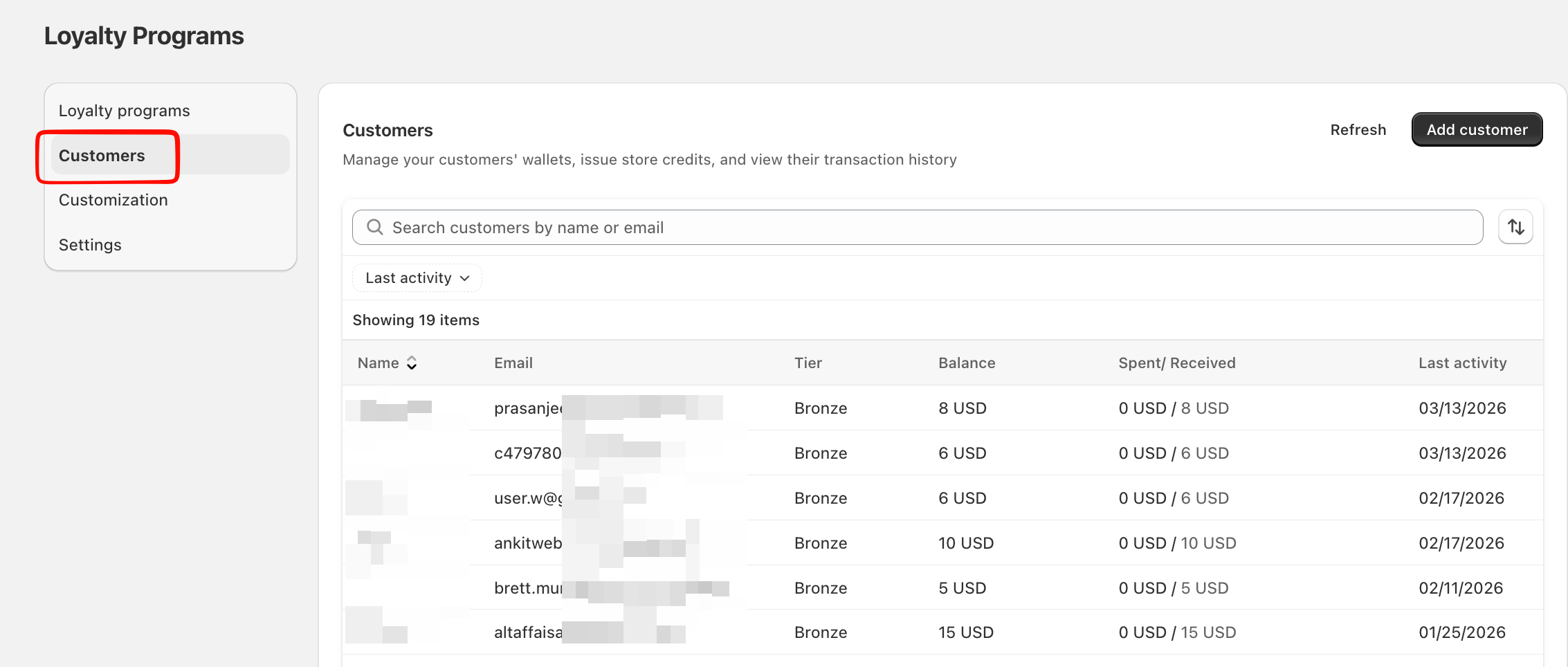
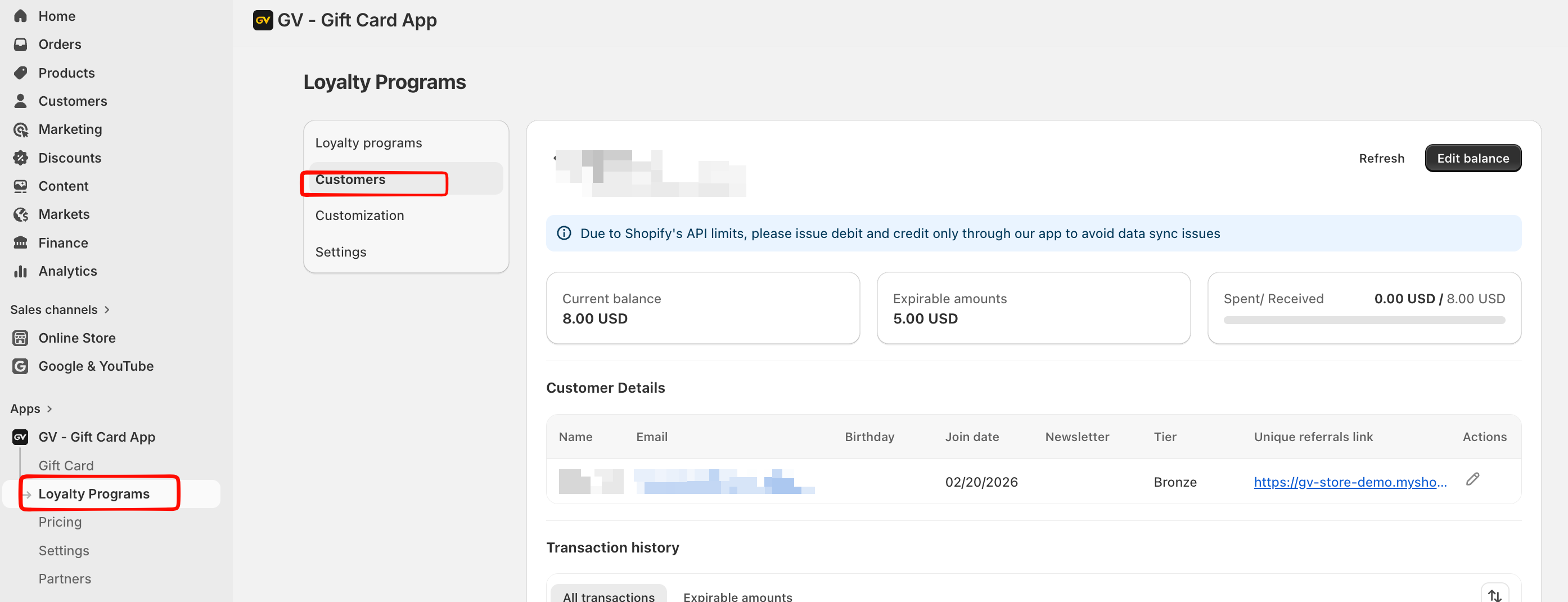
Credit History Records
When credits are issued, a record will appear in the customer's Earn History, including:
Date – The date the customer participated in the program
Type – Received
Event – Adjustment
Origin – Instagram
Amount – Credits earned
Balance – Remaining credit balance
Expired Date – Based on the configured expiration settings
Internal Note – Displays the note entered in the program settings (if provided)
Customer Notification
Once the credit is successfully issued, the system sends a Credit Received Email to notify the customer that they have earned store credit.
Important Note
The app only redirects customers to your Instagram page.
It cannot verify whether the customer actually followed your Instagram account.
Should you have any further concerns, please feel free to contact us at support@govalos.com.
Was this article helpful?
That’s Great!
Thank you for your feedback
Sorry! We couldn't be helpful
Thank you for your feedback
Feedback sent
We appreciate your effort and will try to fix the article
