The lookup page offered by GV- gift card allows recipients who have received gift cards from your store to check the details, including the remaining balance, in their gift cards. Follow the steps below to add that page to your store's menu.
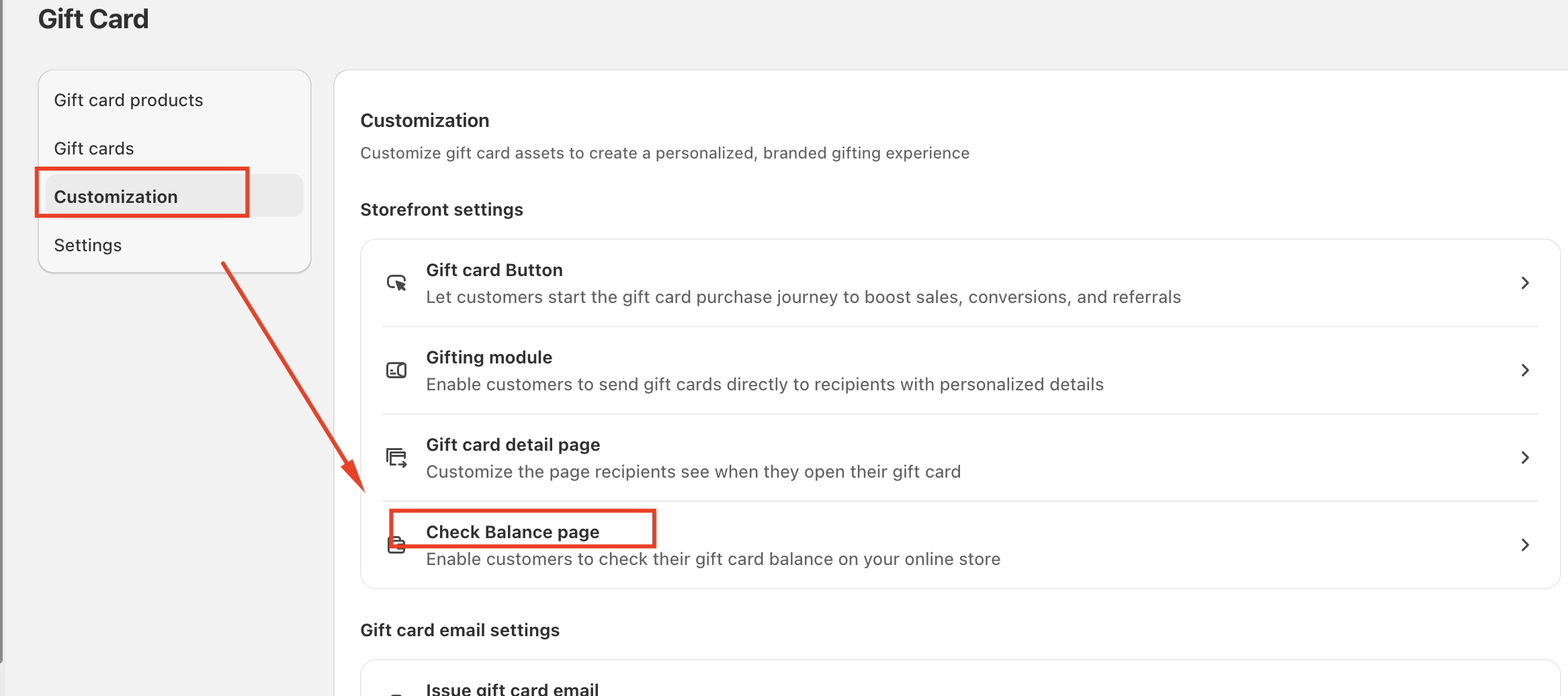
Step 1: In the GV-gift card app, go to Customization --> Check Balance page
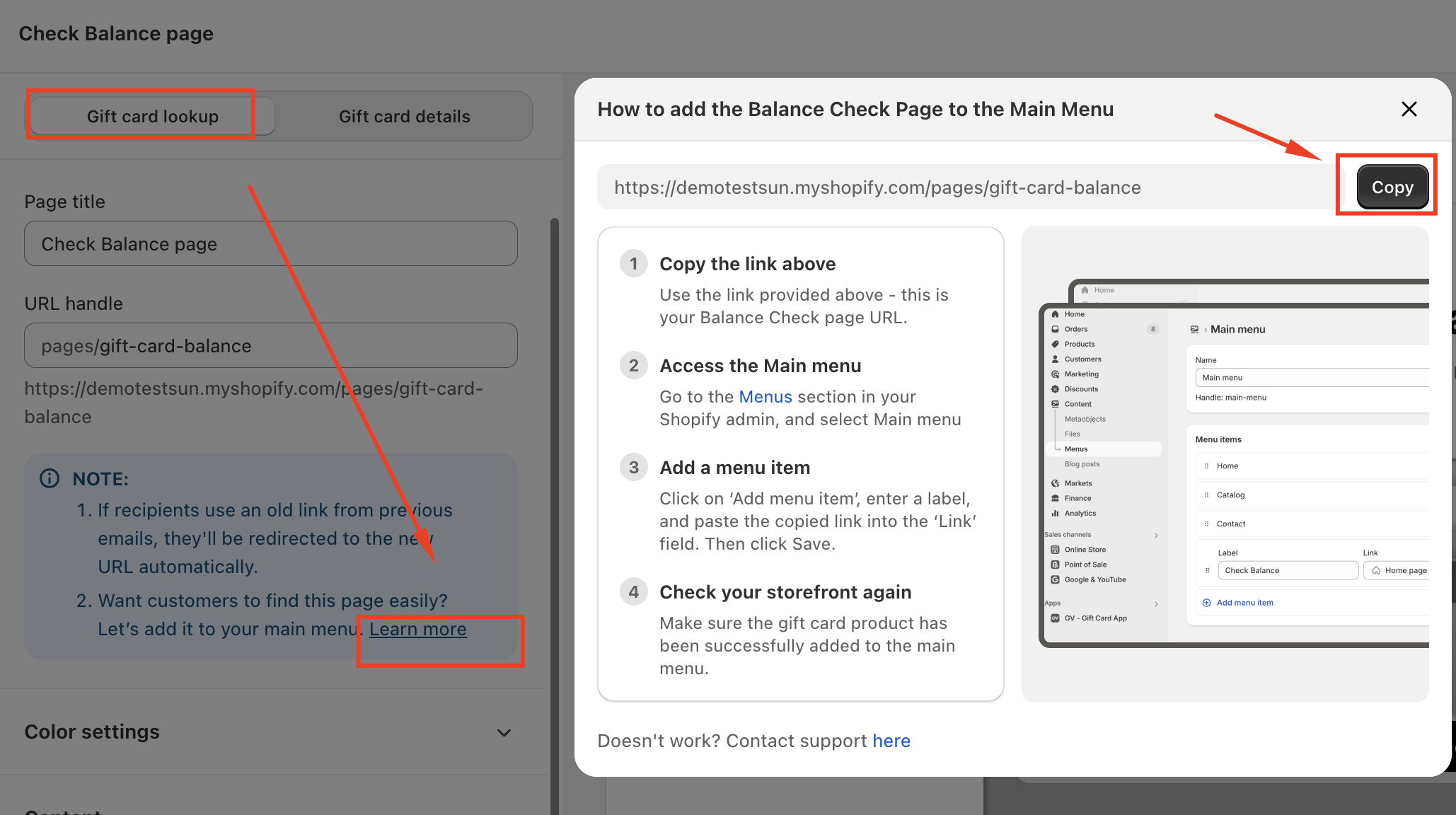
Step 2: In "Gift card lookup" section--> click learn more, then copy the link
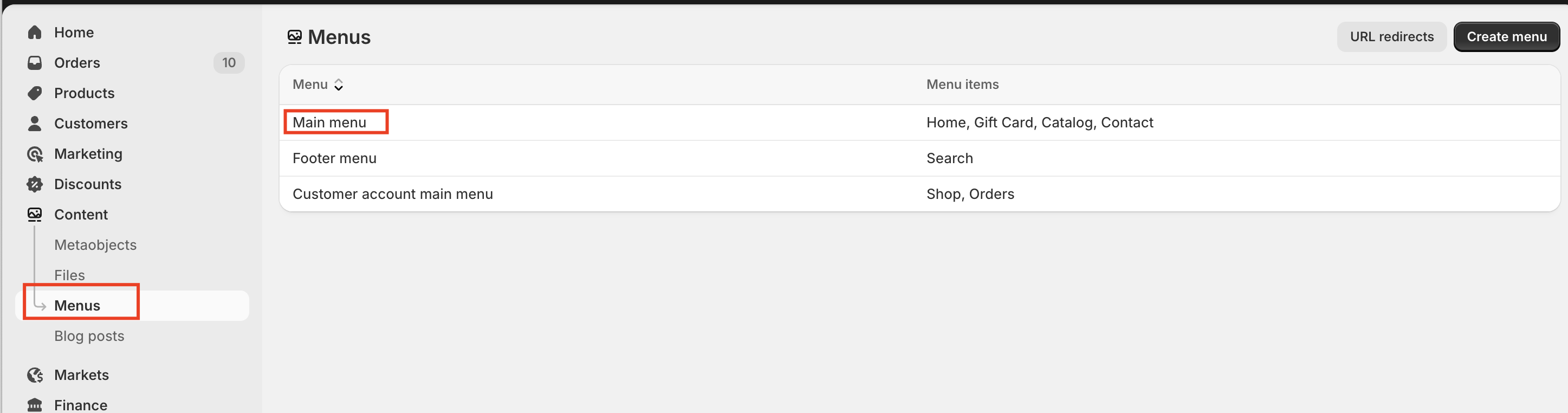
Step 3: Go to the Menus section in your Shopify admin, and select Main menu
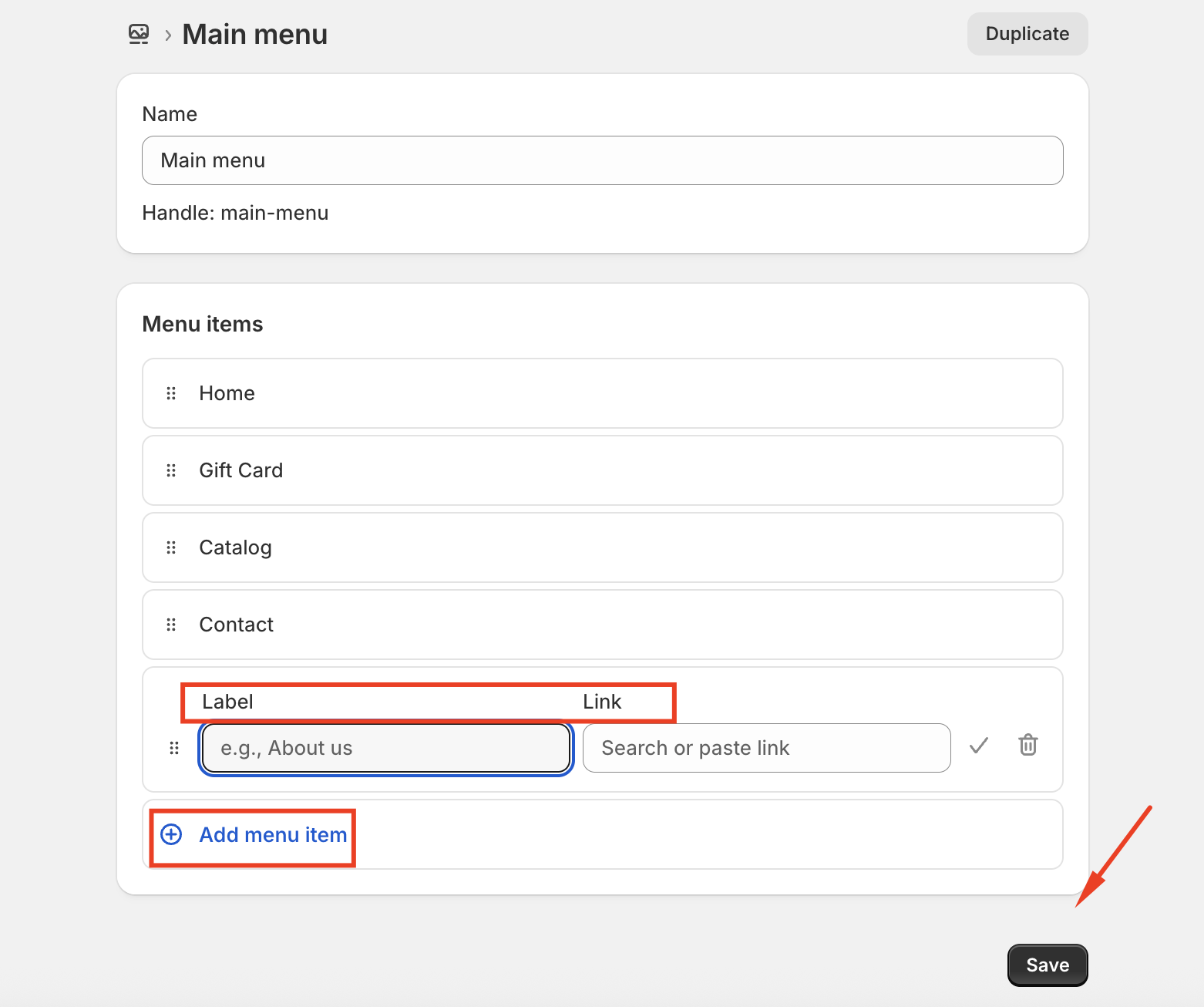
Step 4: Click on ‘Add menu item’, enter a label, and paste the copied link into the ‘Link’ field. Then click Save.
Step 5: Check your storefront again
Make sure the gift card product has been successfully added to the main menu.
Should you have any further concerns, please feel free to contact us at support@govalos.com.
Was this article helpful?
That’s Great!
Thank you for your feedback
Sorry! We couldn't be helpful
Thank you for your feedback
Feedback sent
We appreciate your effort and will try to fix the article