When creating gift card products using GV – Gift Card, you have full control over the values, or denominations, that will be available to customers at the time of purchase. These denominations appear as selectable options, allowing customers to choose the gift card value that best suits their needs.
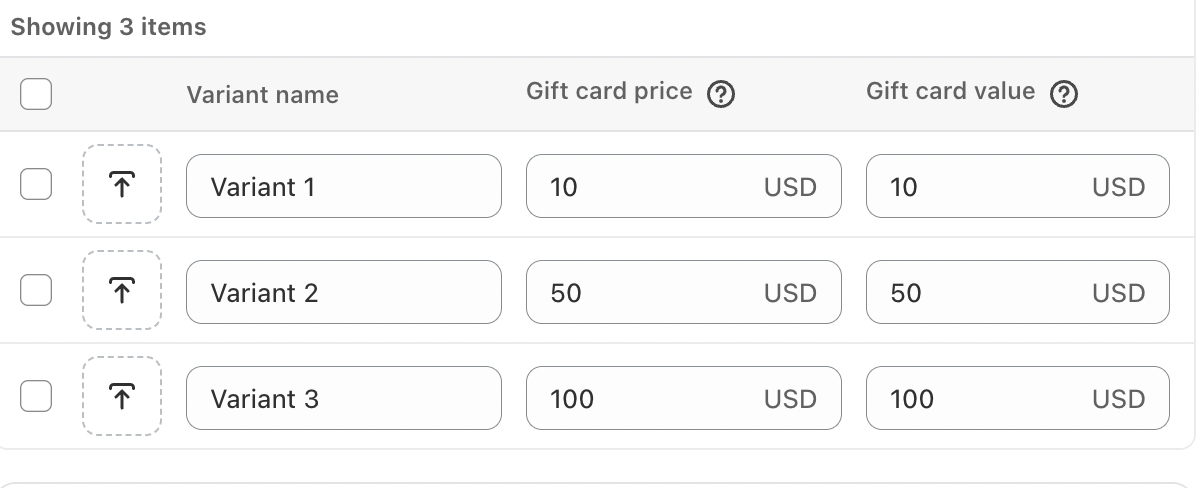
In addition to setting denominations, the app allows you to customize each gift card variant to better reflect your store’s branding. You can edit the variant name and upload a custom image for each denomination, helping create a more personalized and visually consistent shopping experience.
To customize a variant, click on the variant name and update it with the content you prefer. To further enhance the presentation, select Upload Image and add a corresponding image for each variant. These customizations will be displayed to customers when they view and purchase the gift card.
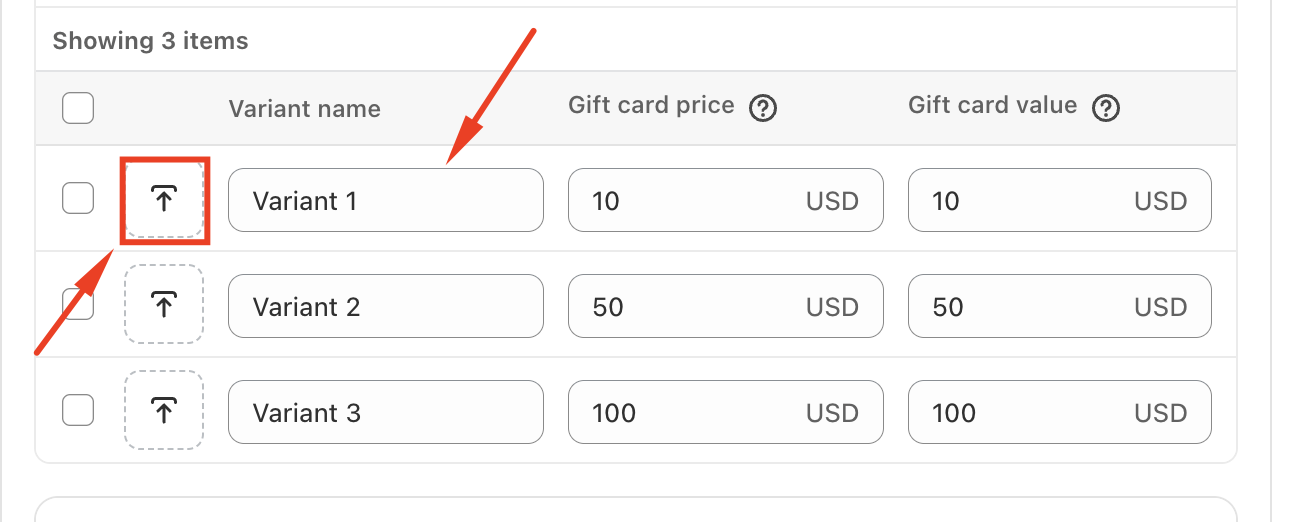
By tailoring variant names and images, you can ensure that your gift card offerings align seamlessly with your brand identity and store design.
In case you have any further concerns, please feel free to drop us an email at support@govalos.com
Was this article helpful?
That’s Great!
Thank you for your feedback
Sorry! We couldn't be helpful
Thank you for your feedback
Feedback sent
We appreciate your effort and will try to fix the article