The Celebrate a Birthday reward allows merchants to send a special reward to customers on their birthday. In addition to configuring the reward value, merchants can also customize how the reward content appears in the loyalty widget.
This article explains how to customize the birthday reward content and preview it in the loyalty program launcher.
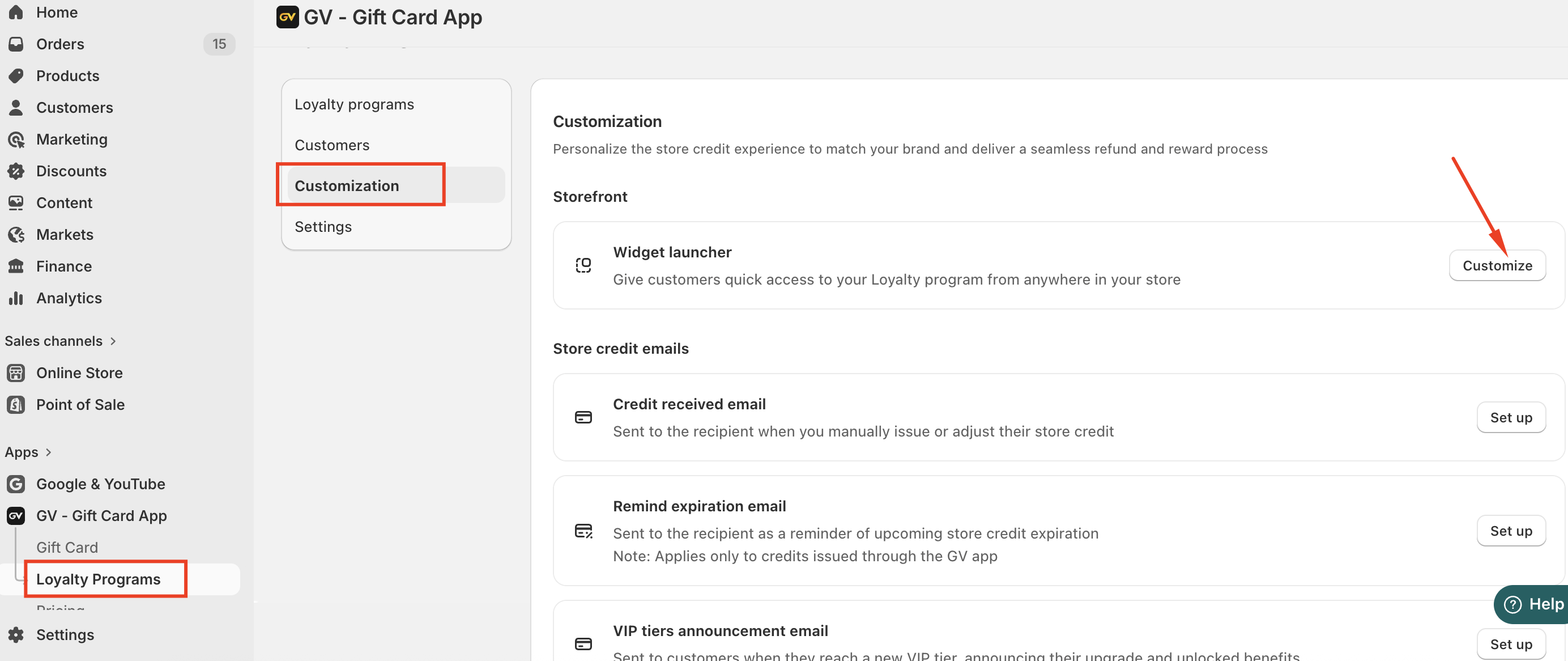
Accessing the Customization Settings
To customize the birthday reward content:
Go to Loyalty Program
Navigate to Customization
Select Launcher
This section allows you to modify how the loyalty widget appears to customers on your storefront.
Customizing the Birthday Reward Content
To edit the birthday reward display:
Go to Program & Rewards
Select Celebrate a Birthday
Click Customize Content
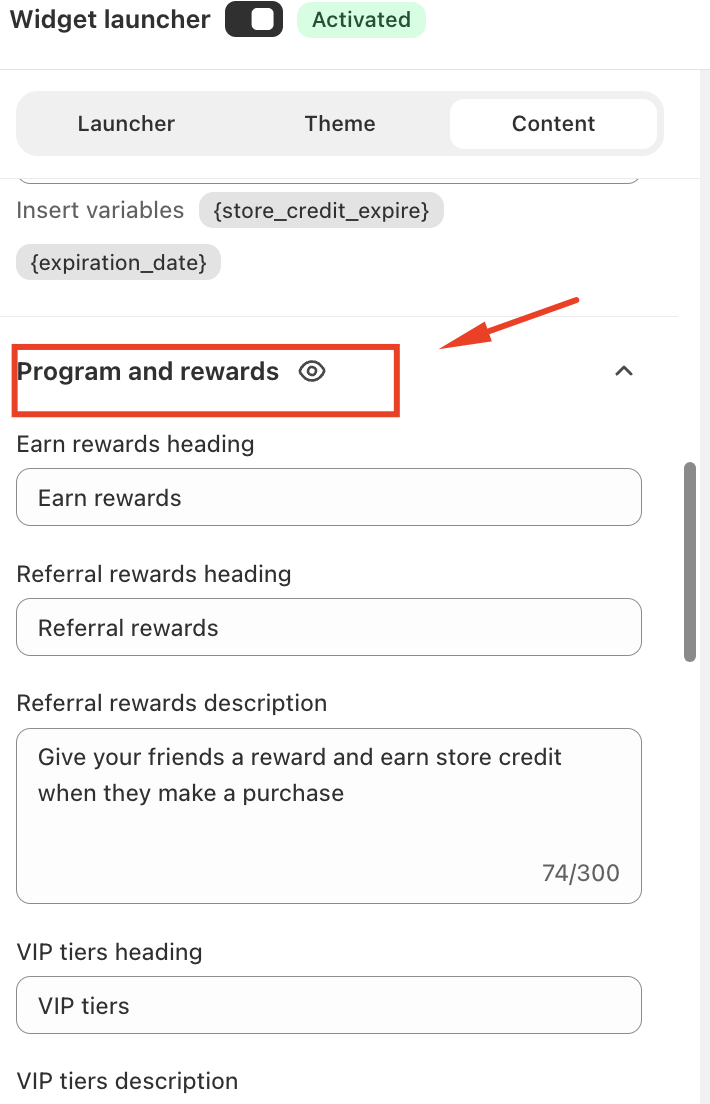
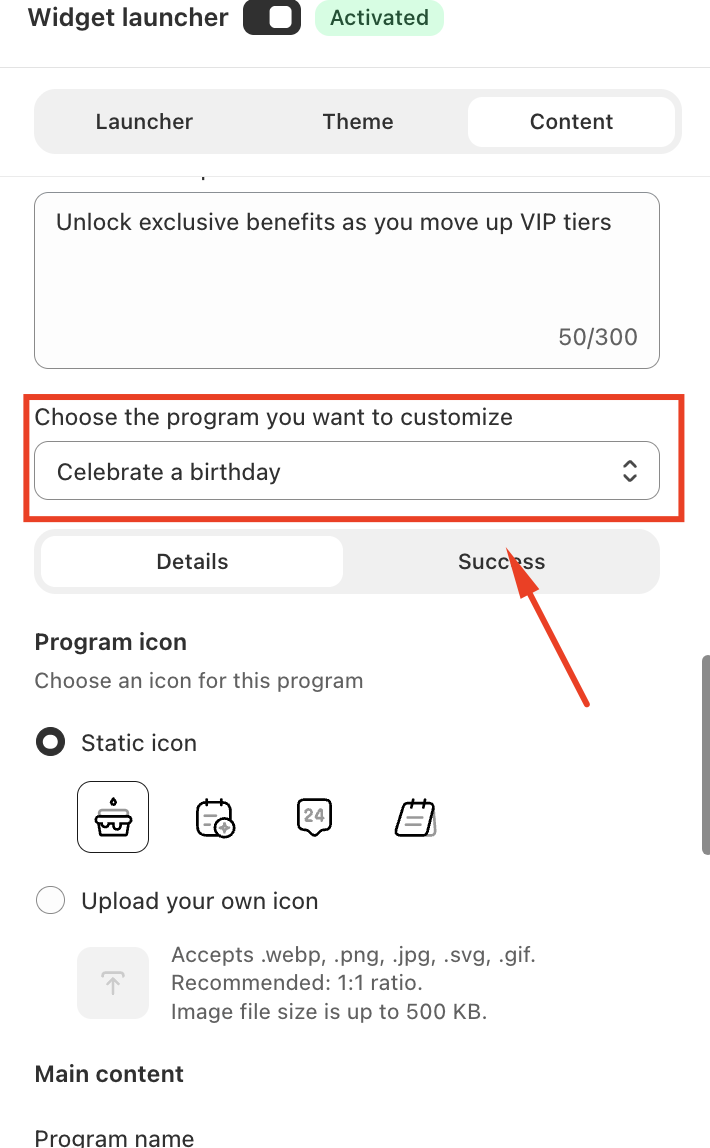
From here, you can modify the text, reward description, and how the birthday reward is displayed inside the loyalty widget.
These changes allow you to align the reward messaging with your store’s branding and customer experience.
Previewing the Birthday Reward
You can preview how the reward will appear to customers directly in the customization panel.
To preview the content:
Click the ? Preview icon on the selected tab, or
Switch between the Successful and Detail tabs to view the reward interface.
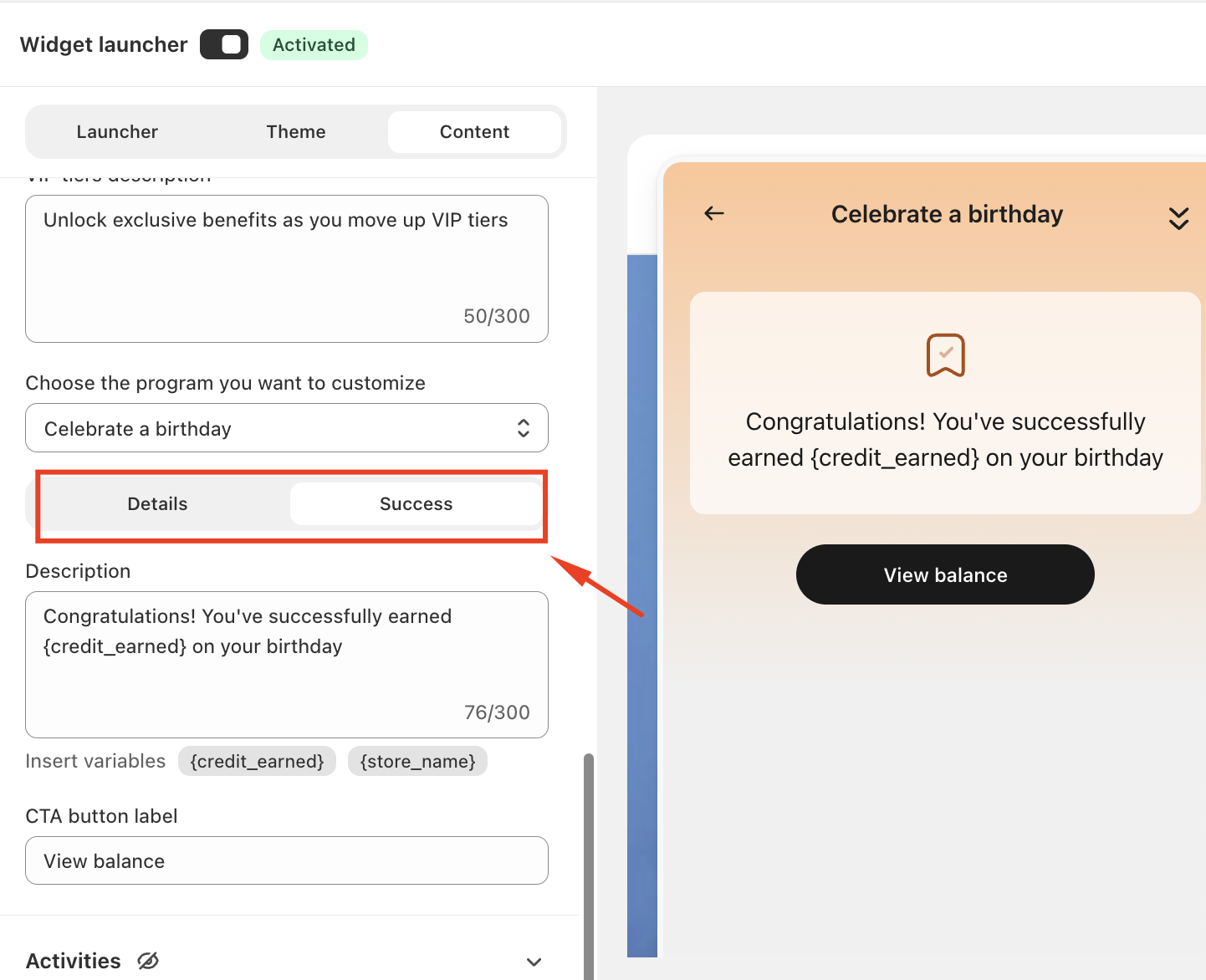
This preview helps you confirm that the reward messaging and layout appear correctly before publishing the changes to your storefront.
Summary
The Customization → Launcher section allows merchants to adjust how the birthday reward appears within the loyalty widget.
In case you have any further concerns, please feel free to drop us an email at support@govalos.com
Was this article helpful?
That’s Great!
Thank you for your feedback
Sorry! We couldn't be helpful
Thank you for your feedback
Feedback sent
We appreciate your effort and will try to fix the article