At this time, updating the balance of an existing gift card is not supported. Once a gift card has been issued, its value cannot be modified. When a customer uses the gift card, the purchase amount is automatically deducted from the available balance.
If a change to the gift card balance is required, the existing gift card must first be disabled. After it has been disabled, a new gift card can be issued with the correct value. This process helps ensure accuracy, security, and proper tracking of all gift card transactions.
How to Disable a Gift Card and Issue a New One
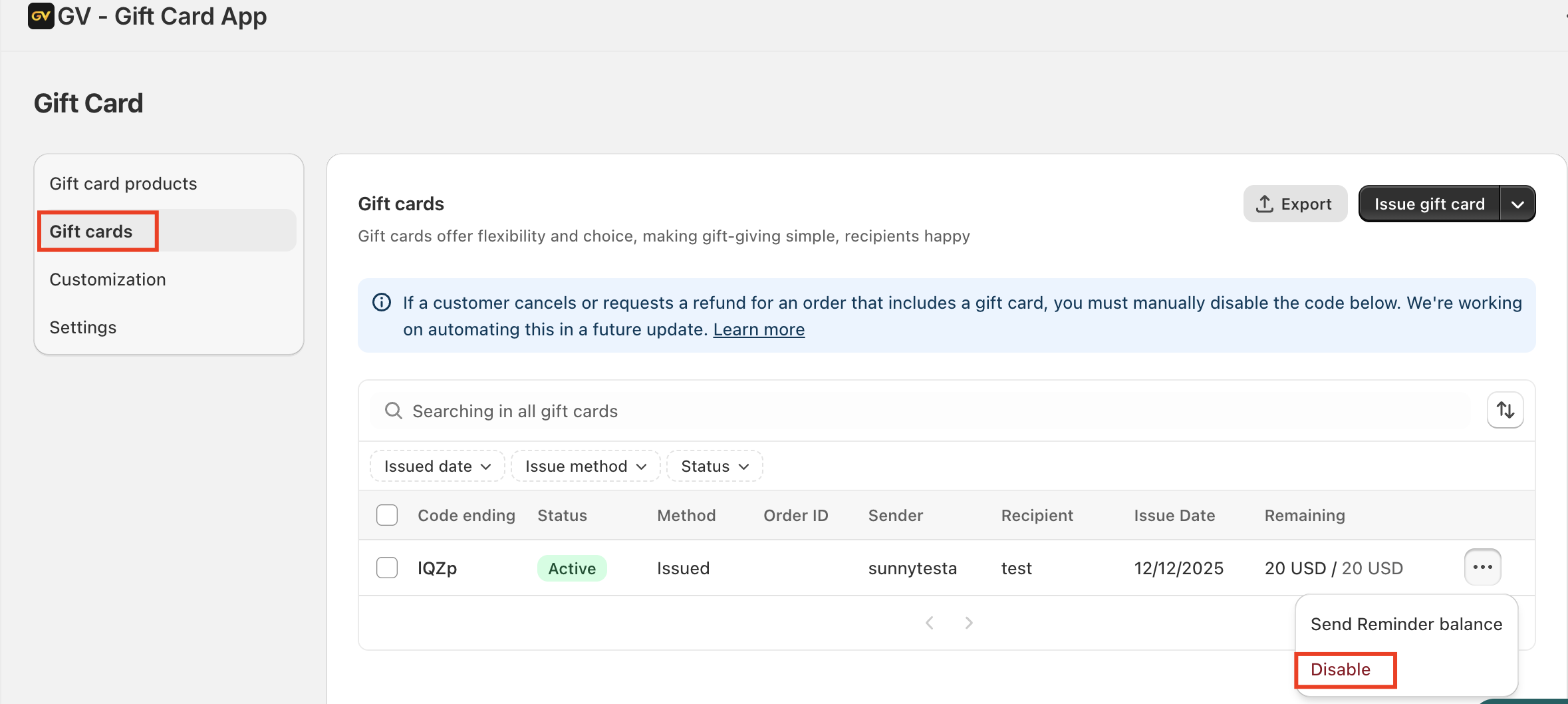
Step 1: Go to Gift Cards, locate the card number, and disable the existing gift card.
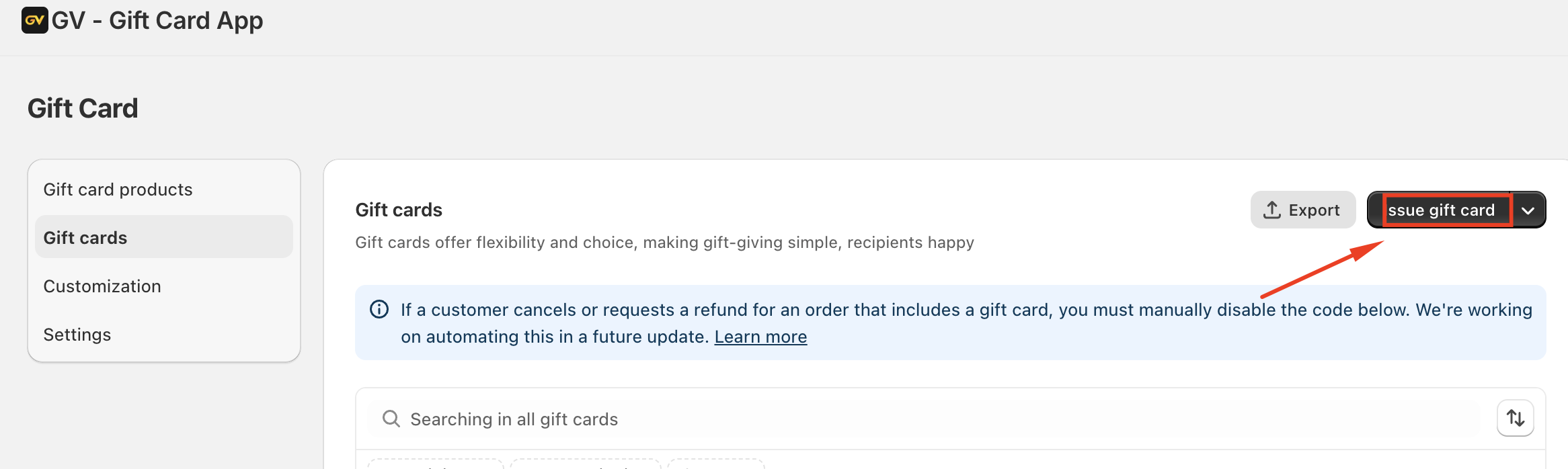
Step 2: Issue a new gift card with the desired value and enter the recipient’s details.
In case you have any further concerns, please feel free to drop us an email at support@govalos.com
Was this article helpful?
That’s Great!
Thank you for your feedback
Sorry! We couldn't be helpful
Thank you for your feedback
Feedback sent
We appreciate your effort and will try to fix the article