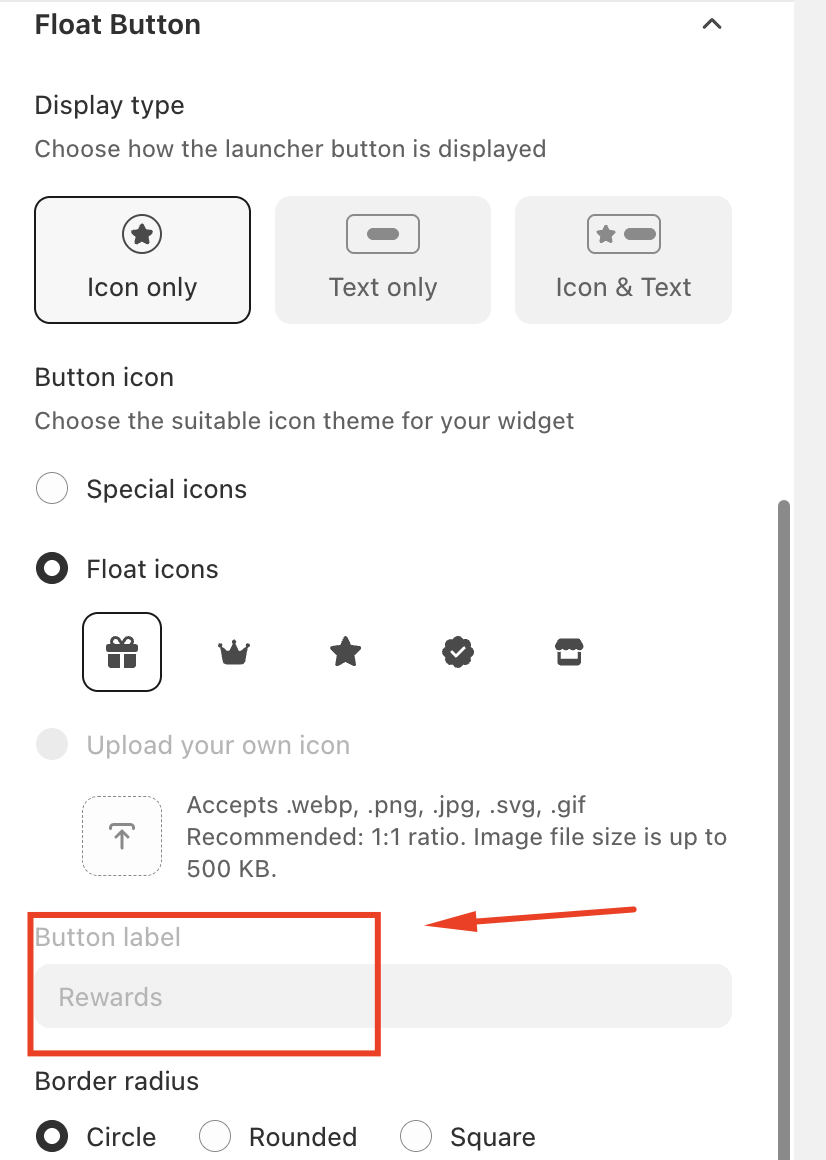
If you are unable to edit the “Rewards” text when customizing the widget launcher, this behavior is expected and is related to the widget’s display type settings.
This article explains why the text may appear blurred or uneditable and how to resolve the issue.
Understanding Widget Display Types
The widget launcher supports different display types, which determine whether text, icons, or both are shown on your storefront. The available options typically include:
Text only
Icon & Text
Icon only
When the display type is set to Icon only, the widget launcher shows only an icon and does not display any text. As a result, the button label text (such as “Rewards”) becomes unavailable or appears blurred in the customization settings. This is expected behavior, as no text is shown on the storefront in this mode.
How to Edit the “Rewards” Text
To enable editing of the button label text, follow these steps:
Locate the Display Type option.
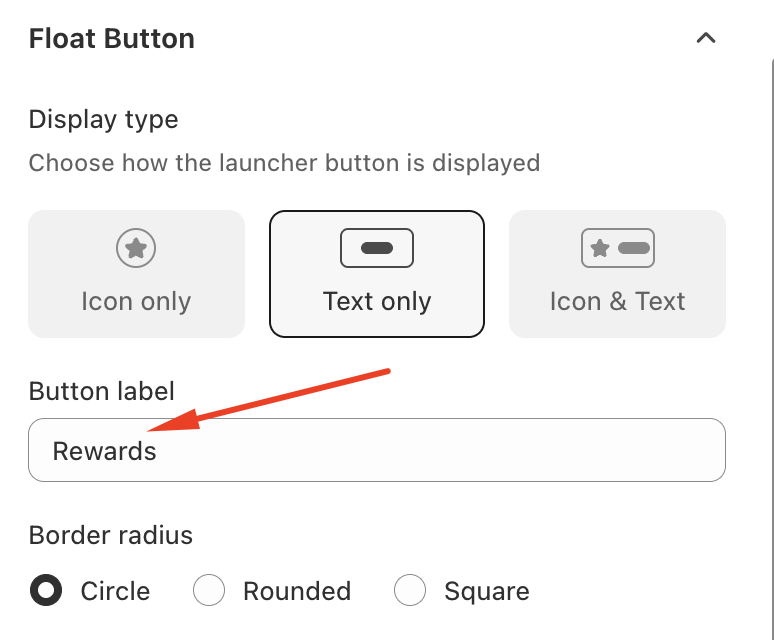
Change the display type to either:
Text only, or
Icon & Text
Once selected, the button label field will become editable.
Update the text as desired and save your changes.
After switching to one of these display types, the updated text will be visible on your storefront.
Should you need any further assistance, please do not hesitate to contact us at support@govalos.com
Was this article helpful?
That’s Great!
Thank you for your feedback
Sorry! We couldn't be helpful
Thank you for your feedback
Feedback sent
We appreciate your effort and will try to fix the article